
Best Gaming Laptops for College Students Under $1000 in 2026
Navigate this article
Introduction
Buying a gaming laptop for college is different from buying one purely for gaming.
A college laptop needs to handle lectures, assignments, research, video calls, and productivity software during the day while still delivering solid gaming performance at night. It also has to survive being carried around campus, fit inside a backpack, and ideally last more than a few hours away from an outlet.
The good news is that the sub-$1,000 gaming laptop market is stronger than ever in 2026. Features that were once reserved for premium machines, high-refresh-rate displays, dedicated RTX graphics, fast SSDs, and 16GB of RAM, have become increasingly common in budget-friendly models.
The challenge isn't finding a gaming laptop under $1,000.
The challenge is finding the one that best matches your priorities.
Some models focus on raw gaming performance. Others offer better battery life, stronger build quality, or a more portable design. The best choice depends on how you plan to use it.
This guide covers the best gaming laptops for college students under $1,000 in 2026, including their strengths, weaknesses, and the type of student each model is best suited for.
What to Look for When Buying a Gaming Laptop (2026 Buyers Guide)
The gaming laptop market right now is an absolute minefield. Find out what you need to look for when buying a gaming laptop in 2026.
Read article →
What College Students Should Prioritize in a Gaming Laptop Under $1000
Before looking at specific recommendations, it's worth understanding what matters most in this price range.
GPU Performance Comes First
For gaming, the graphics card remains the most important component.
In 2026, most worthwhile gaming laptops under $1,000 feature one of these GPUs:
- RTX 4050 Laptop GPU
- RTX 5050 Laptop GPU (if you can get a good deal)
- RTX 4060 Laptop GPU (usually on sale)
All three can deliver excellent 1080p gaming performance, although RTX 4060 systems generally provide more headroom for demanding games and higher settings.
For most students, an RTX 4050 or RTX 5050 offers the best balance between cost and performance.
16GB RAM Should Be the Minimum Target
Modern games, web browsers, Discord, Spotify, and productivity apps can quickly consume memory.
While some budget laptops still ship with 8GB configurations, 16GB is the practical baseline for a smooth experience in 2026.
Don't Ignore Battery Life
Gaming laptops are not known for all-day battery life.
However, there is a significant difference between a laptop that lasts four hours during lectures and one that lasts seven.
Students who spend long days on campus should pay attention to battery performance just as much as gaming benchmarks.
Display Quality Matters
A high refresh rate is great for gaming, but other factors matter too:
- Brightness
- Color accuracy
- Viewing angles
- Resolution
A mediocre display can make both gaming and schoolwork less enjoyable.
Upgradeability Extends Lifespan
Being able to add more RAM or install a larger SSD later can significantly improve long-term value.
Many budget gaming laptops become much more attractive if upgrading them is straightforward.
How We Chose These Gaming Laptops
To qualify for this list, laptops needed to:
- Typically sell for under $1,000
- Include a dedicated NVIDIA RTX GPU
- Offer at least 16GB of RAM
- Include a 512GB SSD or larger
- Provide a display suitable for modern gaming
- Be practical for both gaming and college coursework
Configurations and pricing can change frequently, so availability may vary by retailer.
Best Gaming Laptops for College Students Under $1000 at a Glance
| Laptop | GPU | CPU | RAM | Storage | Display | Price | Link |
|---|---|---|---|---|---|---|---|
| Acer Nitro V 15 | RTX 5050 8GB GDDR7 | Intel i5-13420H | 16GB DDR4 | 512GB SSD | 15.6" 165Hz FHD IPS | $999 | Check Price |
| Lenovo LOQ | RTX 4050 6GB | Ryzen 5 7235HS | 16GB DDR5 | 512GB SSD | 15.6" 144Hz FHD IPS | $849 | Check Price |
| ASUS TUF Gaming F16 | RTX 4050 6GB | Intel Core 5 210H | 16GB DDR5 | 512GB SSD | 16" 144Hz FHD+ | $999 | Check Price |
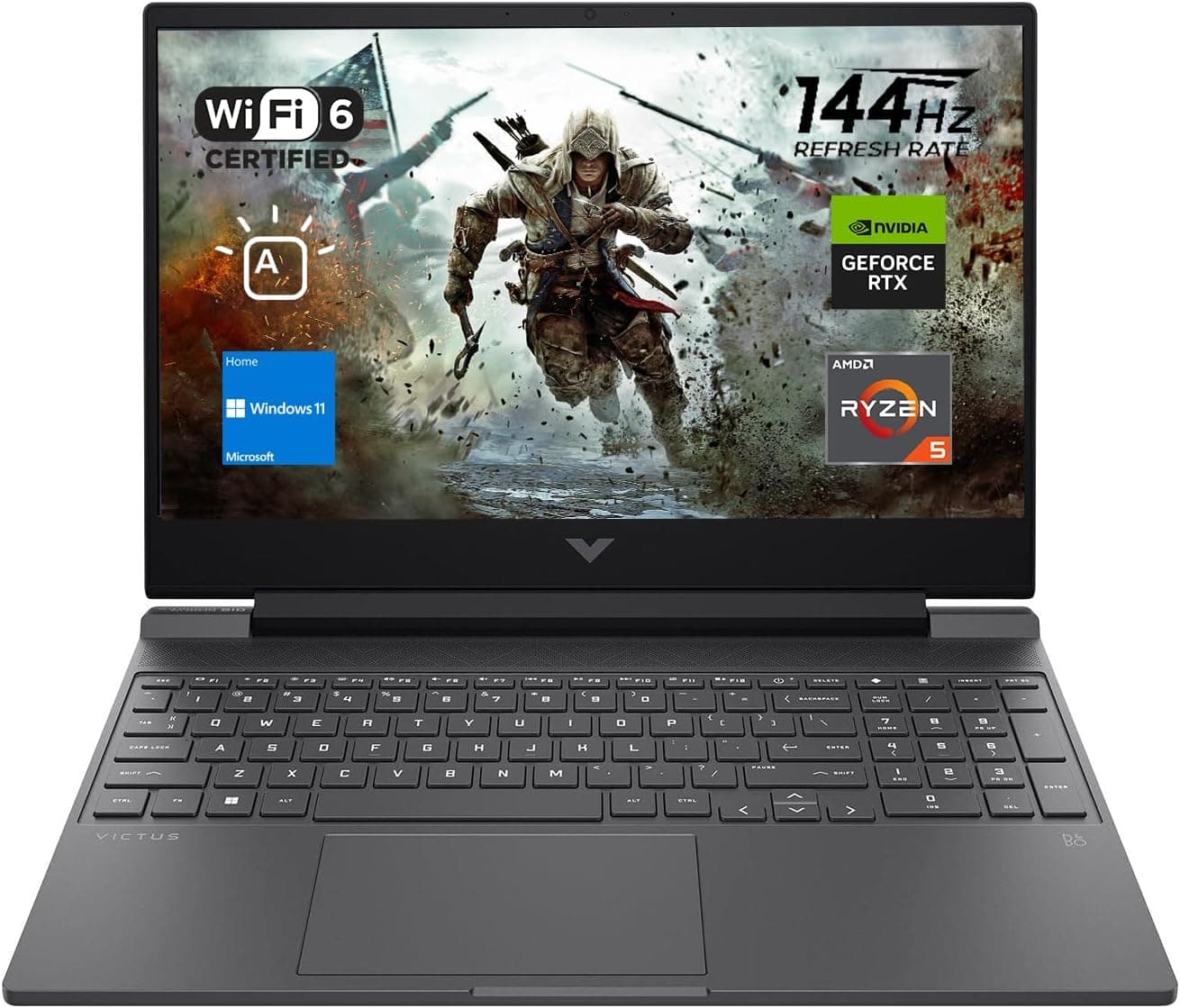
| HP Victus 15 | RTX 4050 6GB | Intel i5-13420H | 16GB DDR4 | 512GB SSD | 15.6" 144Hz FHD IPS | $799 | Check Price |
Acer Nitro V 15
Best Overall Gaming Laptop for Most Students
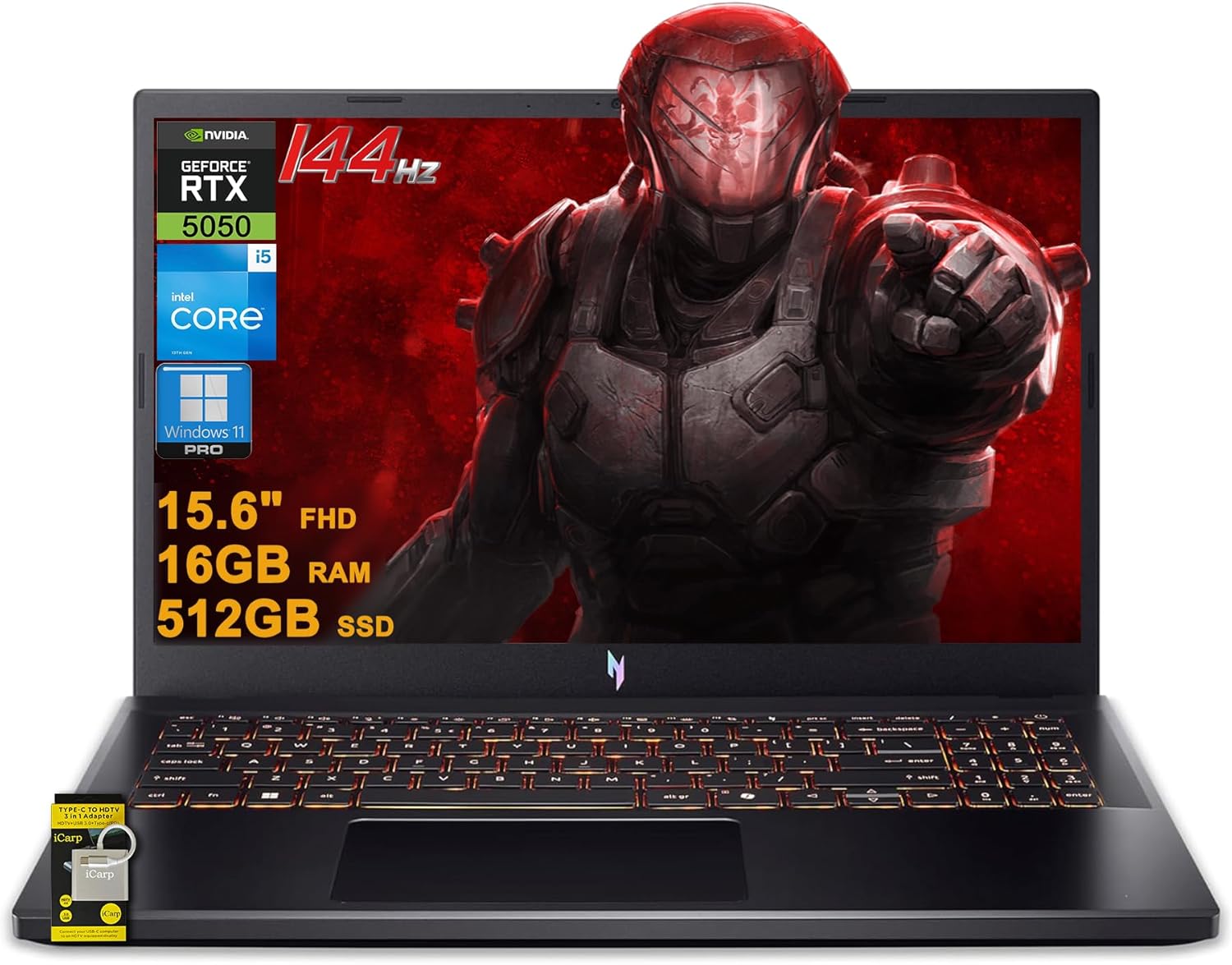
The Acer Nitro V 15 earns the top spot because it delivers one of the strongest gaming-focused hardware combinations available under $1,000. While it doesn't have the most premium design in this roundup, it pairs an RTX 5050 graphics card with a fast 165Hz display and a capable Intel Core i5 processor, making it an excellent balance of gaming performance and everyday usability.
For college students, that means one machine that can handle coursework during the day and modern games after class without stretching beyond a four-figure budget.
Key Specifications
| Specification | Details |
|---|---|
| Price | $999 |
| Display | 15.6-inch FHD (1920×1080) IPS, 165Hz |
| Processor | Intel Core i5-13420H (8-Core, 3.4GHz) |
| Graphics | NVIDIA GeForce RTX 5050 8GB GDDR7 |
| Memory | 16GB DDR4 |
| Storage | 512GB SSD |
| Operating System | Windows 11 Pro |
| Wireless | Wi-Fi 6 (802.11ax) |
| Ports | 3× USB-A 3.2, Thunderbolt 4, HDMI, RJ45 Ethernet |
| Webcam | 720p HD |
| Audio | DTS X Audio |
| Keyboard | Backlit Keyboard |
| Battery | 76Wh |
| Weight | 4.66 lbs |
| Dimensions | 14.3" × 9.4" × 0.93" |
Best RTX 5050 Gaming Laptops Under $1000 in 2026: Blackwell Budget Kings
Looking for a budget beast? We've rounded up the top RTX 5050 laptops that deliver incredible 1080p performance without breaking the bank.
Read article →
Pros
- RTX 5050 with 8GB GDDR7 VRAM
- Fast 165Hz IPS display
- Thunderbolt 4 support
- Large 76Wh battery
- Good overall value under $1,000
Cons
- DDR4 memory instead of DDR5
- FHD display rather than QHD
- Design prioritizes function over premium materials
Why It Stands Out
Compared with many laptops in this price range, the Nitro V 15 offers a combination that is difficult to find under $1,000: an RTX 5050 GPU, a high-refresh-rate display, Thunderbolt 4 connectivity, and a large 76Wh battery.
The 165Hz IPS display is particularly appealing for competitive games such as Valorant, Counter-Strike 2, Marvel Rivals, Fortnite, and Overwatch 2, where higher frame rates can make gameplay feel noticeably smoother.
Who Should Buy It?
Students who want the strongest overall gaming-focused laptop in this price range while still getting practical features for school, including a webcam, Wi-Fi 6, Ethernet connectivity, and Windows 11 Pro.
Lenovo LOQ
Best Balanced Pick
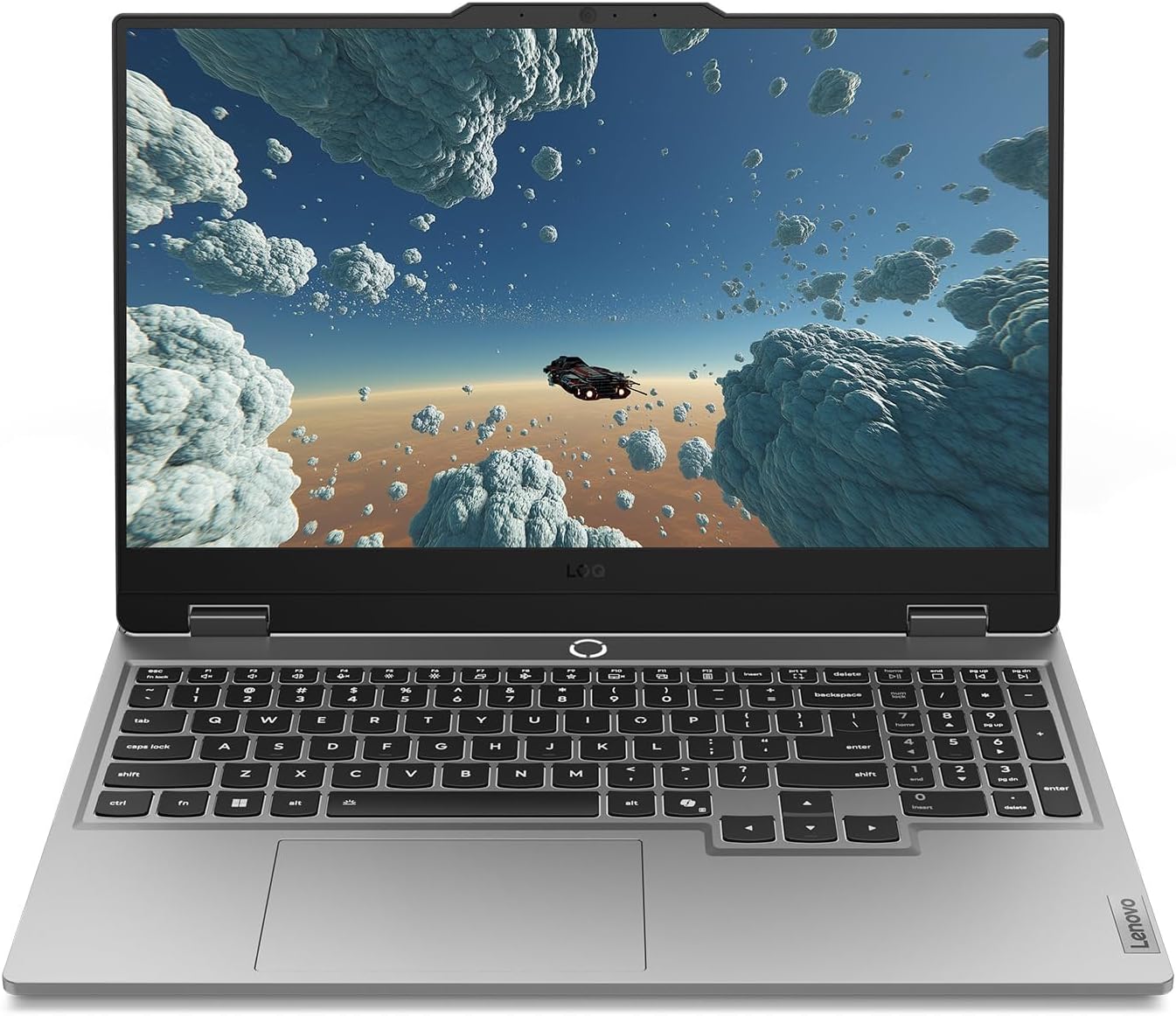
The Lenovo LOQ earns its place as the best balanced option because it focuses on the fundamentals that matter most to gamers. While it doesn't offer the fastest GPU in this roundup, it combines modern hardware, DDR5 memory, a high-refresh-rate display, and a competitive price that leaves some room in a student's budget.
For college students who want reliable gaming performance without spending close to the $1,000 mark, the LOQ strikes an appealing balance between price, features, and everyday usability.
Key Specifications
| Specification | Details |
|---|---|
| Price | $849 |
| Display | 15.6-inch FHD (1920×1080) IPS, 144Hz |
| Processor | AMD Ryzen 5 7235HS |
| Graphics | NVIDIA GeForce RTX 4050 6GB |
| Memory | 16GB DDR5 |
| Storage | 512GB SSD |
| Operating System | Windows 11 Home |
| Wireless | Wi-Fi 6, Bluetooth 5.3 |
| Keyboard | Backlit Keyboard |
| Webcam | Included |
| Upgrade Potential | Supports up to 64GB RAM |
| Dimensions | 14.2" × 10.4" × 1.15" |
Lenovo Gaming Laptop Guide 2026: Legion vs LOQ Explained + Best Models for Every Gamer
Lenovo continues to absolutely dominate the gaming laptop space in 2026. We break down the differences between the Legion Pro, Legion, and LOQ series to help you find the perfect rig.
Read article →
Pros
- Excellent value for the money
- Modern DDR5 memory
- RTX 4050 graphics
- 144Hz IPS display
- Upgradeable memory support
Cons
- Smaller performance headroom than RTX 5050 systems
- 512GB storage may fill quickly
- Thicker than some competing laptops
Why It Stands Out
At $849, the Lenovo LOQ offers one of the most affordable ways to get an RTX 4050 gaming laptop with DDR5 memory. Compared to many budget systems that make compromises on memory or display quality, the LOQ delivers a solid foundation for both gaming and schoolwork.
The combination of an RTX 4050 and a 144Hz IPS display makes it well suited for popular esports titles and modern AAA games at 1080p, while the Ryzen processor provides enough performance for productivity tasks, streaming, and multitasking.
Who Should Buy It?
Students who want the best balance between performance and affordability. It's an especially good choice for buyers who want dedicated gaming hardware without spending the full $1,000 budget.
ASUS TUF Gaming F16
Best Durability and Long-Term Value
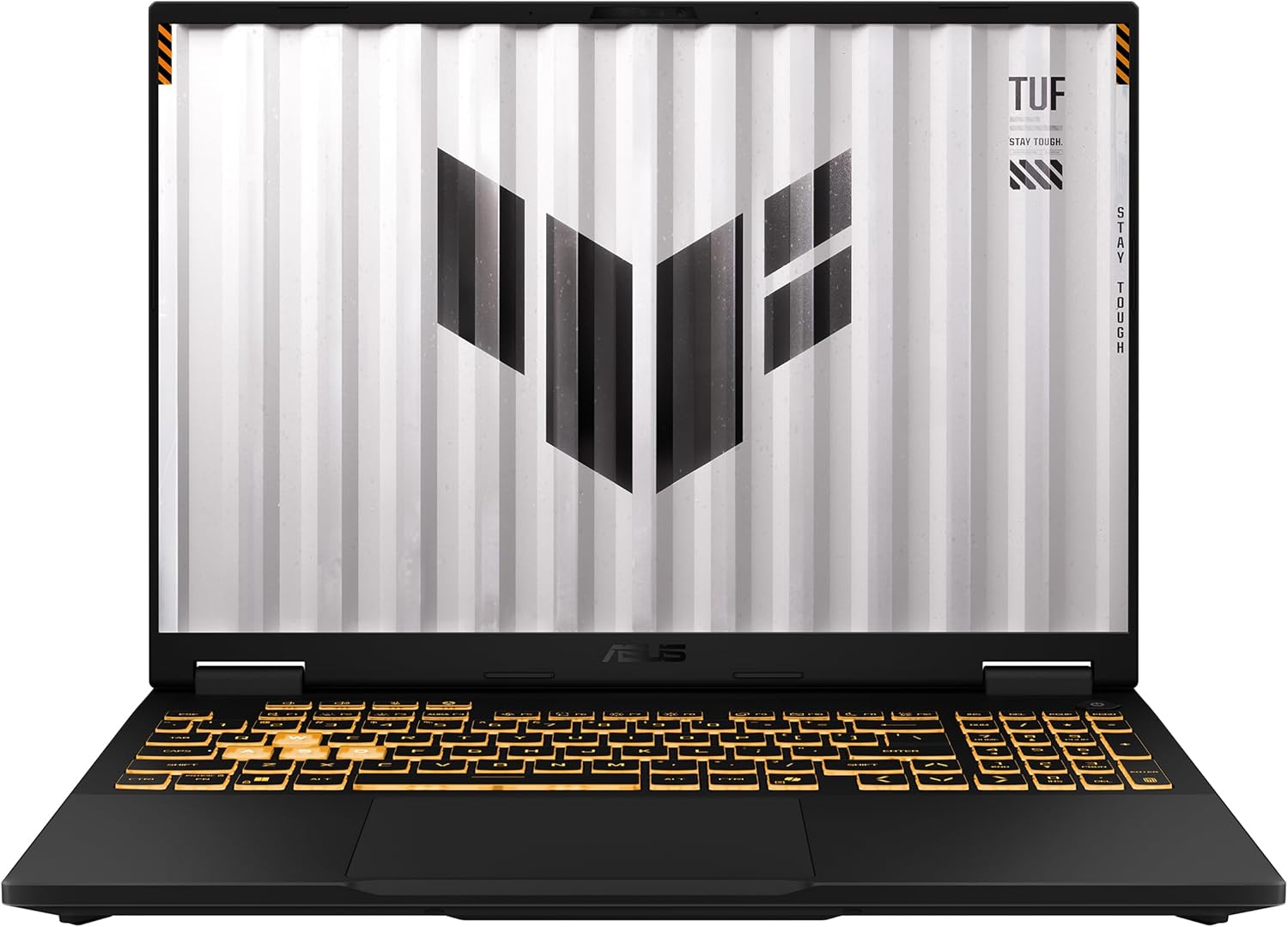
The ASUS TUF Gaming F16 stands out for students who plan to keep their laptop for several years. The TUF series has built a reputation around durability, practical design, and dependable gaming performance, making it a strong option for buyers who want a machine that can handle daily travel between classes, dorms, and study sessions.
While it doesn't offer the most powerful graphics card in this roundup, it combines a modern Intel processor, DDR5 memory, and a large 16-inch display in a relatively slim chassis.
Key Specifications
| Specification | Details |
|---|---|
| Price | $999 (Sale Price) |
| MSRP | $1,199 |
| Display | 16-inch FHD+ (1920×1200), 144Hz, 16:10 |
| Processor | Intel Core 5 210H |
| Graphics | NVIDIA GeForce RTX 4050 6GB |
| Memory | 16GB DDR5 |
| Storage | 512GB PCIe Gen4 SSD |
| Operating System | Windows 11 Home |
| Wireless | Wi-Fi 6, Bluetooth |
| Battery | 56Wh |
| Keyboard | Backlit Keyboard |
| Weight | 2.2 kg (4.85 lbs) |
| Dimensions | 13.94" × 9.88" × 0.87" |
ASUS Gaming Laptops Explained (2026): ROG vs TUF Complete Buying Guide
Confused by the ASUS gaming laptop lineup? Learn the differences between ROG Zephyrus, Strix, and TUF and find the perfect model for your needs.
Read article →
Pros
- Large 16-inch 16:10 display
- DDR5 memory
- Slim design for a gaming laptop
- Strong long-term value
- Good productivity-friendly screen size
Cons
- RTX 4050 is less powerful than the Nitro's RTX 5050
- Higher price than the Lenovo LOQ
- Battery capacity is smaller than some competitors
Why It Stands Out
The biggest advantage of the TUF Gaming F16 is its overall package. The 16-inch 16:10 display provides noticeably more screen space than a traditional 15.6-inch panel, which can make multitasking, document editing, and productivity work more comfortable.
Its DDR5 memory and PCIe Gen4 SSD also help keep the system feeling responsive for everyday use, while the RTX 4050 remains capable of delivering smooth 1080p gaming performance in modern titles.
Who Should Buy It?
Students who want a larger display, modern platform features, and a laptop they can comfortably use for both gaming and coursework over the next several years.
HP Victus 15
Best Budget-Friendly Choice
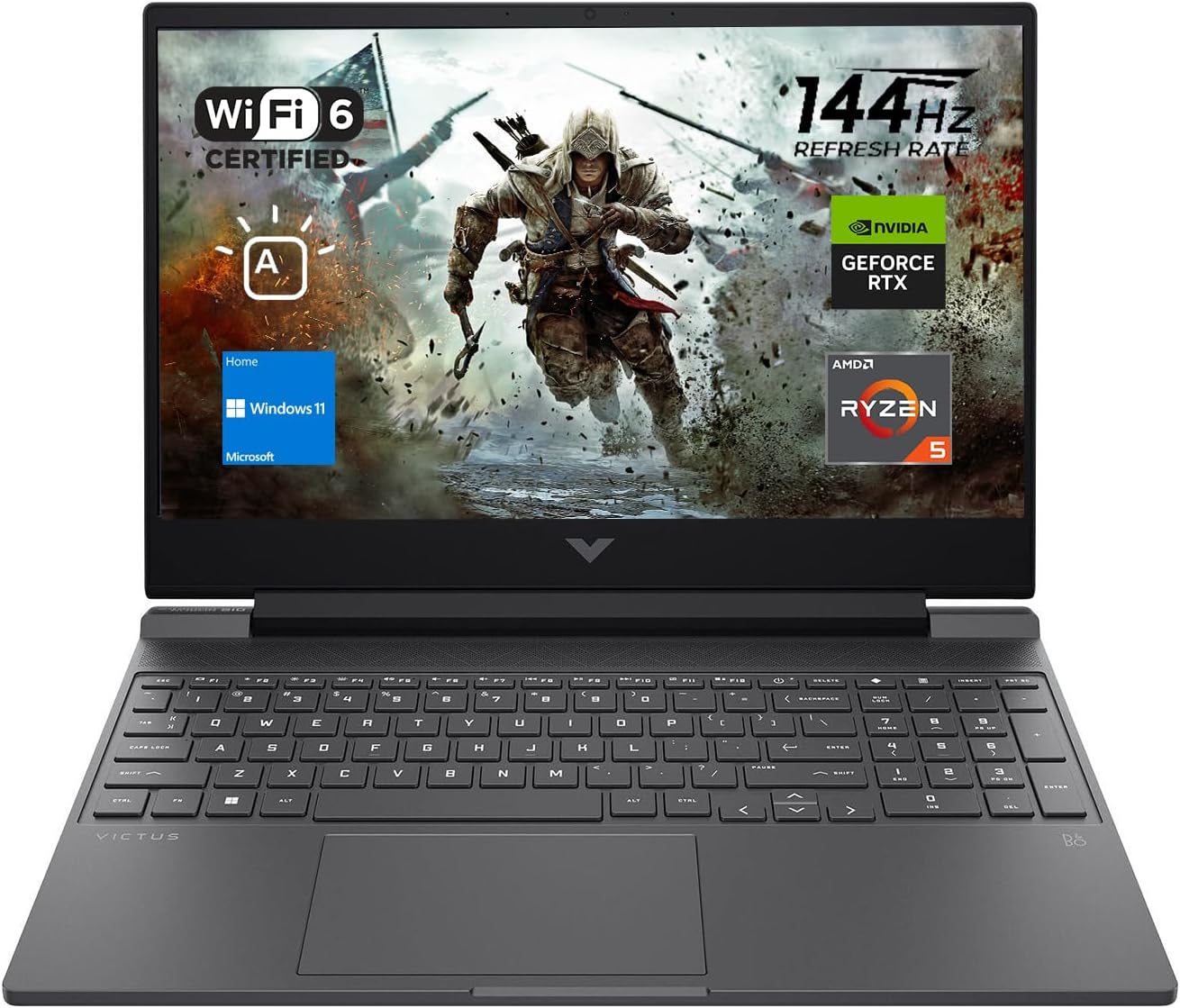
The HP Victus 15 is the value pick of this roundup. At $799, it delivers dedicated RTX graphics, a high-refresh-rate display, and modern connectivity while staying comfortably below the $1,000 budget.
For students who simply want the lowest-cost gaming laptop that still provides a solid gaming experience, the Victus 15 is difficult to ignore.
Key Specifications
| Specification | Details |
|---|---|
| Price | $799 |
| Display | 15.6-inch FHD (1920×1080) IPS, 144Hz |
| Processor | Intel Core i5-13420H (8-Core, up to 4.6GHz) |
| Graphics | NVIDIA GeForce RTX 4050 6GB GDDR6 |
| Memory | 16GB DDR4 |
| Storage | 512GB NVMe SSD |
| Operating System | Windows 11 Home |
| Wireless | Wi-Fi 6, Bluetooth 5.3 |
| Battery | 70Wh (Up to 6 Hours) |
| Ethernet | Gigabit Ethernet |
| Ports | USB-A, USB-C, HDMI 2.1, RJ45, Audio Jack, Card Reader |
| Keyboard | Backlit Keyboard with Numeric Keypad |
| Webcam | 720p HD Camera |
| Weight | 5.1 lbs |
| Dimensions | 14.09" × 10.04" × 0.93" |
HP Gaming Laptop Guide 2026: Omen vs Victus Explained + Best Picks
HP's 2026 gaming laptop lineup features the new RTX 50 series GPUs and advanced Ryzen AI processors. This guide breaks down the Omen and Victus models to help you find the right fit.
Read article →
Pros
- Lowest price in the roundup
- RTX 4050 graphics
- Large 70Wh battery
- Good value for money
- Modern connectivity options
Cons
- DDR4 memory instead of DDR5
- Build quality is more budget-oriented
- Less gaming performance than the Nitro V 15
Why It Stands Out
The Victus 15 offers one of the most compelling price-to-performance ratios in this guide. Despite being the least expensive laptop here, it still includes an RTX 4050 graphics card, a 144Hz IPS display, and a capable Intel Core i5 processor.
The large 70Wh battery is another welcome addition, helping make the Victus more practical for students who need a laptop that can handle both coursework and gaming.
Who Should Buy It?
Students who want the most affordable gaming laptop possible while still getting modern RTX graphics and a smooth 144Hz display.
Which Gaming Laptop Should You Buy?
If you're still undecided, here's a quick breakdown.
- Buy the Acer Nitro V 15 if: You want the best overall combination of gaming performance, display quality, and everyday usability.
- Buy the Lenovo LOQ 15 if: You want a balanced gaming machine with solid cooling and dependable performance.
- Buy the ASUS TUF if: Durability and long-term ownership matter most.
- Buy the HP Victus 15 if: You want the most affordable gaming laptop possible without sacrificing dedicated graphics.
FAQ
Is an RTX 4050 still good for gaming in 2026?
Yes.
For most college students, an RTX 4050 remains capable of delivering smooth 1080p gaming in modern titles. More demanding games may require reduced settings, but it remains a strong budget option.
Is 16GB RAM enough for gaming and college work?
Yes.
For gaming, web browsing, productivity software, and multitasking, 16GB remains the recommended minimum for most students in 2026.
Is 512GB of storage enough?
It depends.
Many modern games exceed 100GB, so a 512GB SSD can fill quickly. Students who install multiple large games may want to add a secondary SSD or upgrade to 1TB later.
Should I prioritize battery life or gaming performance?
Most students benefit from balance.
A slightly slower gaming laptop with noticeably better battery life often provides a better college experience than a faster machine that constantly needs charging.
Are gaming laptops good for schoolwork?
Absolutely.
Modern gaming laptops handle productivity applications, programming, content creation, video editing, and research tasks extremely well.
Final Verdict
The best gaming laptop for college students under $1,000 in 2026 isn't necessarily the fastest one.
The best choice is the laptop that balances gaming performance, battery life, portability, and value.
For most buyers, the Acer Nitro V 15 stands out as the strongest all-around recommendation thanks to its balance of features and performance.
Students focused on pure value should also pay close attention to the Lenovo LOQ 15 and ASUS TUF lineup, while bargain hunters may find exceptional deals on the HP Victus 15 throughout the year.
No matter which model you choose, targeting a laptop with 16GB RAM, an RTX-class GPU, and a fast SSD will put you in a strong position for both gaming and college life in 2026.
You May Also Like

Best Games on Steam to Play While Working From Home
Best games on Steam to play while working from home, from cozy builders to smart card games that fit short breaks, easy pauses, and low stress sessions.
Best Budget Hall Effect Keyboards in 2026 (Under $50)
Discover the best budget Hall Effect keyboards under fifty dollars in 2026. Read our honest, in depth analysis of performance, build quality, and software features of the top six magnetic switch boards.
Best Gaming Laptops at Every Budget $900 to $3000 for 2026 Guide
Buying a gaming laptop in 2026 is an absolute minefield. We review the six absolute best gaming laptops from Acer, Lenovo, Alienware, ASUS, and MSI spanning budget to enthusiast tiers.