
Best Budget Hall Effect Keyboards in 2026 (Under $50)
Navigate this article
Why Magnetic Keyboards are Dominating the Competitive Scene
The competitive gaming peripheral landscape has shifted completely over the past few years, making traditional mechanical switches feel like ancient history for serious tactical shooter players. For a long time, elite features like Rapid Trigger and customizable key actuation were locked behind a high barrier of entry, forcing players to drop over one hundred and fifty dollars on premium boards. In 2026, the technology behind Hall Effect magnetic switches has fully commoditized, creating an absolute golden era of budget peripherals where you can buy genuine, high performance magnetic boards for under fifty dollars.
Unlike traditional mechanical switches that rely on physical metal contacts scraping together to complete a circuit, Hall Effect keyboards use magnets and specialized sensors on the printed circuit board. These sensors constantly measure the exact strength of the magnetic field as the key travels downward. Because there is no physical contact required to register a stroke, these keyboards offer near infinite durability, completely adjustable actuation distances, and Rapid Trigger capabilities where a key resets the millisecond your finger starts moving upward.
For budget conscious gamers grinding Valorant, Counter Strike 2, or Apex Legends, navigating the sub fifty dollar market is an absolute minefield of varying quality, buggy firmware, and physical compromises. While these keyboards look incredibly powerful on paper, actual software stability, typing acoustics, and long term durability differ wildly across different brands. This comprehensive, honest guide breaks down the six best budget Hall Effect keyboards available right now, detailing their technical performance, software ecosystems, physical builds, and real world flaws.
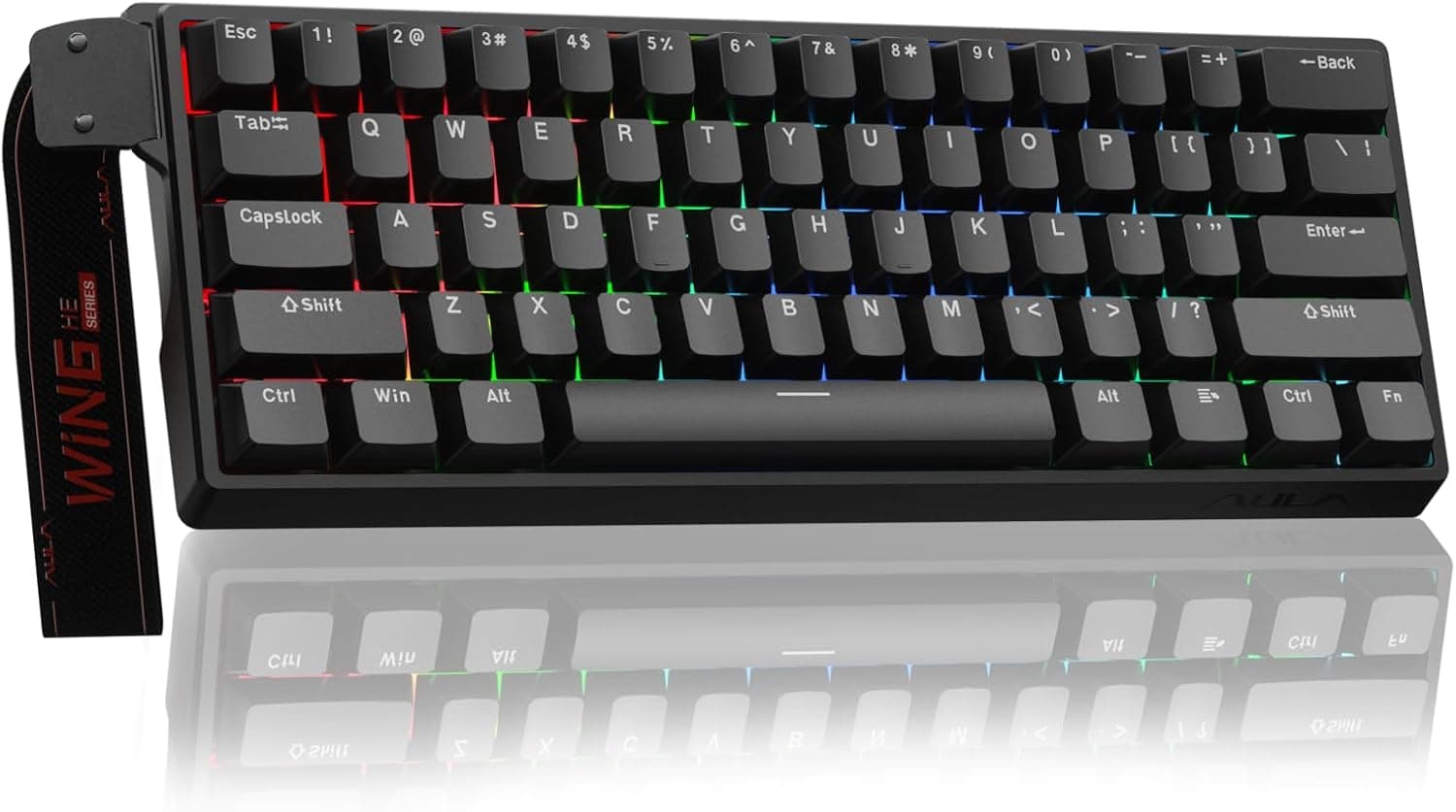
Best 60% Mechanical Keyboards Under $50 for Valorant & CS2 Players (2026 Guide)
If you're into tactical shooters like Valorant or CS2, you know how much the right keyboard matters. These days, budget 60% keyboards are seriously impressive, especially now that Hall Effect magnetic switches, rapid trigger, and crazy low latency aren’t just for expensive gear anymore. Here are the best picks under $50, each one brings something different to the table in terms of speed, features, and overall value.
Read article →
Meet The Boards
1. Aula WIN60 HE (Best Overall Pick)

$37.99 | 60% Layout
If you want one keyboard that just works out of the box, this is it. The WIN60 HE runs an 8000Hz polling rate with a 0.02mm rapid trigger step distance which is genuinely competitive with keyboards twice the price. It's built specifically with FPS games in mind, so if you play Valorant or CS2, the faster peeking and quick-stop mechanics will feel immediately noticeable.
The 60% layout is very compact. Keycaps are PBT with a lower LED position that makes the shine-through look cleaner than most budget boards. Customization runs through a web-based driver no software to download, works from any browser. The hot-swappable switches are a bonus at this price; if you ever want to swap to a different feel down the line, you can without any soldering.
Solid choice if you're dipping into hall effect keyboards for the first time.
| Spec | Details |
|---|---|
| Price | $37.99 |
| Layout | 60% (hot-swappable) |
| Polling Rate | 8000Hz |
| RT Step Distance | 0.02mm |
| Keycaps | PBT |
| RGB | Yes, south-facing LEDs, 16.8M colors |
| Driver | Web-based, any OS |
| Special Features | RT, macros, key remapping |
2. AULA WIN68 HE (Best 65% Option)

$39.99 | 65% Layout (68 keys)
Same DNA as the WIN60 but bumped to 65% with 68 keys, and honestly the specs here are impressive for under $40. You're getting 8000Hz polling, 0.3ms latency, and an adjustable actuation range of 0.02mm to 3.44mm with per-key precision down to 0.1mm increments. That means you can tune individual keys differently depending on what game you're playing, which is something you'd normally expect from a $100+ board.
The south-facing RGB LEDs are a small detail that makes a real difference light bleeds through the keycaps more evenly compared to north-facing setups. Driver supports RT, SOCD, DKS, MT, and TGL functions all through the browser, no download needed. It's Windows-only for the driver, which is worth knowing if you're on Mac.
The detachable USB cable is a nice quality-of-life feature that most budget keyboards skip. Good pick if 60% feels too cramped for you.
| Spec | Details |
|---|---|
| Price | $39.99 |
| Layout | 65% (68 keys) |
| Polling Rate | 8000Hz |
| RT Step Distance | 0.02mm |
| Actuation Range | 0.02mm – 3.44mm (0.1mm increments) |
| Latency | 0.3ms |
| RGB | Yes, south-facing LEDs, 16.8M colors, 14 presets |
| Driver | Web-based |
| Special Features | RT, SOCD, DKS, MT, TGL, macro, key remapping |
Best Budget Low Profile Mechanical Keyboards in 2026 (Under 100$)
Finding the best budget option in this crowded 2026 market is no longer a matter of settling for cheap plastic. Whether you need gaming performance or a creamy typing experience, the sub $100 market in 2026 is full of high-quality low-profile options.
Read article →
3. Attack Shark X68 HE (Best Build Quality Under $40)

$39.99 | 60% Layout (66 keys)
Most budget hall effect keyboards cut corners on build quality to hit the price point. The X68 HE doesn't. It uses a top-mount structure with an aluminum alloy positioning plate and double-layer PORON foam, which gives the typing sound and feel a noticeably premium character compared to the typical plastic sandwich construction at this price.
The stabilizers come pre-lubed, so bigger keys like spacebar and shift don't have that rattly feeling you often get straight out of the box. Specs-wise it holds up 8000Hz polling, 0.01mm RT accuracy, 0.125ms latency, and the web driver at qmk.top covers all the usual RT/SOCD/macro customization. Cherry profile double-shot PBT keycaps are more durable and better-looking than the shine-through ABS you'll find on a lot of competitors.
It also supports Mac and has a one-button OS switch between Windows and Mac, which is rare at this price. If how the keyboard sounds and feels matters to you as much as the specs, this one stands out.
| Spec | Details |
|---|---|
| Price | $39.99 |
| Layout | 60% (66 keys) |
| Polling Rate | 8000Hz |
| RT Accuracy | 0.01mm |
| Actuation Range | 0.1mm – 3.4mm |
| Latency | 0.125ms |
| Keycaps | Cherry profile double-shot PBT |
| RGB | Yes, south-facing LEDs, 16.8M colors |
| Driver | Web-based (qmk.top) |
| Special Features | RT, SOCD, DKS, 4-function dynamic keystroke, pre-lubed stabs |
4. Redragon K617 HE (Best Under $30)
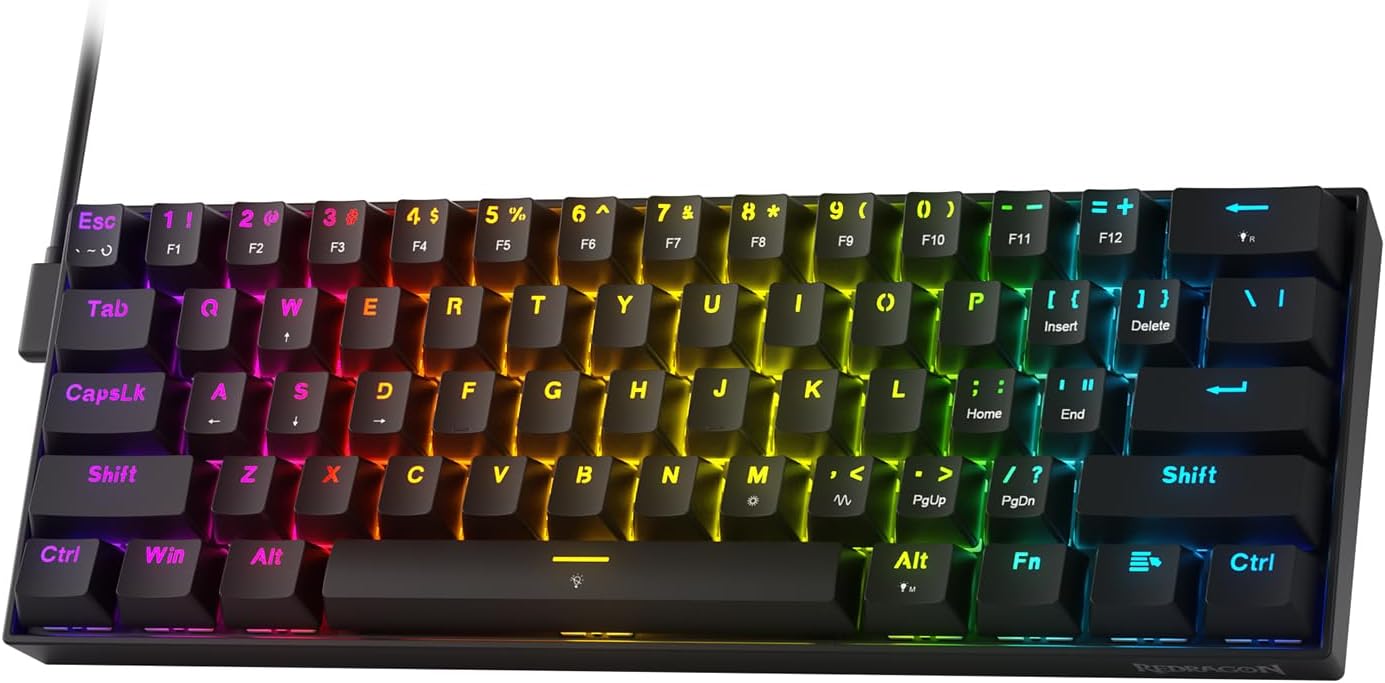
$29.99 | 60% Layout (61 keys)
Redragon has been making affordable gaming peripherals for years, and their first hall effect entry keeps the price floor low. At $29.99 it's the cheapest rapid trigger keyboard on this list, and the core specs are still solid 8000Hz polling, 0.1mm actuation precision, and their PRCS technology which is essentially their version of SOCD/Snap Tap functionality.
One standout feature is the Dynamic Keystroke implementation they call it "2 actions in 1 tap," letting you assign two different functions to one key based on how deep you press it. Useful for games with complex keybinds. The driver now supports both desktop client and web-based access, so you're not stuck on Windows-only anymore.
The hall effect switches are Redragon's own and aren't compatible with other brands' HE switches, which matters if you were planning to swap them out. For someone who wants to try rapid trigger without committing to a higher budget, this is the entry point.
| Spec | Details |
|---|---|
| Price | $29.99 |
| Layout | 60% (61 keys) |
| Polling Rate | 8000Hz |
| RT Accuracy | 0.1mm |
| Actuation Range | 0.1mm – 3.4mm |
| Latency | 0.125ms |
| Driver | Web-based + desktop client |
| Special Features | RT, PRCS (SOCD/Snap Tap), 2-action dynamic keystroke |
| Switch Compatibility | Redragon proprietary only |
5. LEOBOG A80 RT (Best 75% Layout)

$46.99 | 75% Layout (82 keys)
The only 75% board on this list, and the layout alone makes it worth considering if you rely heavily on the function row or want dedicated arrow keys without going full TKL. The specs are competitive 0.01mm RT accuracy, 8000Hz polling, 128KHz scan rate, and 0.125ms latency. The adjustable actuation range sits at 0.1mm to 3.4mm.
Side-engraved keycaps are an unusual design choice that looks sharp in low-light setups, and the hot-swappable sockets mean you can change switches down the line. Customization runs through a web-based driver covering macros, key remapping, SOCD, DKS, and MT. Worth noting it's Windows-only for driver features.
It's a newer product with fewer reviews than some others on this list, so keep that in mind but the feature set for the price is difficult to argue with if the 75% layout is what you're after.
| Spec | Details |
|---|---|
| Price | $46.99 |
| Layout | 75% (82 keys, hot-swappable) |
| Polling Rate | 8000Hz |
| Scan Rate | 128KHz |
| RT Accuracy | 0.01mm |
| Actuation Range | 0.1mm – 3.4mm |
| Latency | 0.125ms |
| Keycaps | Side-engraved |
| RGB | Yes |
| Driver | Web-based |
| Special Features | RT, SOCD, DKS, MT, TGL, macro, key remapping |
6. MADLIONS MAD 60 HE (The Wild Card)

$49.99 | 60% Layout
The MAD 60 is the priciest board on this list and comes from a less established name, but the internals justify a look. It runs an 8000Hz polling rate with a 32K scan rate and 0.125ms latency, with an RT step distance of 0.02mm. The lower-light RGB position same as the AULA boards makes the side-printed keycaps pop more than standard top-facing LEDs.
Feature-wise you're getting rapid trigger, adjustable actuation, key remapping, macros, and customizable lighting through the web driver. The 60% layout is standard, and it's compatible with both PC and Mac.
The main thing holding it back is the price at $49.99 you're paying a $10 premium over the AULA WIN68 HE for a less proven brand. If everything else on this list is out of stock or you just like the aesthetic, it's a fine keyboard. Otherwise, the AULA options give you more confidence for less money.
| Spec | Details |
|---|---|
| Price | $49.99 |
| Layout | 60% |
| Polling Rate | 8000Hz |
| Scan Rate | 32KHz |
| RT Step Distance | 0.02mm |
| Latency | 0.125ms |
| Keycaps | Side-printed |
| RGB | Yes, lower-light position, 16M colors |
| Driver | Web-based |
| Special Features | RT, adjustable actuation, macro, key remapping |
Buying Guide for Budget Magnetic Keyboards
Understanding Layout Compromises
When shopping for a budget magnetic keyboard, the first decision you need to make is the physical layout, as it dramatically impacts your daily usability. If you only play competitive first person shooters, a true sixty percent compact design like the Aula WIN60 HE or the MAD 60 HE is incredible. It completely removes the arrow keys and navigation cluster, saving massive desktop space so you can angle your keyboard and make wide mouse sweeps without hitting the side of the board.
However, if you plan to use the keyboard for schoolwork, writing, or coding, a sixty percent layout without dedicated arrow keys is incredibly frustrating. In that case, you should look at a sixty five percent layout like the AULA WIN68 HE or the ATTACK SHARK X68 HE, which retain physical arrow keys while keeping a very small footprint. If you want complete functionality, a seventy five percent layout like the LEOBOG A80 RT is the ideal choice, keeping the physical row of function keys for daily productivity.
The Reality of Web Drivers and Software
Web based customization drivers have completely revolutionized the budget keyboard space. In the past, buying a cheap peripheral meant downloading suspicious, poorly translated desktop software that ran constantly in the background, slowing down your PC. With modern web drivers, you can customize your actuation points, Rapid Trigger sensitivity, macros, and RGB profiles directly inside a web browser.
Many of these keyboards use web-based drivers for actuation, Rapid Trigger, macros, and RGB settings. Some may save profiles to the keyboard or online account/profile system, but don’t assume every setting is stored in onboard memory unless the listing clearly says so.
Be careful with web-driver names. For example, the ATTACK SHARK X68 HE lists its web driver as qmk.top, but that should not automatically be treated as official QMK firmware support. Official QMK is an open-source keyboard firmware project maintained around qmk.fm. Unless a keyboard is listed as actually supporting QMK/VIA, treat these budget web drivers as proprietary tools.
Acoustic Profile and Upgradability
Linear magnetic switches have an incredibly smooth, low friction feel, but because they lack physical contact points, some cheaper magnetic keyboards can sound hollow or plasticky out of the box, especially if the case is light and there isn’t much internal dampening. If you care about how your keyboard sounds when typing, look for boards that feature internal dampening.
If you buy a high performance but cheap sounding board like the MAD 60 HE, if you care about future modding, check whether the PCB and case use standard 60% mounting points before buying. Don’t assume every cheap 60% magnetic board will fit aftermarket cases. This allows you to easily swap the cheap plastic case for a premium aftermarket housing down the road, giving you elite performance and great acoustics as your budget grows.
Best 60% Mechanical Keyboards Under $50 for Valorant & CS2 Players (2026 Guide)
If you're into tactical shooters like Valorant or CS2, you know how much the right keyboard matters. These days, budget 60% keyboards are seriously impressive with Hall Effect magnetic switches and rapid trigger.
Read article →
Final Verdict
The budget hall effect keyboard market in 2026 is genuinely exciting. What used to cost over a hundred and fifty dollars is now available for under forty, and the six boards on this list prove that you don't need to spend big to get genuine rapid trigger performance.
That said, the right pick depends entirely on how you use your keyboard. If you're a pure competitive FPS player who lives in Valorant or CS2, the Aula WIN60 HE at $37.99 is the easiest recommendation solid specs, hot-swappable switches, and a web driver that works without headaches. If 60% feels too cramped, the AULA WIN68 HE adds a proper arrow key cluster for just two dollars more and is the better daily driver overall.
For anyone who cares as much about how their keyboard sounds and feels as how it performs, the Attack Shark X68 HE is the one to beat at this price range. The top-mount build, aluminum plate, double-layer PORON, and pre-lubed stabilizers are features you'd typically pay significantly more for.
If budget is the absolute priority, the Redragon K617 HE at $29.99 gets you into rapid trigger territory without stretching your wallet just know you're locked into Redragon's proprietary switches. And if the 60% layout is too small for how you work, the LEOBOG A80 RT is the only 75% option here and earns its slightly higher price with a feature set that punches well above it.
The MADLIONS MAD 60 HE rounds out the list as a capable board that's harder to recommend purely on value at $49.99 you're paying a premium for a brand that hasn't yet built the same track record as the others. It's not a bad keyboard, but the AULA options give you more confidence for less money.
One thing worth remembering across all of these: web drivers are great for customization, but don't assume every setting saves to onboard memory unless the listing explicitly confirms it. And if you're on Mac, double-check driver compatibility before buying several of these are Windows-only on the software side.
At the end of the day, the biggest decision is your layout. Get that right first, then let the specs and budget fall into place. Any of these six boards will give you a real competitive edge something that simply wasn't possible at this price point just a few years ago.
Disclosure: Some of the links in this post are affiliate links. This means if you click on them and make a purchase, we may earn a small commission at no extra cost to you. As an Amazon Associate, We earn from qualifying purchases. The prices are correct as of June 2026
You May Also Like
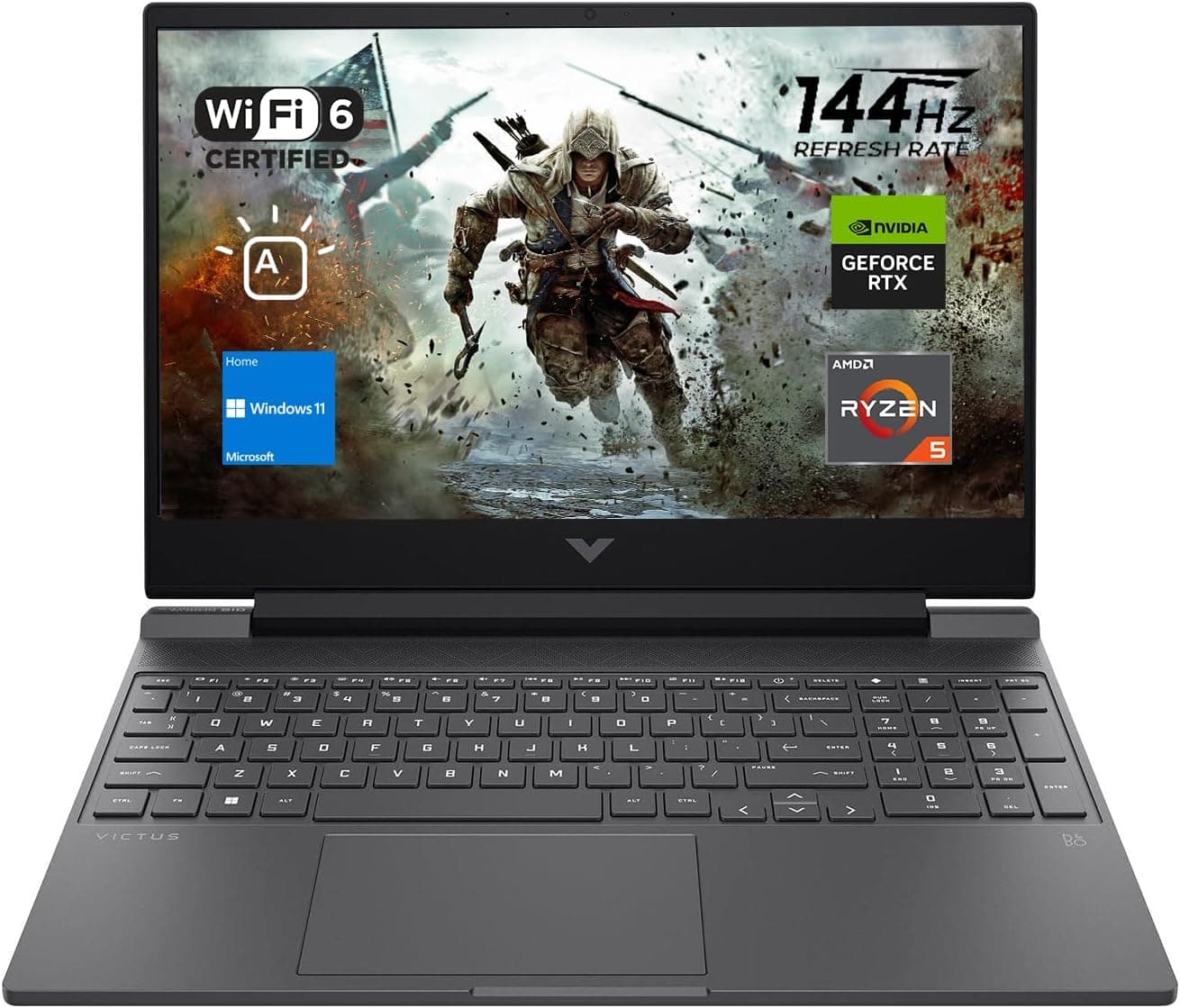
Best Gaming Laptops for College Students Under $1000 in 2026
Buying a gaming laptop for college is different from buying one purely for gaming. A college laptop needs to handle lectures, assignments, research, video calls, and productivity software during the day while still delivering solid gaming performance at night.

Best Games on Steam to Play While Working From Home
Best games on Steam to play while working from home, from cozy builders to smart card games that fit short breaks, easy pauses, and low stress sessions.
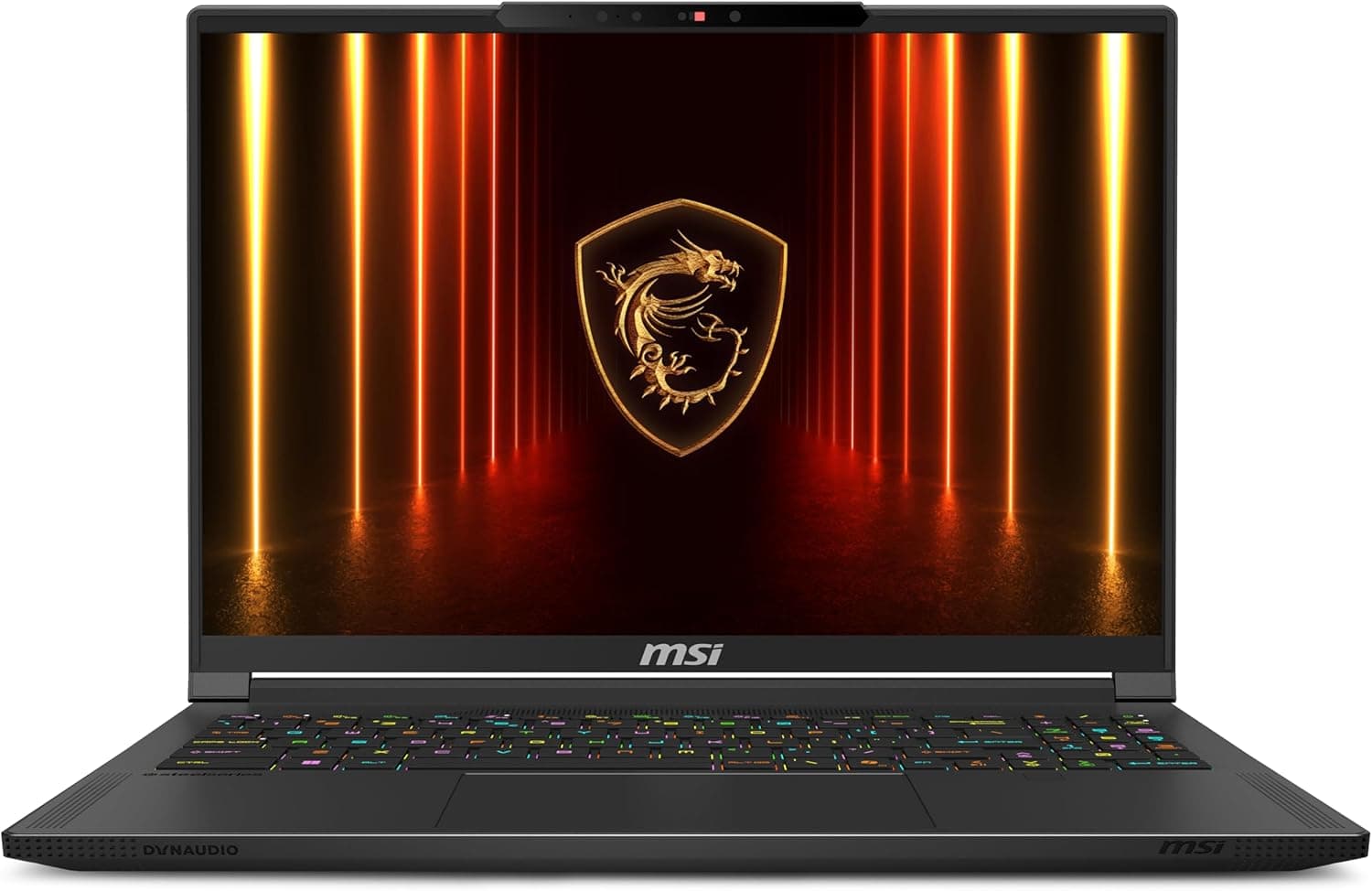
Best Gaming Laptops at Every Budget $900 to $3000 for 2026 Guide
Buying a gaming laptop in 2026 is an absolute minefield. We review the six absolute best gaming laptops from Acer, Lenovo, Alienware, ASUS, and MSI spanning budget to enthusiast tiers.