
Navigate this article
Introduction
Gaming in 2026 feels a lot different than it did even two years ago, mostly because the entry level goalposts have moved so far that the old benchmarks are essentially ancient history. If you are looking for a machine that costs less than a grand but still wants to play the latest heavy hitters, you are likely staring directly at the NVIDIA GeForce RTX 5050. For years, the fifty class cards were the red headed stepchildren of the laptop world, often stuck with measly VRAM and just enough power to run indie games. But things changed when the Blackwell architecture hit the mobile scene. We are now seeing budget rigs that do not just survive 1080p gaming but actually thrive in it, thanks to some serious AI wizardry and finally, a respectable amount of video memory.
This is not the same old story of cutting corners until the laptop barely functions. In 2026, the sub $1000 market is a battlefield where Lenovo, Acer, ASUS, and HP are throwing everything they have at the wall to see what sticks. We have spent time digging into the specs, the thermal benchmarks, and the real world gaming performance to find which of these RTX 5050 machines are worth your hard earned cash and which ones are just expensive paperweights.
What to Look for When Buying a Gaming Laptop (2026 Buyers Guide)
The gaming laptop market right now is an absolute minefield. Find out what you need to look for when buying a gaming laptop in 2026.
Read article →
1. Lenovo Legion LOQ: The Performance Leader
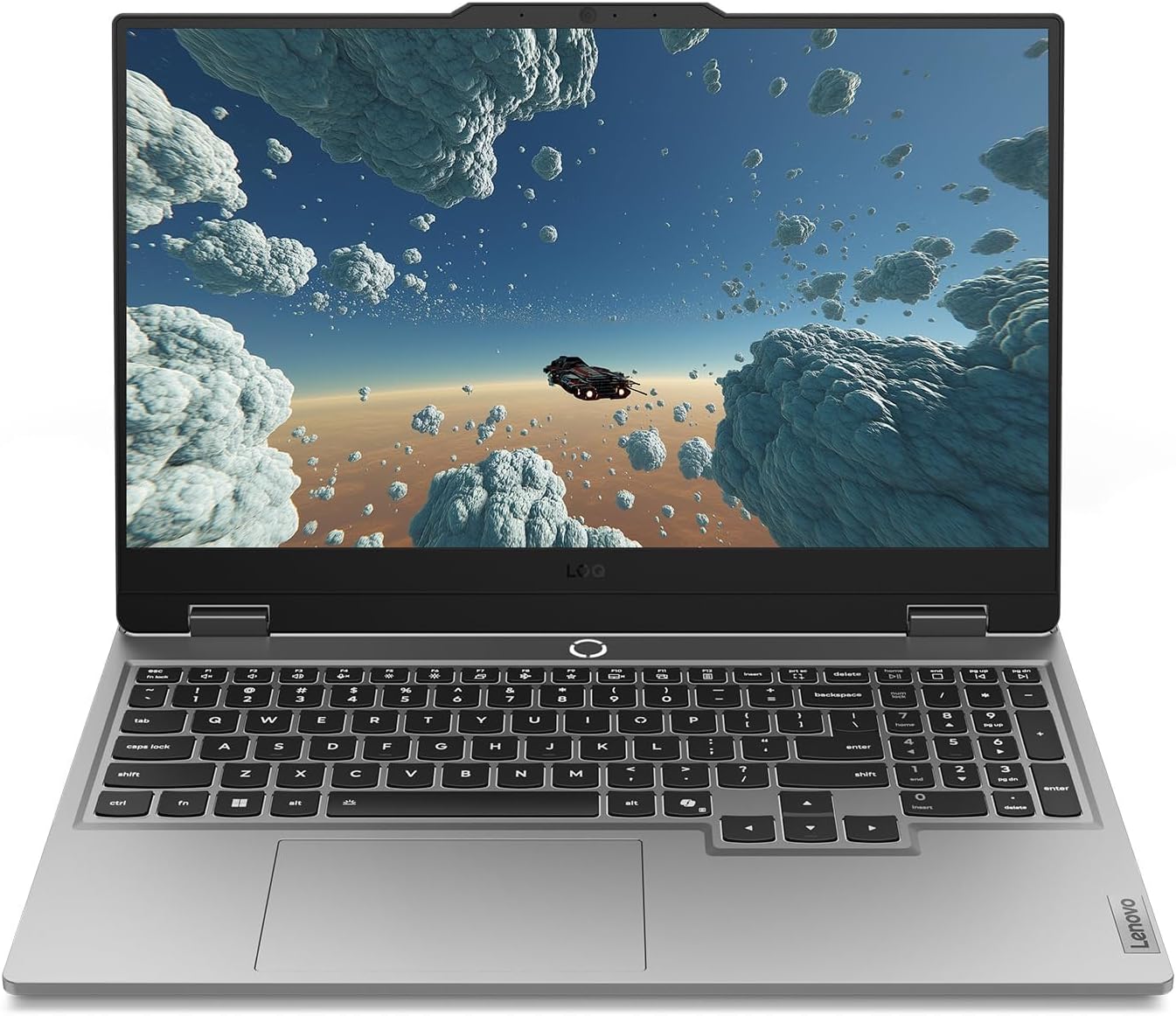
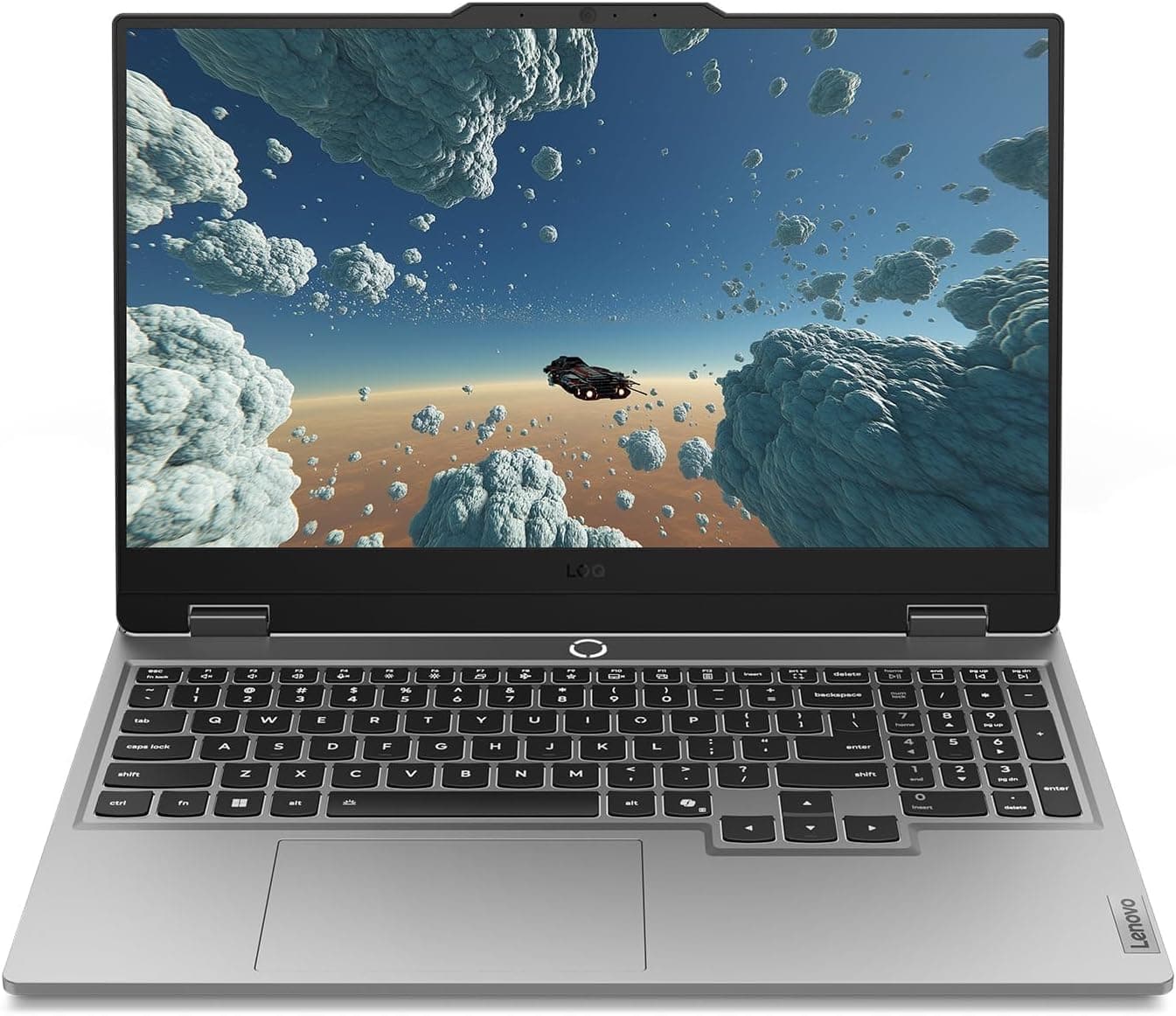
If you want the absolute most out of the 5050 silicon, the Lenovo Legion LOQ is usually where the conversation starts and ends. Lenovo has been killing it with their budget line by essentially taking the DNA of their premium Legion laptops and stuffing it into a Luna Grey plastic shell. The model we are looking at features the Intel Core i7 13650HX, which is a beast of a processor for a laptop under $1000.
The secret to the LOQ's success is the TGP, which stands for Total Graphics Power. While some thin and light laptops choke the RTX 5050 down to lower wattages to keep things cool, Lenovo lets it run at a much higher limit, usually between 100W and 115W. This means you are getting more of the performance you actually paid for. Pair that with 16GB of DDR5 memory and a full 1TB of storage, and you have a machine that is ready to go right out of the box without needing immediate upgrades.
| Component | Specification |
|---|---|
| Processor | Intel Core i7 13650HX (14 Cores) |
| Graphics | NVIDIA GeForce RTX 5050 |
| Display | 15.6 inch FHD 144Hz G-Sync |
| Memory | 16 GB DDR5 |
| Storage | 1 TB PCIe Gen4 SSD |
| Color | Luna Grey |
View on Amazon
Lenovo Gaming Laptop Guide 2026: Legion vs LOQ Explained + Best Models for Every Gamer
Lenovo continues to absolutely dominate the gaming laptop space in 2026. We break down the differences between the Legion Pro, Legion, and LOQ series to help you find the perfect rig.
Read article →
2. Acer Nitro V 16 AI: The Speed Demon
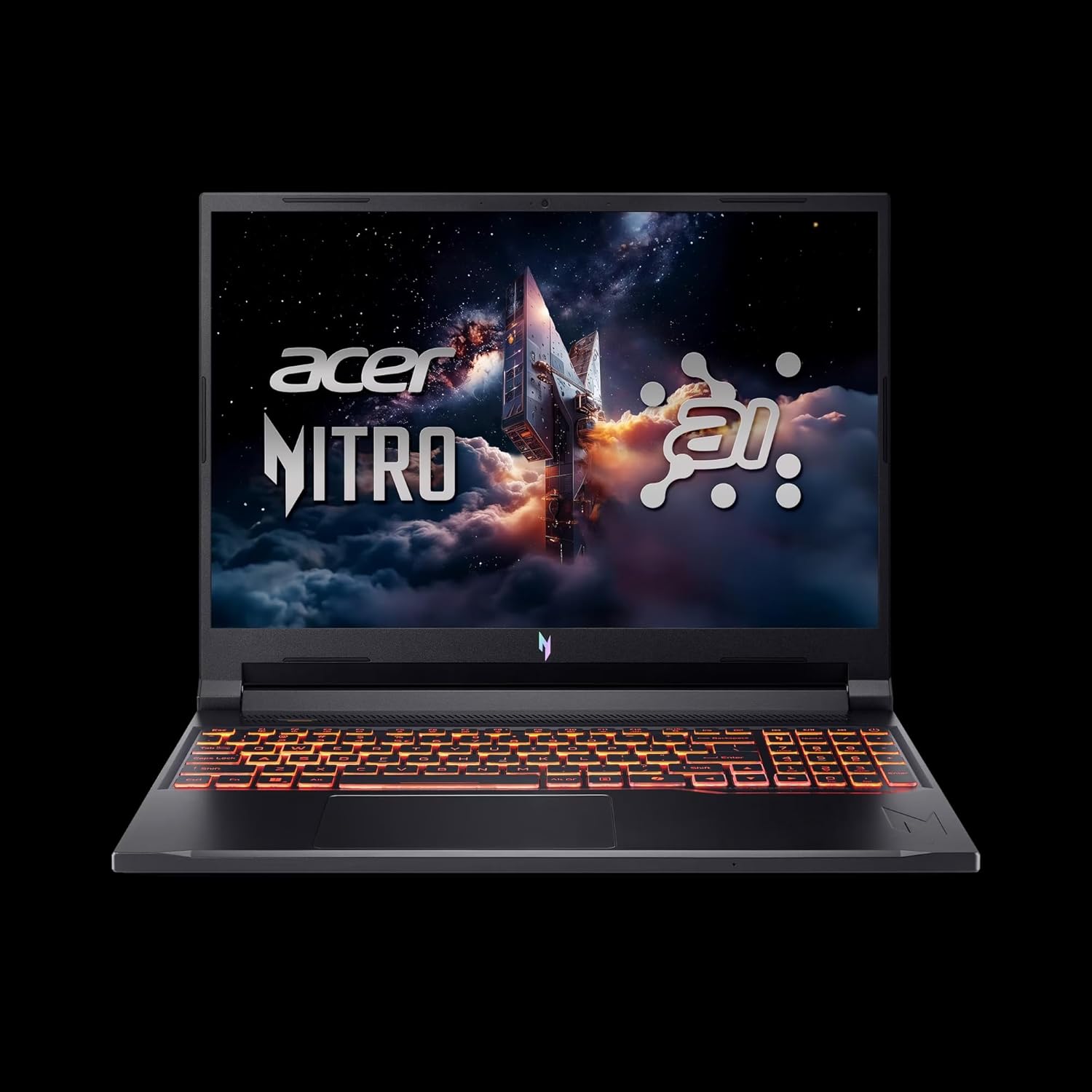
Acer has always been the king of the "bang for your buck" category, and the Nitro V 16 AI is their most aggressive play yet for the 2026 market. This laptop is built for gamers who care about one thing above all else: speed. While most budget rigs are happy with a 144Hz screen, Acer went ahead and slapped a 180Hz panel on this thing. If you play competitive shooters like Valorant or Counter Strike 2, that extra refresh rate is something you can actually feel.
Under the hood, Acer opted for the AMD Ryzen 5 240 processor. This is an interesting choice because it is a very efficient chip that handles the heat well, allowing the RTX 5050 to shine. What is really impressive here is that Acer is using 8GB of GDDR7 VRAM on the GPU. Most 5050 laptops are still stuck on GDDR6, so having that faster GDDR7 memory gives the Nitro a slight edge in memory bandwidth, which helps with those higher frame rates.
| Component | Specification |
|---|---|
| Processor | AMD Ryzen 5 240 (6 Cores) |
| Graphics | NVIDIA GeForce RTX 5050 (8GB GDDR7) |
| Display | 16 inch WUXGA 180Hz IPS |
| Memory | 16 GB RAM |
| Storage | 512 GB SSD |
| Color | Obsidian Black |
View on Amazon
3. ASUS TUF Gaming F16: The Tank
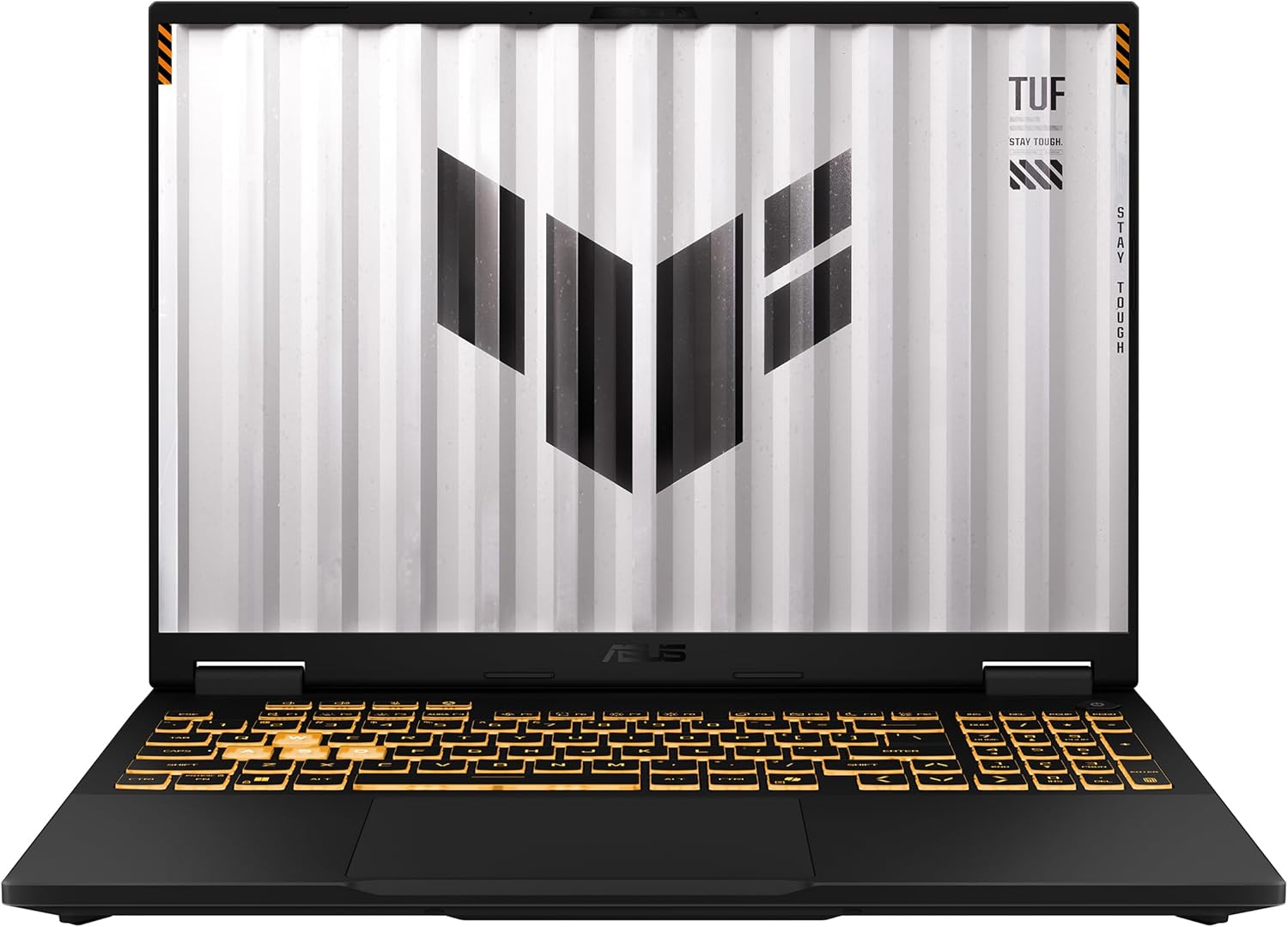
The ASUS TUF Gaming F16 is the laptop you buy if you are the type of person who is a little bit clumsy or if you plan on carrying your rig everywhere. The TUF brand has always been about ruggedness and military grade durability, and the 2026 F16 is no exception. It is a beefy machine that feels like it could survive a tumble off a desk, which is something you cannot really say about the Acer Nitro.
For the internals, ASUS went with the Intel Core i5 13450HX. Do not let the "i5" label fool you, as this is an HX series chip, which means it is essentially a desktop processor that has been tuned for laptop use. It has 10 cores and plenty of juice to keep the RTX 5050 running at full speed. The 16 inch FHD+ display runs at 165Hz, which is a great middle ground between the Lenovo and the Acer.
| Component | Specification |
|---|---|
| Processor | Intel Core i5 13450HX (10 Cores) |
| Graphics | NVIDIA GeForce RTX 5050 |
| Display | 16 inch FHD+ 165Hz 16:10 |
| Memory | 16 GB DDR5 |
| Storage | 512 GB PCIe Gen4 SSD |
| Wireless | Wi-Fi 6E |
View on Amazon
ASUS Gaming Laptops Explained (2026): ROG vs TUF Complete Buying Guide
Confused by the ASUS gaming laptop lineup? Learn the differences between ROG Zephyrus, Strix, and TUF and find the perfect model for your needs.
Read article →
4. HP Victus 15.6: The Stealth Choice
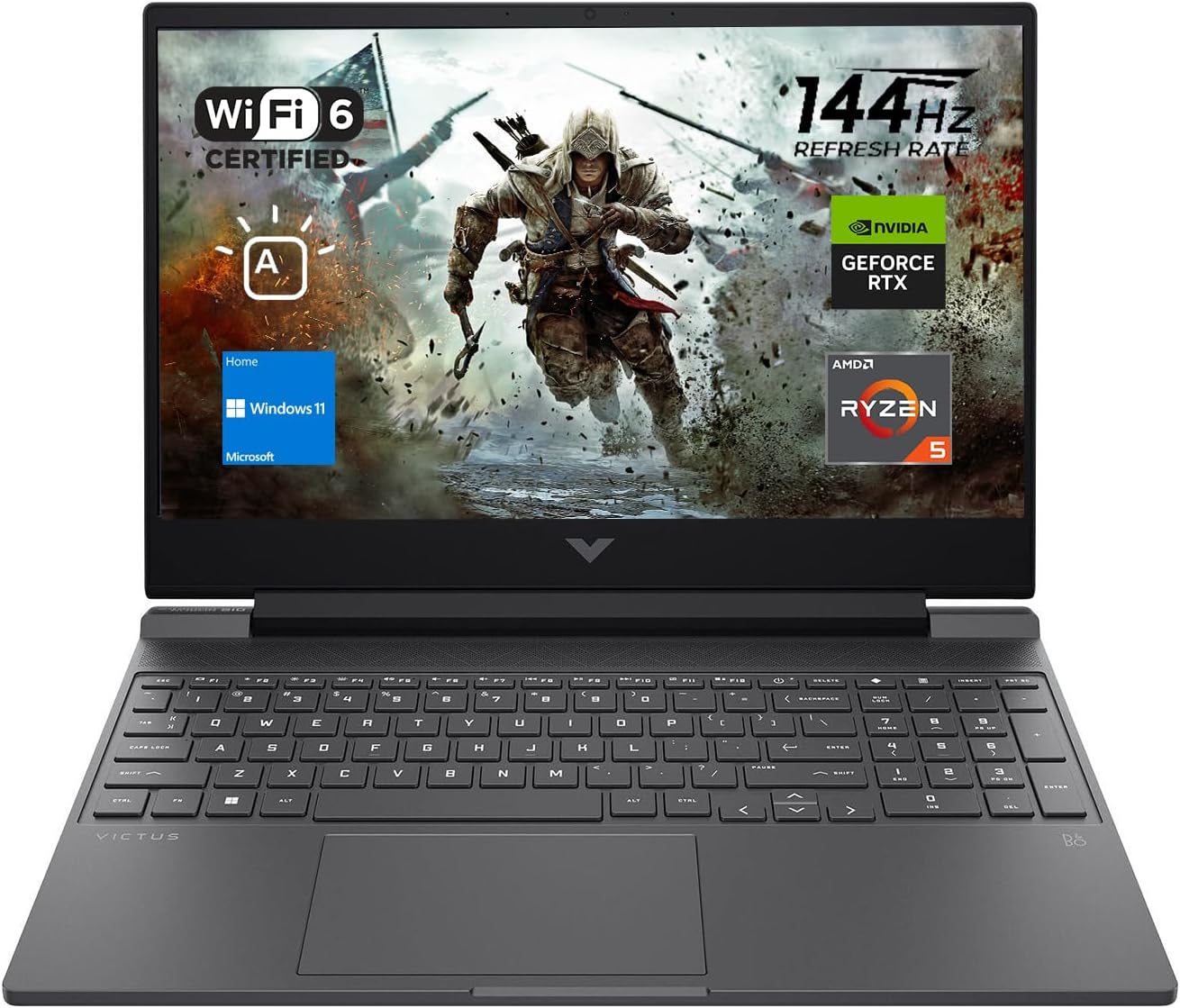
The HP Victus 15.6 is the laptop for the gamer who does not want their laptop to look like a prop from a sci-fi movie. It has a very clean, minimalist design that fits in just as well in a college lecture hall as it does in a dark gaming room. While it might look plain, it is hiding some very modern tech inside, specifically the AMD Ryzen AI 5 340 processor.
This processor is part of the Krackan Point family, which was designed with AI tasks and power efficiency in mind. It features a hybrid core architecture with Zen 5 and Zen 5c cores, which helps the Victus achieve some of the best battery life in its class for light tasks. It is paired with an RTX 5050 that has 8GB of GDDR6 VRAM, providing plenty of power for 1080p gaming.
| Component | Specification |
|---|---|
| Processor | AMD Ryzen AI 5 340 (2.0GHz base) |
| Graphics | NVIDIA GeForce RTX 5050 (8GB GDDR6) |
| Display | 15.6 inch FHD 144Hz IPS |
| Memory | 16 GB DDR5 5600 |
| Storage | 1 TB NVMe SSD |
| Port | WiFi + LAN included |
View on Amazon
HP Gaming Laptop Guide 2026: Omen vs Victus Explained + Best Picks
HP's 2026 gaming laptop lineup features the new RTX 50 series GPUs and advanced Ryzen AI processors. This guide breaks down the Omen and Victus models to help you find the right fit.
Read article →Best Gaming Laptops at Every Budget $900 to $3000 for 2026 Guide
Buying a gaming laptop in 2026 is an absolute minefield. We review the six absolute best gaming laptops spanning budget to enthusiast tiers.
Read article →Best Gaming Laptops for College Students Under $1000 in 2026
Going to college on a tight budget? We review the best gaming laptops under $1000 that balance homework, battery life, portability, and gaming performance.
Read article →
Real World Gaming Performance: Can the 5050 Handle 2026?
The RTX 5050 is a 1080p specialist, and at that resolution, it is a very consistent performer. In competitive games like Apex Legends, you can easily expect to hit well over 180 FPS on high settings, which makes those 144Hz and 180Hz screens worth every penny.
When you move to more demanding AAA titles, the story changes slightly. In something like Cyberpunk 2077 or Marvel's Spider Man 2, you are looking at around 75 to 80 FPS on high settings without any upscaling. This is actually very impressive for an entry level card, especially since we used to struggle to hit 60 FPS on the older 3050 and 4050 models.
| Games | Performance |
|---|---|
| Apex Legends | 183 FPS |
| Marvel Rivals | 73 FPS |
| Dying Light 2 | 76 FPS |
| Dying Light 2 (RT + DLSS Quality) | 60 FPS |
| Cyberpunk 2077 | 78 FPS |
| Cyberpunk 2077 (RT + DLSS Quality) | 51 FPS |
| Marvel's Spider-Man 2 | 80 FPS |
| Black Myth: Wukong | 55 FPS |
| Black Myth: Wukong (RT + DLSS Quality) | 50 FPS |
| Horizon Forbidden West | 57 FPS |
| Kingdom Come Deliverance 2 | 75 FPS |
| The Last of Us Part 2 | 59 FPS |
| Assassin's Creed Shadows | 52 FPS |
| Warhammer 40,000: Space Marine 2 | 62 FPS |
| Stalker 2: Heart of Chernobyl | 51 FPS |
Benchmark Note These benchmarks are derived from real-world testing data (Source: Sportskeeda Gaming). Actual performance may vary based on specific laptop thermal solutions and TGP configurations.
The VRAM Factor: Why 8GB Matters
We cannot stress enough how important that 8GB of VRAM is in 2026. Several games released this year have started requiring a minimum of 8GB of video memory just to run properly at high settings. On older 6GB cards, you might see textures failing to load or massive frame rate drops when the VRAM fills up. With the RTX 5050, you have that extra cushion that allows you to turn up the texture quality and enjoy the game the way it was meant to be seen.
Even at resolutions like 1200p, which is becoming the new standard for 16 inch laptops, the 8GB buffer remains viable. While the 5050 is not quite a 1440p beast, it can handle that higher resolution in older titles or eSports games without breaking a sweat. For pure 1440p AAA gaming, you would still want to step up to a 5070.
Thermal Comparison
When you are pushing these budget rigs to their limits, you are going to hear the fans. There is simply no way around it in a machine that costs less than $1000. However, some laptops handle the noise and the heat better than others.
The Lenovo Legion LOQ and the ASUS TUF Gaming F16 are the clear winners in the thermal department. The Hyperchamber cooling in the Lenovo and the dual Arc Flow fans in the ASUS do a fantastic job of keeping the GPU from throttling. You will get very consistent performance even after three or four hours of gaming.
The Acer Nitro V 16 and HP Victus are a bit more prone to heat soak. After an extended session, you might notice the clock speeds dipping slightly as the chassis warms up. It is not enough to ruin the experience, but it is the trade off you make for their generally lower price points.
Ports and Connectivity for the Modern Gamer
In 2026, we are finally seeing budget laptops move away from the "one USB C and a prayer" philosophy. All four of these machines offer a respectable selection of I/O, but there are some clear standouts if you have a lot of peripherals.
The ASUS TUF F16 is the connectivity king here. It is the only one in this price bracket to offer a full Thunderbolt 4 port, which is a massive win for future proofing. You can plug in a Thunderbolt dock and have your monitor, keyboard, mouse, and external SSD all running through a single high speed connection. It also has three USB Type A ports, so you do not have to mess around with dongles just to plug in a mouse and a headset.
The Lenovo Legion LOQ also has a great port layout, with most of the connections on the back. This keeps your desk looking clean because you do not have cables sticking out of the sides where your mouse hand needs to move. It includes an HDMI 2.1 port that can handle up to an 8K signal, which is impressive for a sub $1000 laptop.
The Acer Nitro and HP Victus offer more standard layouts. They have everything you need, including Ethernet, HDMI, and a mix of USB C and USB A ports, but they do not have the extra polish or high speed Thunderbolt support found on the ASUS. For most gamers, this is fine, but it is something to consider if you are a power user who needs maximum data transfer speeds.
Choosing the Right Machine for Your Lifestyle
When it comes down to it, all four of these laptops are great choices, but they each cater to a slightly different type of person.
If you are a hardcore gamer who wants the best possible performance and does not mind a bit of extra weight, get the Lenovo Legion LOQ. The combination of the i7 13650HX and the high TGP RTX 5050 makes it the undisputed performance leader in the under $1000 category. The 1TB of storage is also a huge plus that saves you money on an upgrade later.
If you are an eSports enthusiast who spends all their time in Valorant, Counter Strike, or League of Legends, the Acer Nitro V 16 AI is the one for you. That 180Hz screen is a game changer for competitive play, and the faster GDDR7 memory on the GPU gives you that extra bit of smoothness you need to land those headshots.
If you are a student or someone who travels a lot and needs a machine that is durable and easy to upgrade, the ASUS TUF Gaming F16 is the way to go. The military grade build quality gives you peace of mind, and the Thunderbolt 4 port makes it incredibly versatile. Plus, having two SSD slots means you can easily expand your storage whenever you have a little extra cash.
If you want a clean, professional looking laptop that handles gaming well but also shines in the classroom or office, the HP Victus 15.6 is a fantastic choice. The Ryzen AI processor is very efficient, and the 1TB of storage makes it a great value for the price. It is a practical, no nonsense machine that does everything well without being too flashy.
Common Pitfalls to Avoid in 2026
When shopping for an RTX 5050 laptop, there are a few things you need to watch out for that might not be obvious from the spec sheet.
First, check the TGP. A laptop with an RTX 5050 running at 60W is going to be significantly slower than one running at 100W, even if they have the same processor and RAM. Brands like Lenovo and ASUS are usually pretty good about letting their GPUs run at high wattages, while thinner laptops from MSI or HP might be more power limited.
Second, look at the screen brightness. Many budget gaming laptops use 250 nit panels, which can be very frustrating if you are in a bright room. If possible, try to find something with at least 300 nits, like the Lenovo or the ASUS. It makes a massive difference in how the games actually look on your desk.
Finally, do not settle for 8GB of RAM. While all the models we listed here come with 16GB, some "super budget" variants might still try to sell you 8GB. In 2026, 8GB of system RAM is not enough to run Windows 11 and a modern game at the same time without massive stuttering. Always make sure you are getting at least 16GB, and preferably in a dual channel configuration for the best performance.
Final Thoughts on the RTX 5050 Era
The RTX 5050 has officially killed the idea that you need to spend $1500 to get a "real" gaming laptop. By bringing 8GB of VRAM and DLSS 4 to the budget market, NVIDIA has made gaming more accessible than ever. Whether you choose the raw power of the Lenovo LOQ, the speed of the Acer Nitro, the durability of the ASUS TUF, or the stealthy value of the HP Victus, you are getting a machine that can genuinely handle the best games of 2026 and beyond.
Just remember to be honest about what you need. If you are mostly playing indies and eSports, you can save some money with a lighter, more efficient machine. But if you want to experience the massive open worlds and ray traced graphics of the newest AAA blockbusters, investing that extra $100 into a machine with better cooling and a higher wattage GPU is worth every penny.
Frequently Asked Questions
Is the RTX 5050 better than the RTX 4060?
In many cases, yes, especially when DLSS 4 is involved. While the 4060 might have a slight edge in some native rasterization tasks, the Blackwell architecture and the newer AI cores in the 5050 allow it to outperform the 4060 in games that support the latest NVIDIA technologies. Plus, the 5050 is much more power efficient.
Can I upgrade the storage on these laptops?
Yes, all of the laptops we mentioned have upgradeable M.2 SSD slots. The ASUS TUF F16 is particularly good for this as it has two dedicated slots that are very easy to access. The HP Victus is a bit more complicated as some variants may only have one slot, so you would have to replace the existing drive rather than just adding a second one.
Will an RTX 5050 laptop last for 5 years?
If you are playing at 1080p and are willing to use DLSS, then yes, an RTX 5050 with 8GB of VRAM should remain viable for the next 5 years. You might have to lower your settings to "Medium" in very demanding future titles, but the hardware is significantly more future proof than the older 4GB or 6GB entry level cards were.
Is 16GB of RAM enough for 2026?
16GB is the current "sweet spot" for gaming laptops. It is enough to run almost every game on the market while having Discord and a few browser tabs open in the background. However, if you are a heavy multitasker or do a lot of video editing, you might want to consider upgrading to 32GB down the road, which most of these laptops allow.
Does the RTX 5050 support ray tracing?
Yes, the RTX 5050 has 4th generation Ray Tracing cores that are specifically designed for this. While you might not be able to run "Ultra" ray tracing at native resolution, using DLSS 4 makes ray tracing very playable at 1080p on this hardware.
What is the difference between GDDR6 and GDDR7 VRAM?
GDDR7 is the newer standard and offers much higher memory bandwidth and better power efficiency than GDDR6. In practical terms, a laptop with GDDR7 will generally have slightly higher frame rates and run a bit cooler, though both are perfectly capable of delivering a great gaming experience on an RTX 5050.
You May Also Like
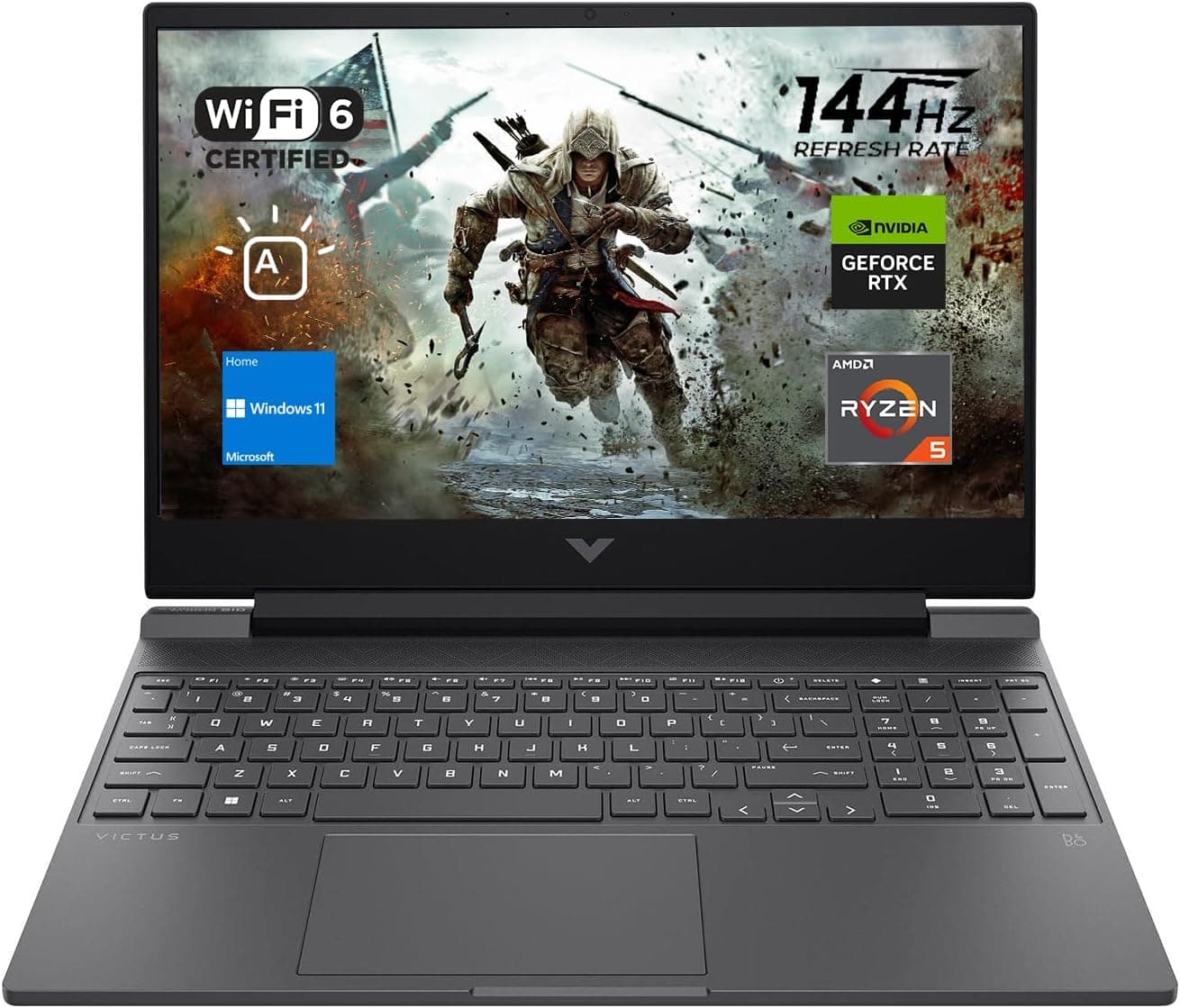
Best Gaming Laptops for College Students Under $1000 in 2026
Buying a gaming laptop for college is different from buying one purely for gaming. A college laptop needs to handle lectures, assignments, research, video calls, and productivity software during the day while still delivering solid gaming performance at night.

Best Games on Steam to Play While Working From Home
Best games on Steam to play while working from home, from cozy builders to smart card games that fit short breaks, easy pauses, and low stress sessions.
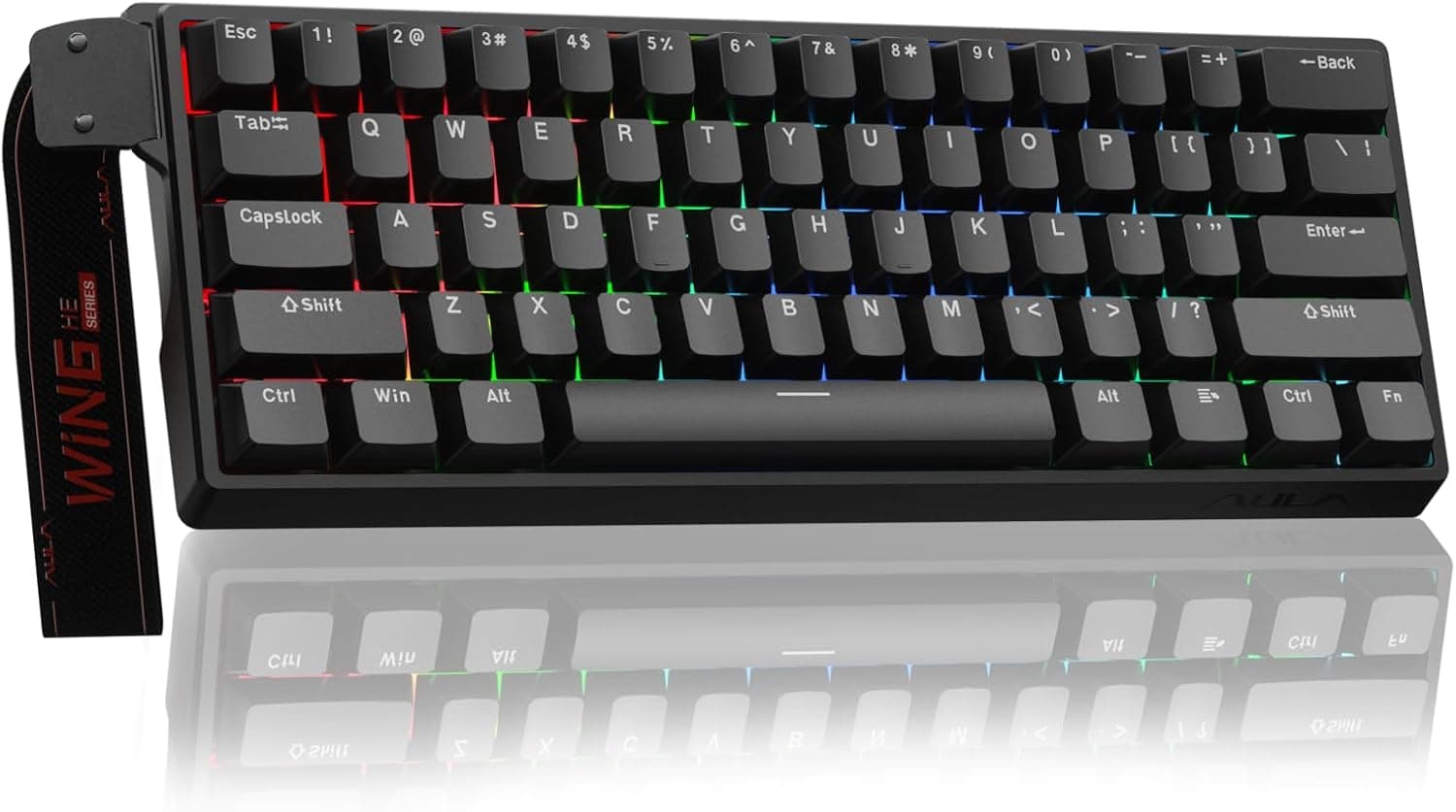
Best Budget Hall Effect Keyboards in 2026 (Under $50)
Discover the best budget Hall Effect keyboards under fifty dollars in 2026. Read our honest, in depth analysis of performance, build quality, and software features of the top six magnetic switch boards.