
Best Creamy Keyboards in 2026 (From Budget to Premium Picks)
Navigate this article
Introduction
Get ready for the best era of custom keyboards ever! Only a few years back, everybody was obsessed with loud, mechanical keys. Later, the deep “thock” appeared. However, in 2026, the market got yet another type of keyboard: the creamy one.
Creamy keyboard provides a gentle, muted feel that feels great when pressing them, no matter whether you code, play games, or write throughout the day. In this article, From budget picks to premium builds, we’ll break down what actually makes a keyboard creamy and which ones are truly worth your money.
Best Budget Thocky Mechanical Keyboards 2025
Looking for that deep, thocky sound without breaking the bank? Check out our top picks for the best budget mechanical keyboards that deliver a satisfying thock.
Read article →
Quick Picks (TL;DR)
Navigating the technical details of these excellent keyboards can be challenging. To simplify the decision, this table provides a direct comparison of the most critical attributes.
| Keyboard | Approx Price | Best For | Amazon Link |
|---|---|---|---|
| AULA F75 Pro Wireless | ~$70–$90 | Best Budget Creamy Keyboard | Amazon |
| Gamakay NS68 | ~$90–$120 | Best for FPS / Competitive | Amazon |
| NuPhy Halo75 V2 | ~$120–$160 | Best Mid-Range All-Rounder | Amazon |
| WOBKEY Rainy 75 | ~$150–$200 | Best Sound (Creamy) | Amazon |
| WOBKEY Crush 80 Reboot | ~$170–$220 | Best Full Layout Creamy | Amazon |
| Keychron Q1 HE | ~$180–$250 | Best Hybrid (Gaming + Creamy) | Amazon |
| Asus ROG Azoth Extreme | ~$400+ | Best Premium Gaming | Amazon |
| Corsair K65 Plus Wireless | ~$130–$170 | Best Mainstream Option | Amazon |
1. The AULA F75 Pro Wireless
| Category | Details |
|---|---|
| Layout | 75% (compact, no numpad) |
| Switches | LEOBOG Reaper (pre-lubed, creamy sound profile) |
| Typing Feel | Soft, elastic, well-dampened |
| Sound Profile | Creamy, muted, minimal cavity noise |
| Build Structure | Multi-layer dampening (5 layers), silicone padding, PCB slotting design |
| Connectivity | Tri-mode: Bluetooth 5.0, 2.4GHz wireless, USB-C wired |
| Battery | 4000mAh (long-lasting) |
| Keycaps | Side-printed PBT, double-shot + heat sublimation |
| Extra Features | Metal volume knob |
| Best For | Budget users wanting a premium “creamy” typing experience |
Check Out the AULA F75 Pro on Amazon
Features and Performance
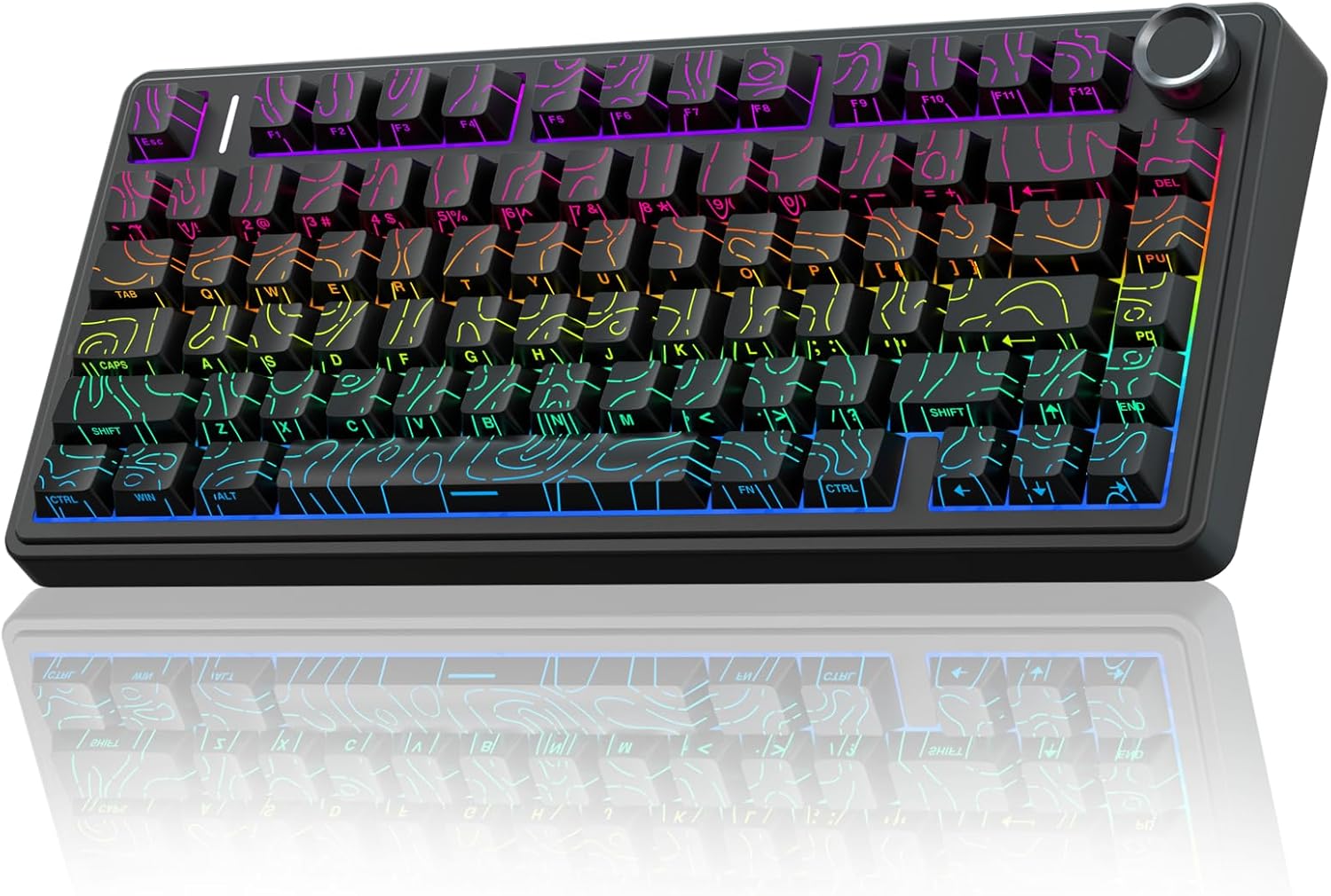
The AULA F75 Pro is currently one of the undisputed champions of the extreme budget category. This 75 percent layout keyboard packs an absurd amount of value into a very affordable package.
Out of the box, it sounds absolutely phenomenal. It comes equipped with pre lubed LEOBOG Reaper switches that deliver a sublime, creamy mechanical sound. The keyboard features a highly advanced structure utilizing an extended integrated silicone pad and PCB single key slotting. This better optimizes resilience and stability, making the hand feel softer and more elastic. Five layers of filling silencer completely counteract the cavity noise of the switch hitting the positioning plate.
The build quality is shocking for the price. It features tri mode wireless connectivity via Bluetooth 5.0, a 2.4GHz wireless dongle, and USB wired connection. You can connect up to five devices at the same time. The 4000mAh battery provides excellent longevity. It also includes a premium feeling metal volume knob and stunning side printed PBT keycaps. These gradient black side engraved caps take a double injection molding and heat sublimation process, making them sweat proof and incredibly durable while allowing the 16.8 million color RGB to shine through beautifully.
Best 60% Mechanical Keyboards Under $50 (2026)
Strict budget? We've rounded up the absolute best ultra-compact mechanical keyboards you can find for under $50.
Read article →Pros & Cons
Pros: Substantial value for the price, exceptional "creamy" sound out of the box, tri-mode wireless connectivity, durable side-printed PBT keycaps.
Cons: Software UX is somewhat clunky, plastic case may not appeal to those seeking a premium aluminum feel.
2. The GK GAMAKAY x NaughShark NS68
| Category | Details |
|---|---|
| Layout | 65–68% compact layout |
| Switches | Outemu Peach Crystal Magnetic (Hall Effect) |
| Actuation Range | 0.1mm – 3.7mm (0.01mm precision) |
| Polling Rate | 8000Hz wired / 1000Hz wireless |
| Typing Feel | Fast, responsive, competitive-focused |
| Sound Profile | Slightly clacky (modifiable via hot-swap) |
| Keycaps | ABS OEM shine-through |
| Extra Features | Snap Tap, Mod Tap, Toggle Key, Dynamic Keystrokes |
| Best For | Competitive gamers, FPS players |
Check Out the GK GAMAKAY NS68 on Amazon
Features and Performance
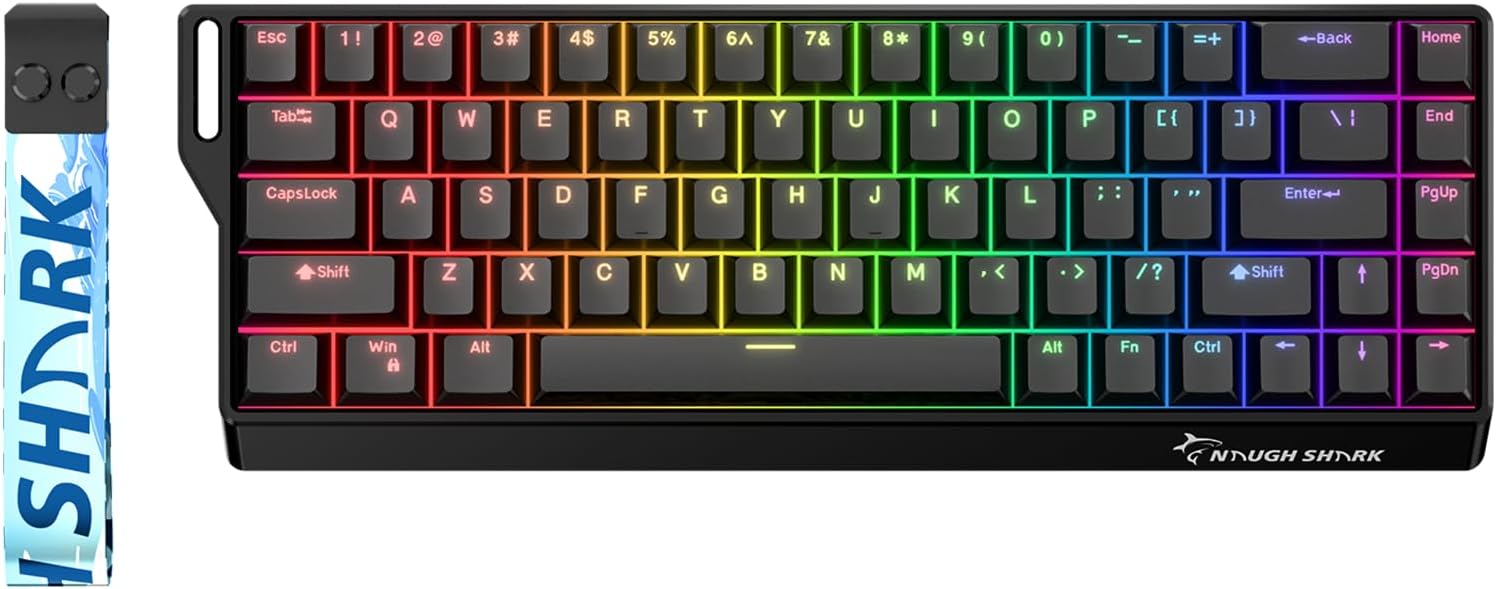
For budget conscious gamers who demand elite competitive performance, the Gamakay NS68 is an absolute anomaly. This is a wireless Hall Effect magnetic keyboard that absolutely destroys the competition in its price bracket.
Hall Effect switches use magnets to detect keystrokes instead of physical metal contacts. The NS68 utilizes Outemu Peach Crystal Magnetic Switches, allowing you to customize the exact actuation point of every single key from 0.1mm to 3.7mm in 0.01mm steps. It features a blistering wired 8KHz polling rate and a wireless 1KHz polling rate, offering an ultra low latency of 0.125ms. Features like Snap Tap, Mod Tap, Toggle Key, and Dynamic Keystrokes are all baked in.
While budget Hall Effect boards usually sound terrible and hollow, the NS68 actually feels quite solid. The acoustic profile leans a bit clackier out of the box due to the magnetic switches, but because it is fully hot swappable, you can easily modify it. The ABS OEM profile shine through keycaps look great with the 16.8 million RGB backlighting.
Pros & Cons
Pros: Unbeatable competitive performance for the price, high-precision magnetic switches, ultra-low latency, hot-swappable PCB.
Cons: Sound profile is clackier than "creamy" out of the box, plastic feel, RGB visibility can be weak in bright light.
3. The NuPhy Halo75 V2
| Category | Details |
|---|---|
| Layout | 75% (compact, no numpad) |
| Build Material | Aluminum alloy top case |
| Typing Feel | Solid, premium, well-dampened |
| Sound Profile | Clean, muted, minimal ping (near-creamy) |
| Connectivity | Tri-mode: Bluetooth, 2.4GHz wireless, USB-C |
| Polling Rate | 1000Hz (wired & 2.4GHz) |
| Battery | 4000mAh (up to ~307 hours without RGB) |
| Firmware | QMK & VIA (open-source customization) |
| RGB Lighting | Halo light band + multiple RGB zones |
| Best For | Enthusiasts, productivity users, premium feel lovers |
Check Out the NuPhy Halo75 V2 on Amazon
Features and Performance
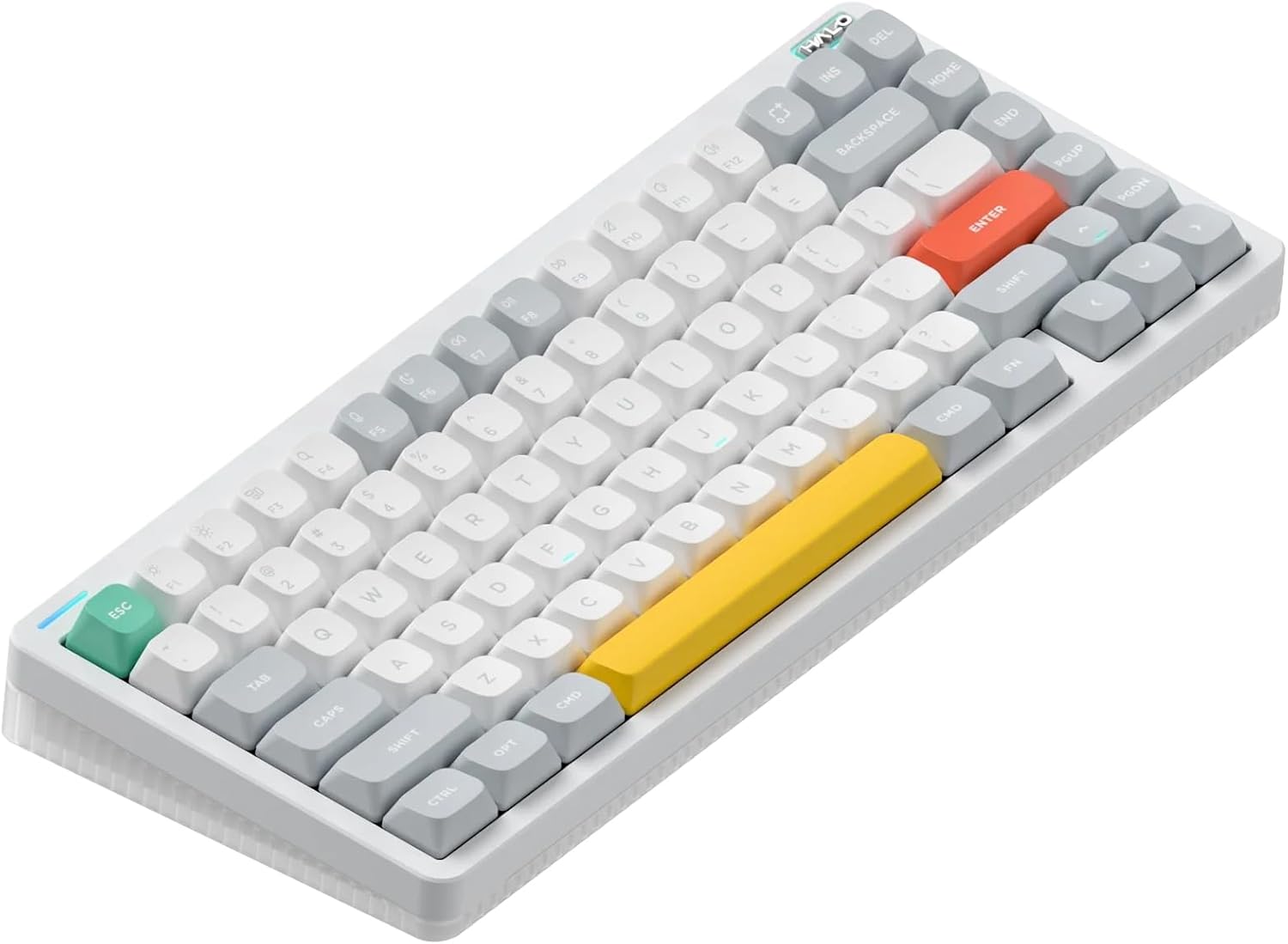
If you want a premium prebuilt experience from a highly reliable company, the NuPhy Halo75 V2 is a phenomenal option. This 75 percent keyboard is built like an absolute tank.
The aesthetic and acoustic design here is brilliant. The top shell is made of high quality aluminum alloy, and it is surrounded by a beautiful "Halo" light band at the bottom that gives the keyboard an incredible visual presence. NuPhy uses a heavily dampened system that completely silences unwanted ping.
One of the biggest selling points is the open source QMK and VIA firmware support. You can remap any key or create complex macros using a simple web browser interface without installing bloated tracking software on your computer. It supports tri mode connectivity and packs a solid 4000mAh battery offering up to 307 hours of work time with the lights off. It also boasts a 1000Hz polling rate in both wired and 2.4GHz modes.
Best Budget Low-Profile Mechanical Keyboards (2026)
Want a sleek, ergonomic setup? Discover the best low-profile mechanical keyboards that offer premium features at an affordable price.
Read article →Pros & Cons
Pros: Premium aluminum build, excellent internal dampening, open-source QMK/VIA support, distinct aesthetic with Halo lighting.
Cons: Aggressive RGB might be distracting, heavy for frequent travel.
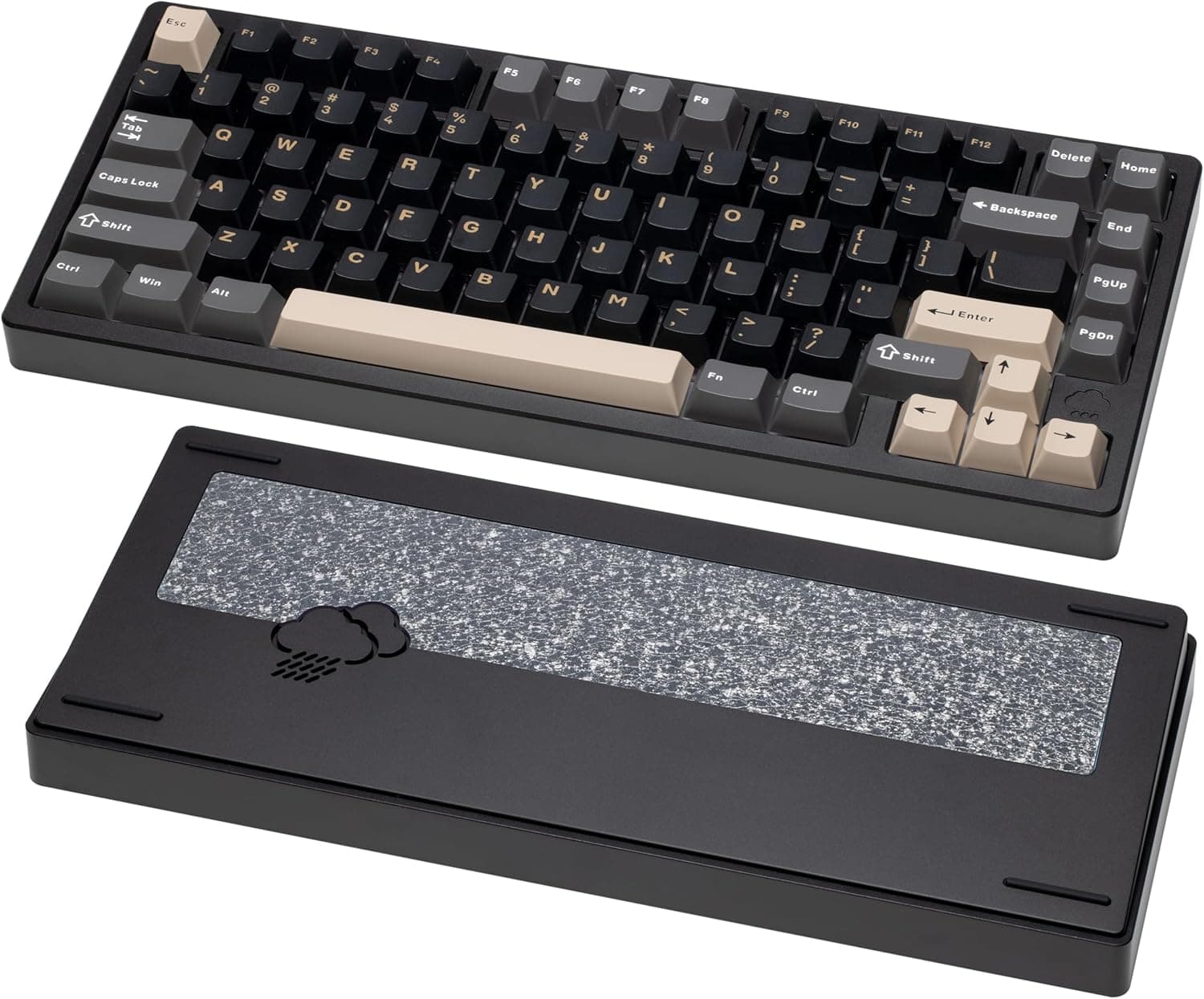
4. The KEEBMONKEY WOBKEY Rainy 75
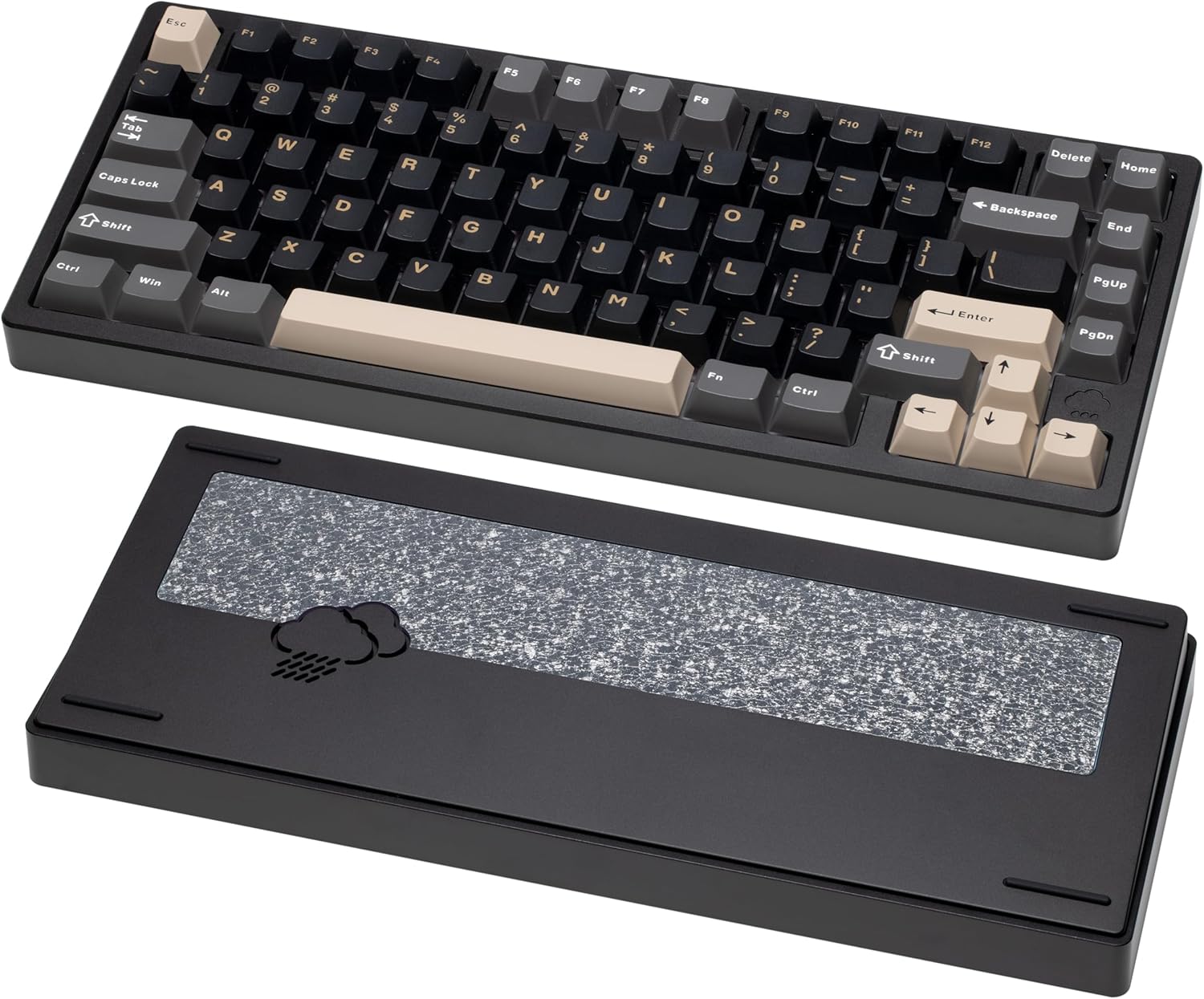
| Category | Details |
|---|---|
| Layout | 75% (compact, enthusiast-focused) |
| Build Material | CNC 6063 aluminum alloy |
| Typing Feel | Soft, flexible, premium |
| Sound Profile | Dense, marbly, ultra-creamy |
| Dampening | 5-layer foam + 14 dampening buds |
| Switch Options | HMX / JWK / Cocoa (custom pre-lubed) |
| Connectivity | Tri-mode: Wired, 2.4GHz, Bluetooth 5.0 |
| Battery | 7000mAh (very large capacity) |
| Best For | Enthusiasts chasing top-tier creamy acoustics |
Check Out the WOBKEY Rainy 75 on Amazon
Features and Performance
We absolutely cannot talk about creamy keyboards without discussing the Wobkey Rainy 75. When this keyboard launched, it completely disrupted the entire industry. It brought premium CNC 6063 aluminum alloy construction and flawless acoustics to a very accessible price point.
Typing on the Rainy 75 Pro is an absolute joy. It features a five layer foam system and 14 dampening buds that produce a dense, marbly, and incredibly creamy sound profile. The Pro version comes with an upgraded FR4 switch plate with flex cuts, custom lubricated HMX, JWK, or Cocoa switches, and a massive 7000mAh battery capacity. The latency is quite impressive for a custom board, boasting 2ms on wired, 3ms on 2.4G wireless, and 7ms on Bluetooth 5.0.
Pros & Cons
Pros: Industry-leading aluminum build at its price point, legendary "marbly" creamy sound, massive 7000mAh battery, tri-mode connectivity.
Cons: Inconsistent customer service reputation, hidden internal screws make disassembly difficult for modding.
5. The KEEBMONKEY WOBKEY Crush 80 Reboot
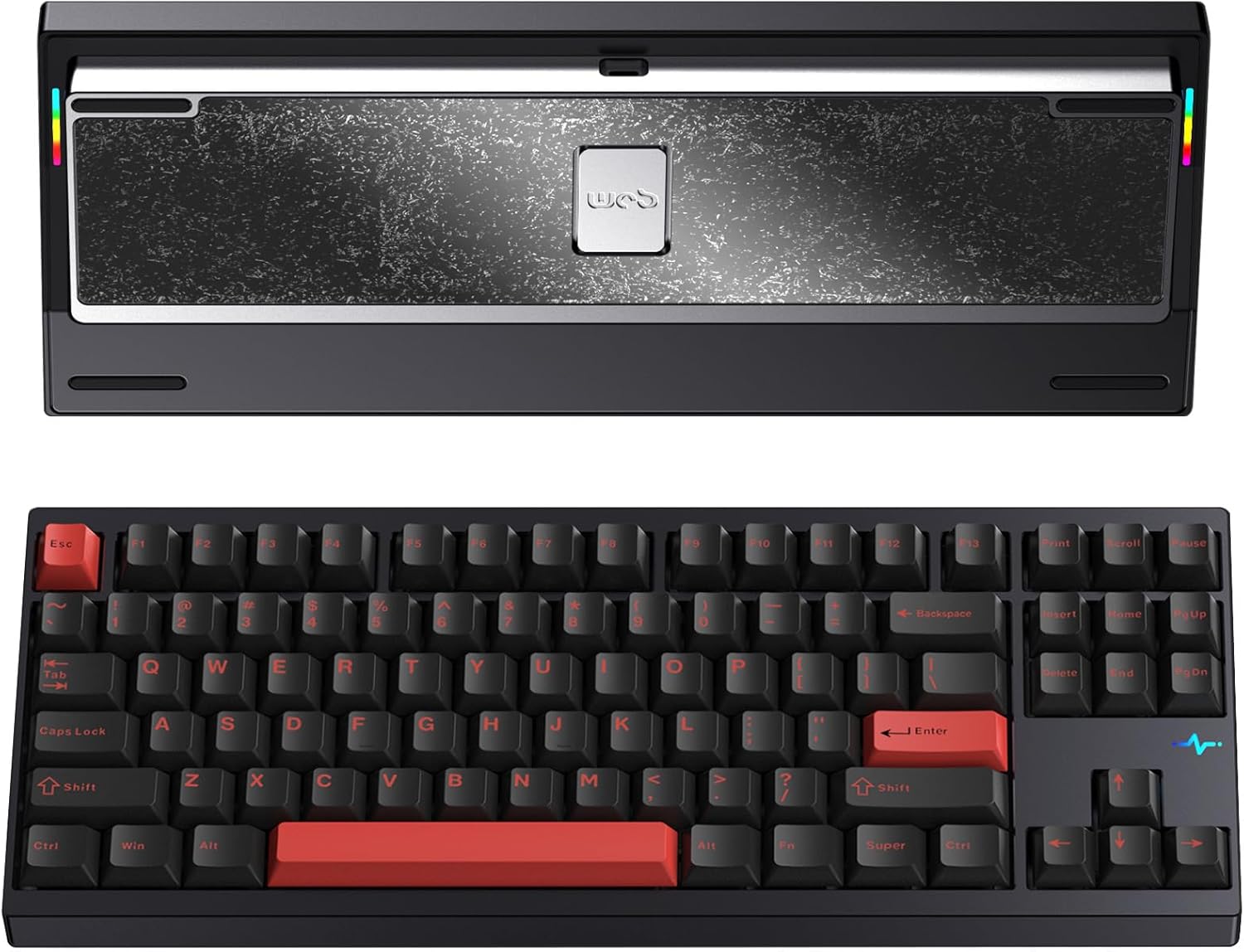
| Category | Details |
|---|---|
| Layout | 80% (TKL with function row & arrow keys) |
| Build Material | CNC 6063 aluminum alloy |
| Typing Feel | Firm, premium, slightly more rigid |
| Sound Profile | Crisp, deep, creamy clack |
| Switches | Kailh Cocoa (pre-installed) |
| Keycaps | Double-shot PBT |
| Connectivity | Tri-mode: Wired, 2.4GHz, Bluetooth |
| Battery | 7500mAh (very high capacity) |
| Best For | Users who want creamy sound + full layout |
Check Out the WOBKEY Crush 80 Reboot on Amazon
Features and Performance
For those who absolutely need their dedicated arrow keys and a full function row, the Wobkey Crush 80 Reboot Pro is a fantastic choice. Wobkey took all the acoustic lessons they learned from the Rainy 75 and applied them to a larger form factor.
The CNC 6063 aluminum frame feels like a luxury weapon. It comes stocked with Kailh Cocoa switches and features double shot PBT keycaps. The resulting sound is a firm, crisp, and deeply creamy clack that enthusiasts absolutely adore.
Unlike the older Rainy 75, the Crush 80 features a brilliant 5 second quick release ball catch structure, allowing you to pop the case open instantly for modifications. It also houses a massive 7500mAh battery, a magnetic POGO pin, a unique RGB heartbeat light, and south facing A-RGB lighting.
Pros & Cons
Pros: Tank-like build quality, quick-release case design for easy modding, massive battery life, perfect "creamy clack" acoustics.
Cons: Wireless toggle switch is hidden under the Caps Lock keycap, fairly heavy and immobile.
6. The Keychron Q1 HE
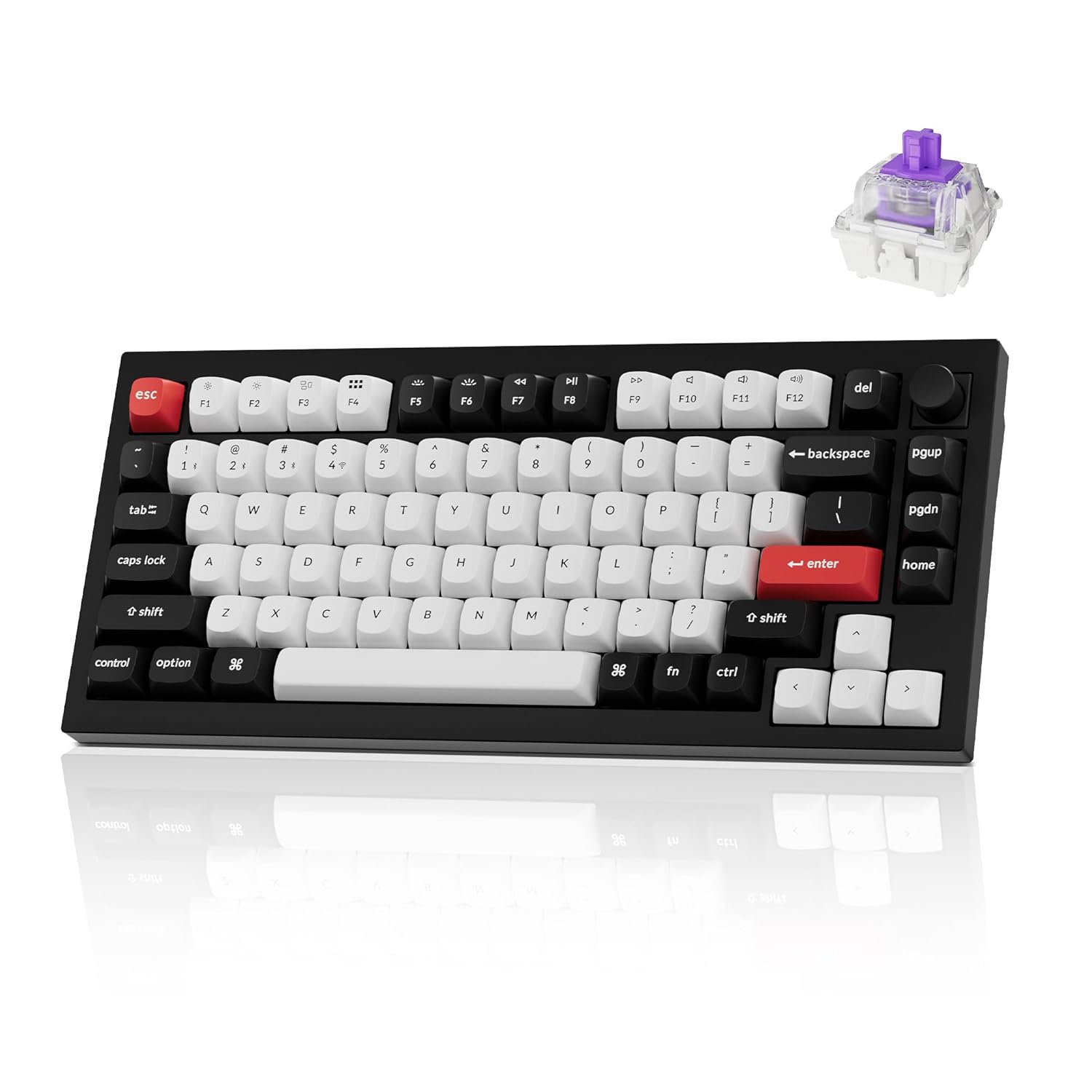
| Category | Details |
|---|---|
| Layout | 75% (custom enthusiast layout) |
| Switches | Gateron 2.0 Magnetic (Hall Effect, pre-lubed) |
| Actuation Range | 0.5mm – 3.8mm (0.1mm sensitivity) |
| Sound Profile | Deep, controlled, creamy for a magnetic board |
| Build Material | CNC 6063 aluminum |
| Structure | Double gasket + premium dampening |
| Connectivity | Wireless (2.4GHz) + Wired |
| Keycaps | OSA profile double-shot PBT |
| Software | Keychron Launcher (web-based, no install) |
| Best For | Enthusiasts who want creamy sound + competitive performance |
Check Out the Keychron Q1 HE on Amazon
Features and Performance
Keychron has finally merged their famous custom keyboard acoustics with competitive gaming technology. Meet the Q1 HE, the world's first 75 percent layout wireless QMK custom keyboard equipped with Hall Effect Gateron 2.0 magnetic switches.
The entire metal body is crafted from 6063 aluminum. Keychron solved the typical hollow sound of magnetic switches by aggressively tuning the internal acoustics with a double gasket design and premium dampening materials. The pre lubed Gateron double rail magnetic switches offer a sensitivity of only 0.1 mm. You can customize actuation points from 0.5 to 3.8 mm and assign up to four different actions to a single key based on travel depth.
The gaming performance is flawless with a blazing fast 1000 Hz polling rate on the 2.4 GHz connection. It features unique OSA profile double shot PBT keycaps that are oil resistant and deliver a premium feel, perfectly complementing the south facing RGB.
Pros & Cons
Pros: Perfect blend of enthusiast acoustics and high-end gaming magnetic tech, web-based software (no bloat), extremely solid aluminum build.
Cons: Very heavy (~1.7kg), stabilizers might need slight manual tuning to prevent rattle.
7. The Asus ROG Azoth Extreme
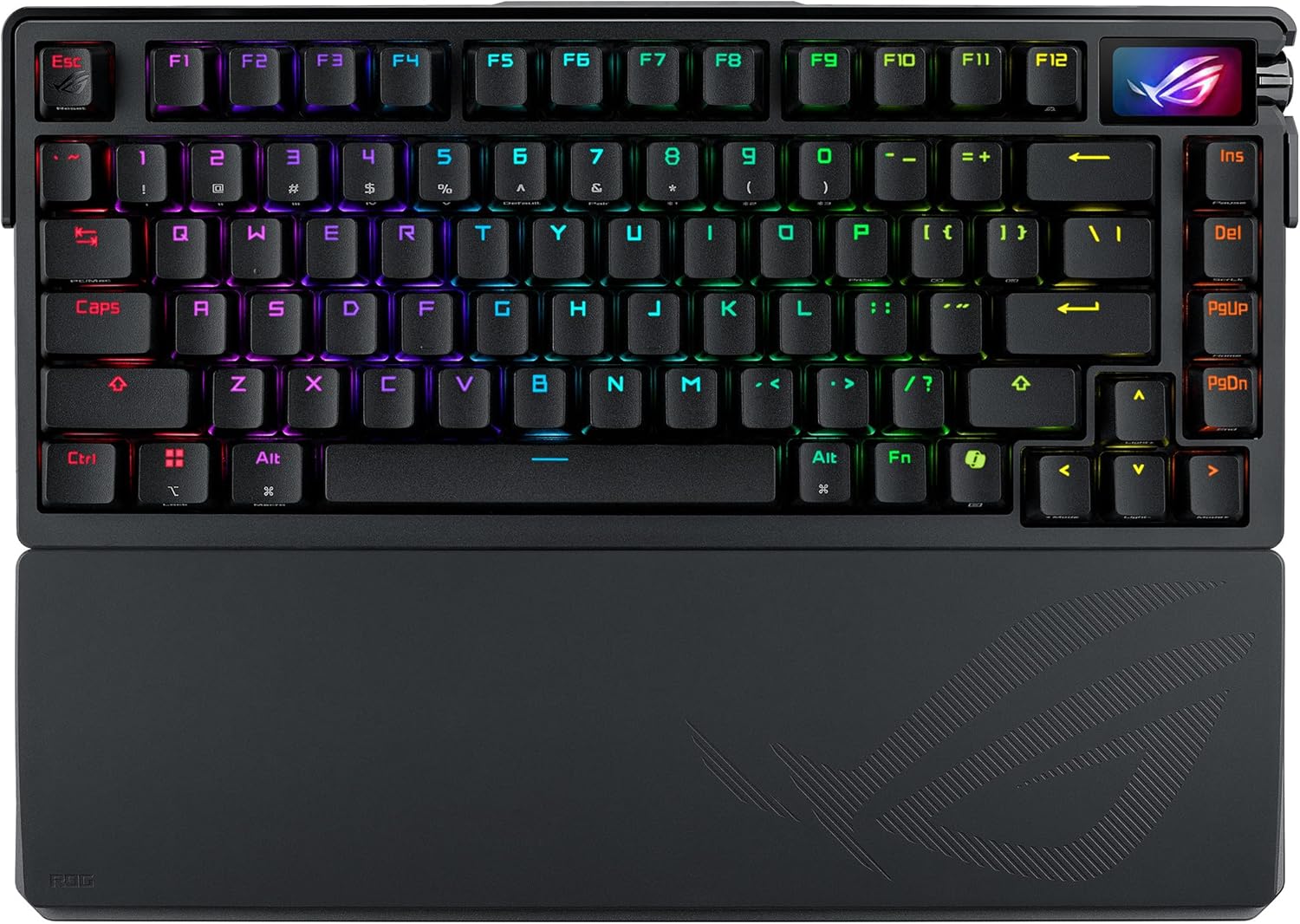
| Category | Details |
|---|---|
| Layout | 75% (premium gaming-focused) |
| Build Material | Solid aluminum alloy (12-step CNC) |
| Typing Feel | Ultra-premium, smooth, cushioned |
| Sound Profile | Thocky + creamy (well-balanced acoustics) |
| Switches | ROG NX Snow (pre-lubed linear) |
| Switch Plate | Carbon fiber |
| Connectivity | Wireless (ROG SpeedNova) + Wired |
| Polling Rate | Up to 8000Hz (with included booster) |
| Display | 1.47" full-color OLED touchscreen |
| Best For | High-end gamers & enthusiasts wanting the absolute best |
Check Out the Asus ROG Azoth Extreme on Amazon
Features and Performance
If you have a very high budget and want the absolute peak of mainstream luxury gaming peripherals, the Asus ROG Azoth Extreme exists in a tier of its own entirely.
Asus went completely overboard with the materials. It features a highly durable and refined solid aluminum alloy chassis with a 12 step CNC process. The typing feel is incredible thanks to a genuine carbon fiber positioning plate and three layers of dampening including dual PORON foams and a silicone pad. It comes with pre lubed ROG NX Snow linear switches that provide a smooth, thocky, and creamy sound.
The wireless stability is bulletproof, utilizing ROG SpeedNova tech to achieve up to 1600 hours of battery life with the RGB and OLED off. Yes, it houses a full color 1.47 inch OLED touchscreen that displays system stats and animations. It also features a new Speed Tap Mode that enables instant directional changes in FPS games, eliminating input delays. You even get an 8K Hz polling rate booster in the box.
Pros & Cons
Pros: Flagship build quality with carbon fiber plate, stunning full-color OLED display, class-leading wireless battery life, 8000Hz polling capability.
Cons: Extremely expensive, Asus Armoury Crate software remains bloated and resource-heavy.
8. The Corsair K65 Plus Wireless
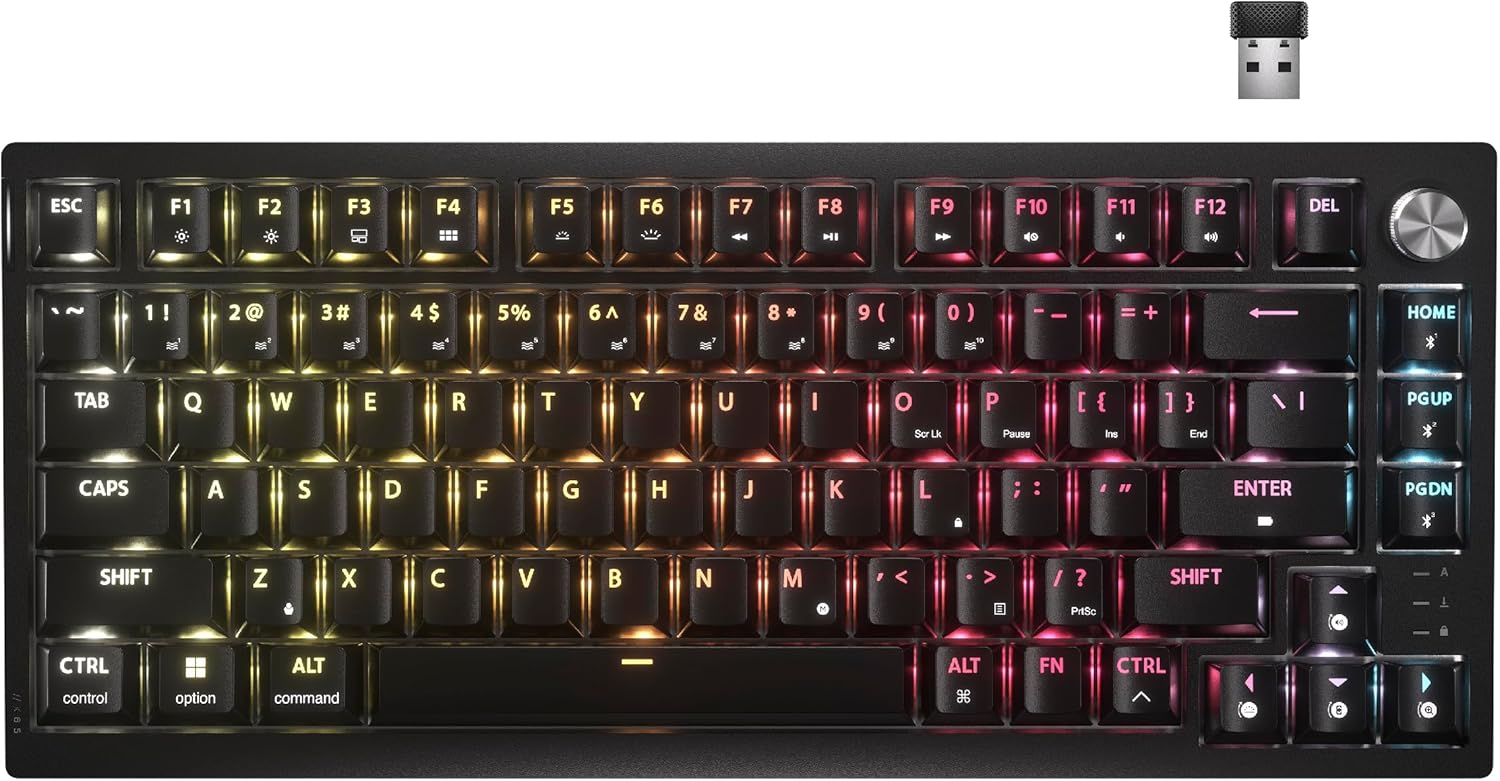
| Category | Details |
|---|---|
| Layout | 75% (compact, mainstream gaming) |
| Switches | CORSAIR MLX Fusion (tactile, pre-lubed) |
| Typing Feel | Slight tactile bump, smooth and controlled |
| Sound Profile | Muted, quiet, surprisingly creamy for tactile |
| Dampening | Dual-layer internal sound dampening |
| Connectivity | Tri-mode: 2.4GHz wireless, Bluetooth, USB-C wired |
| Keycaps | Double-shot PBT (durable, shine-through) |
| Software | Corsair iCUE (powerful but resource-heavy) |
| Best For | Users wanting a safer, mainstream “creamy” option |
Check Out the Corsair K65 Plus on Amazon
Features and Performance
If you prefer to stick with familiar mainstream gaming brands, Corsair has made huge strides in acoustic design for 2026.
The Corsair K65 Plus Wireless is a space saving 75 percent layout keyboard built for sturdy reliability. It comes equipped with pre lubricated CORSAIR MLX Fusion tactile mechanical switches. While tactile switches are not traditionally known for being creamy, Corsair added two dense layers of sound dampening inside the chassis. The result is a uniquely muted, quiet, and satisfying typing experience that works wonderfully.
It features durable PBT double shot keycaps that allow vivid per key RGB shine through while resisting wear over time. It supports low latency 2.4GHz wireless, Bluetooth, and wired USB connections with secure AES encryption.
Pros & Cons
Pros: Reliable mainstream brand backings, surprisingly quiet and muted sound, durable build, secure wireless encryption.
Cons: Some wireless latency reported by competitive players, iCUE software can be demanding on system resources.
The Ultimate Modding Guide for Creamy Acoustics
Even if you buy a premium prebuilt keyboard, there is always room for massive improvement. The mechanical keyboard hobby is all about personalization and chasing the perfect sound. If you want to push your acoustic profile to the absolute limit of buttery smoothness, you need to apply some basic modifications.
Do not be intimidated by opening your keyboard. Most modern boards are designed to be modified. Here are the most effective mods to make any keyboard sound creamier.
The Tempest Tape Mod
This is the easiest, cheapest, and most effective acoustic mod ever invented. You simply take apart your keyboard and apply one to three layers of standard paper masking tape directly to the back of the printed circuit board.
The tape acts as an acoustic low pass filter. It reflects the deeper sound waves back up toward the keycaps while completely absorbing high pitched, scratchy frequencies. This instantly makes the keyboard sound richer, poppier, and significantly creamier. Always use a low adhesion paper tape like blue painters tape. Never use duct tape or electrical tape.
Lubricating Switches and Stabilizers
While many switches come factory lubed in 2026, manual hand lubing is still the absolute gold standard for acoustic perfection. You will need a switch opener tool, a small precision brush, and a vial of Krytox 205g0 lubricant.
Carefully opening the switch and applying a very thin, consistent layer of lube to the plastic stem rails and the internal metal spring completely eradicates any microscopic plastic friction. This turns a decent linear switch into a perfectly silent, floating glide. For stabilizers, applying thick dielectric grease to the ends of the metal wire will cushion the impacts and eliminate the dreaded ticking noise.
Plate Materials and PE Foam
The material that holds your switches in place has a massive impact on sound. Stiff materials like brass or aluminum create a harsh, high pitched clack. If your keyboard supports alternate plates, swap it out for a Polycarbonate or an FR4 fiberglass plate. These softer plastics absorb vibration and drastically soften the sound profile.
Adding a sheet of ultra thin PE foam directly between the switches and the circuit board is the final secret ingredient for the creamy sound. This foam creates a highly concentrated popping sound that enthusiasts refer to as the "marbly effect."
Final Thoughts on the Current Market
The mechanical keyboard market has truly never been better. We have successfully moved past the days of obnoxiously loud switches and hollow plastic cases. The industry has fully embraced acoustic engineering, and gamers are the ultimate winners here.
If you are on a strict budget, the AULA F75 Pro provides an unparalleled out of the box creamy experience that genuinely rivals keyboards triple its price. For competitive gamers needing a cheap entry into Hall Effect tech, the Gamakay NS68 is an absolute steal. For the mid range buyers, the NuPhy Halo75 V2 remains a reliable premium prebuilt option with fantastic QMK support. The Wobkey Rainy 75 and Crush 80 Reboot continue to dominate the enthusiast space with their ridiculous CNC aluminum builds and five layer foam acoustics.
And if you demand zero compromise competitive gaming performance wrapped in a gorgeous aluminum chassis, the Keychron Q1 HE and the Asus ROG Azoth Extreme represent the absolute pinnacle of modern technology. Do your research, watch a few sound tests online, and take the plunge into the creamy keyboard world. You will never want to type on a standard laptop keyboard ever again.
Frequently Asked Questions
What is the exact difference between a thocky keyboard and a creamy keyboard? While both terms describe pleasant, non clicky sounds, they sit on different ends of the frequency spectrum. A thocky keyboard produces a very deep, bass heavy, and resonant thud. A creamy keyboard produces a softer, muted, and more balanced sound, like smooth, rounded raindrops hitting plastic.
Do I absolutely need linear switches to get a creamy sound? Linear switches are highly recommended. They travel straight down without physical bumps, providing the smoothest acoustic curve. Tactile switches create a sharp bump that leads to a clackier sound profile, though heavily modified tactiles can sound decently muted.
Is it safe to perform the tape mod on a wireless keyboard with a battery? Generally yes, but use caution. Standard paper masking tape is non-conductive, but if your battery gets warm during fast charging, thick tape can trap heat. Use standard paper masking tape and avoid covering battery ventilation areas or microchips.
Why do mainstream gaming keyboards usually sound worse than custom keyboards? Mainstream brands often prioritize gaming features like ultra-fast polling or RGB over acoustics. They may use thinner plastic cases and tray mounts to reduce costs. Custom makers prioritize thicker aluminum, gasket mounting, and premium dampening foams which produce superior sound.
Are Hall Effect magnetic switches good for typing, or just for gaming? Modern 2026 models like the Keychron Q1 HE use dual-rail stems and heavily dampened internals, making them exceptionally smooth and quiet. They are now fantastic for both competitive gaming and long-form typing sessions.
Disclosure: Some of the links in this post are affiliate links. This means if you click on them and make a purchase, we may earn a small commission at no extra cost to you. As an Amazon Associate, I earn from qualifying purchases.
You May Also Like
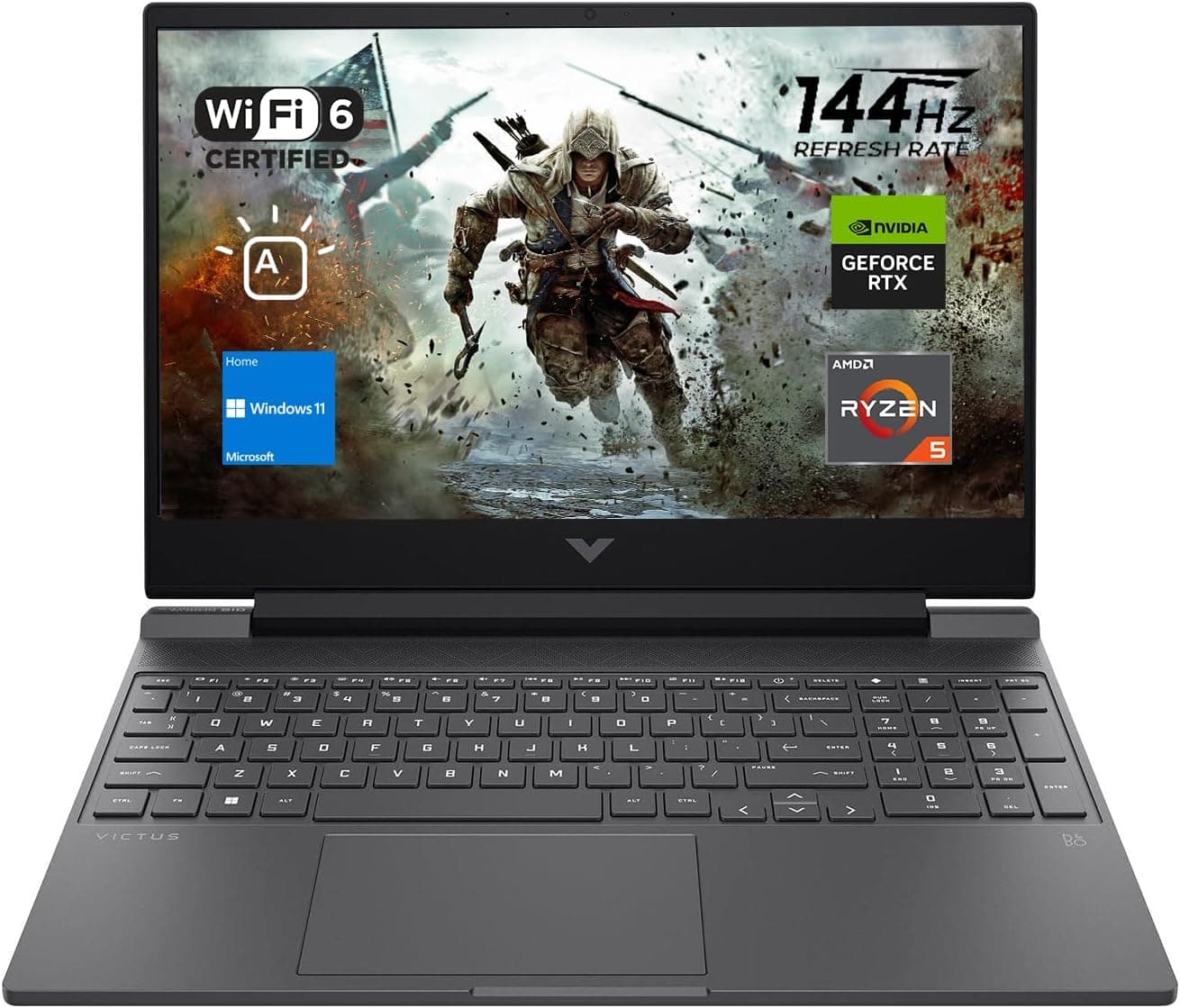
Best Gaming Laptops for College Students Under $1000 in 2026
Buying a gaming laptop for college is different from buying one purely for gaming. A college laptop needs to handle lectures, assignments, research, video calls, and productivity software during the day while still delivering solid gaming performance at night.

Best Games on Steam to Play While Working From Home
Best games on Steam to play while working from home, from cozy builders to smart card games that fit short breaks, easy pauses, and low stress sessions.
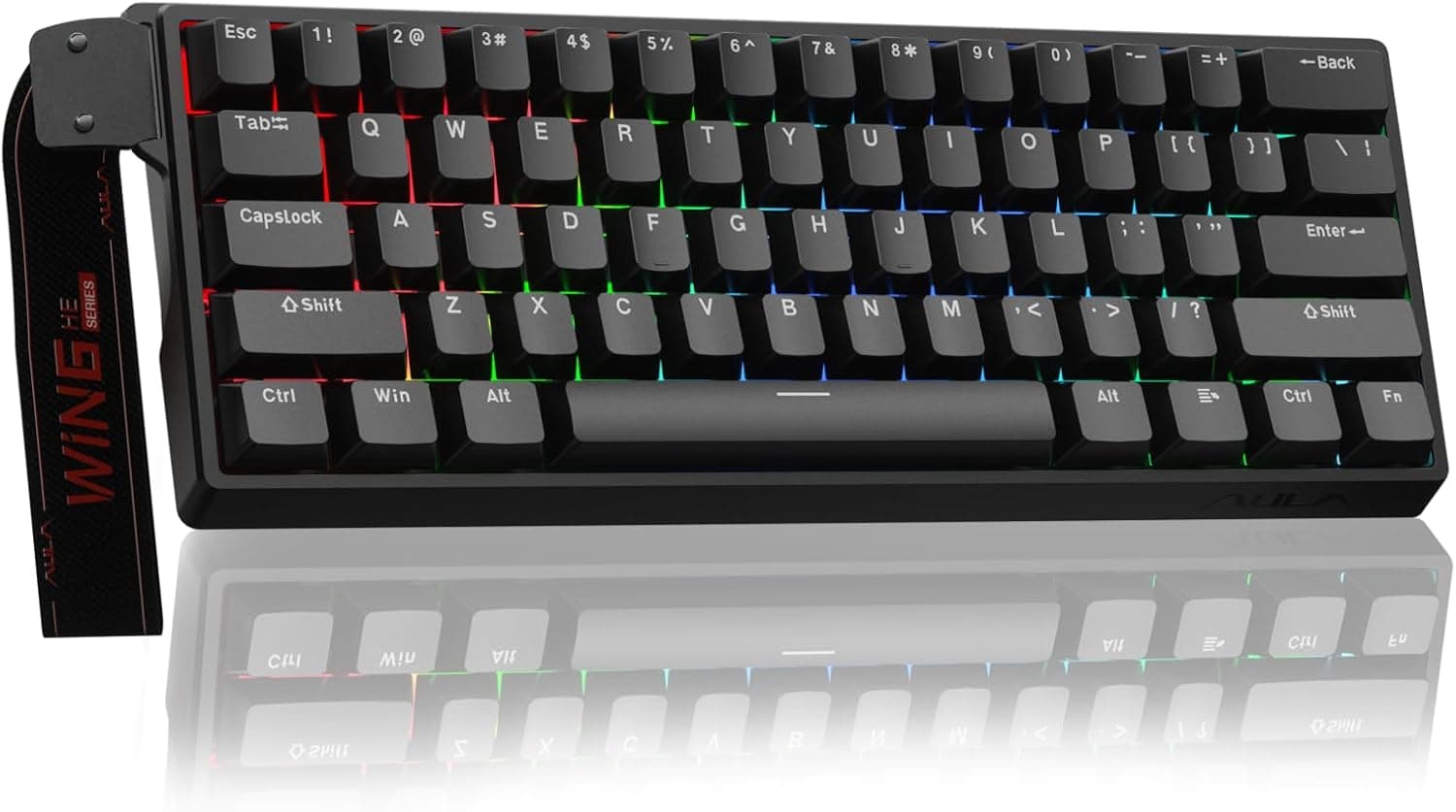
Best Budget Hall Effect Keyboards in 2026 (Under $50)
Discover the best budget Hall Effect keyboards under fifty dollars in 2026. Read our honest, in depth analysis of performance, build quality, and software features of the top six magnetic switch boards.