
Top Amazon PC Controllers Every Gamer Should Know About (Budget to Pro Picks)
Navigate this article
Introduction
Choosing the right game controller can transform your PC gaming experience. With popular platforms like Steam and Xbox PC compatibility, quality controllers are a must-have for players who want comfort, precision, and extra features. Whether you’re on a tight budget or ready to invest in a pro-level pad, Amazon has an incredible range of controllers for PC. In this guide, we’ll highlight the top controllers from bargain-friendly gamepads to high-end tournament-ready pads that every PC gamer should consider. Along the way, we’ll cover key features like wireless connectivity, customizable buttons, and advanced joystick technology (such as Hall-effect sticks) so you can make an informed choice.
Game controllers for PC come in many shapes and sizes. You’ll find Xbox-style and PlayStation-style layouts, wireless or wired options, and specialty pads for genres like fighting or racing. Many modern controllers even work natively with Windows, so setup is often plug-and-play. For example, Microsoft’s Xbox Wireless Controller has native Windows support, ensuring virtually every game recognizes it instantly. On the other hand, Sony’s DualSense controller (from PS5) delivers premium haptics and adaptive triggers, creating immersion in compatible games, though it needs a wired USB connection for full effect on PC.
In this article, we’ll break down our picks by price category and use case, explain why each one stands out, and link you to Amazon so you can check prices and deals. You’ll learn about budget controllers under $50 that pack surprising features, mid-range pads with all the essentials, and pro controllers with swappable parts and ultra-low latency. Plus, we’ll answer common FAQs to help you make the best decision. Let’s dive in!
Top Budget PC Controllers (Under ~$50)
If you’re shopping on Amazon and need an affordable controller, there are several excellent budget picks. These models may skip some luxury features, but they still deliver great gaming performance and comfort. Here are our top budget recommendations:
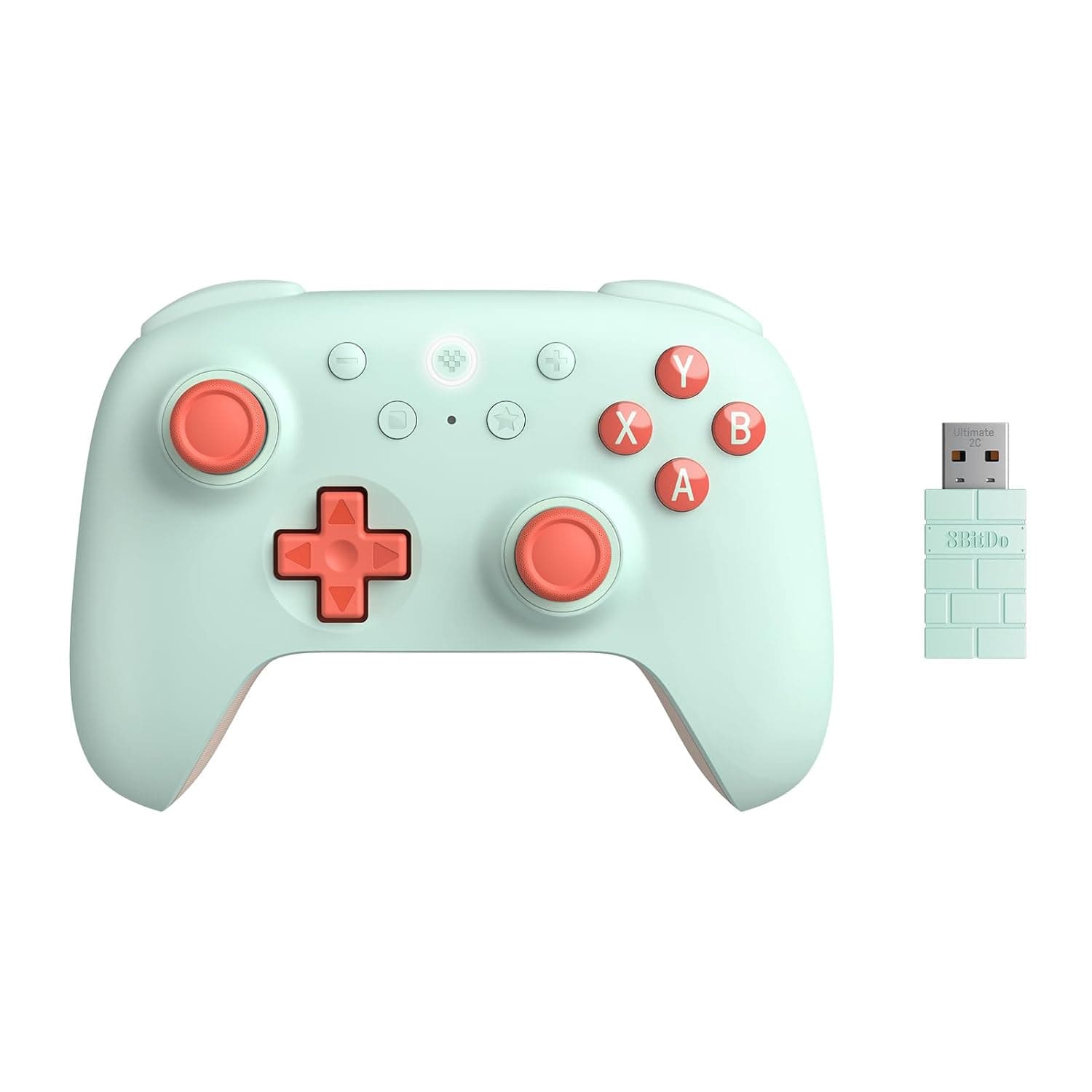
8BitDo Ultimate 2C Wireless Controller (≈$30)
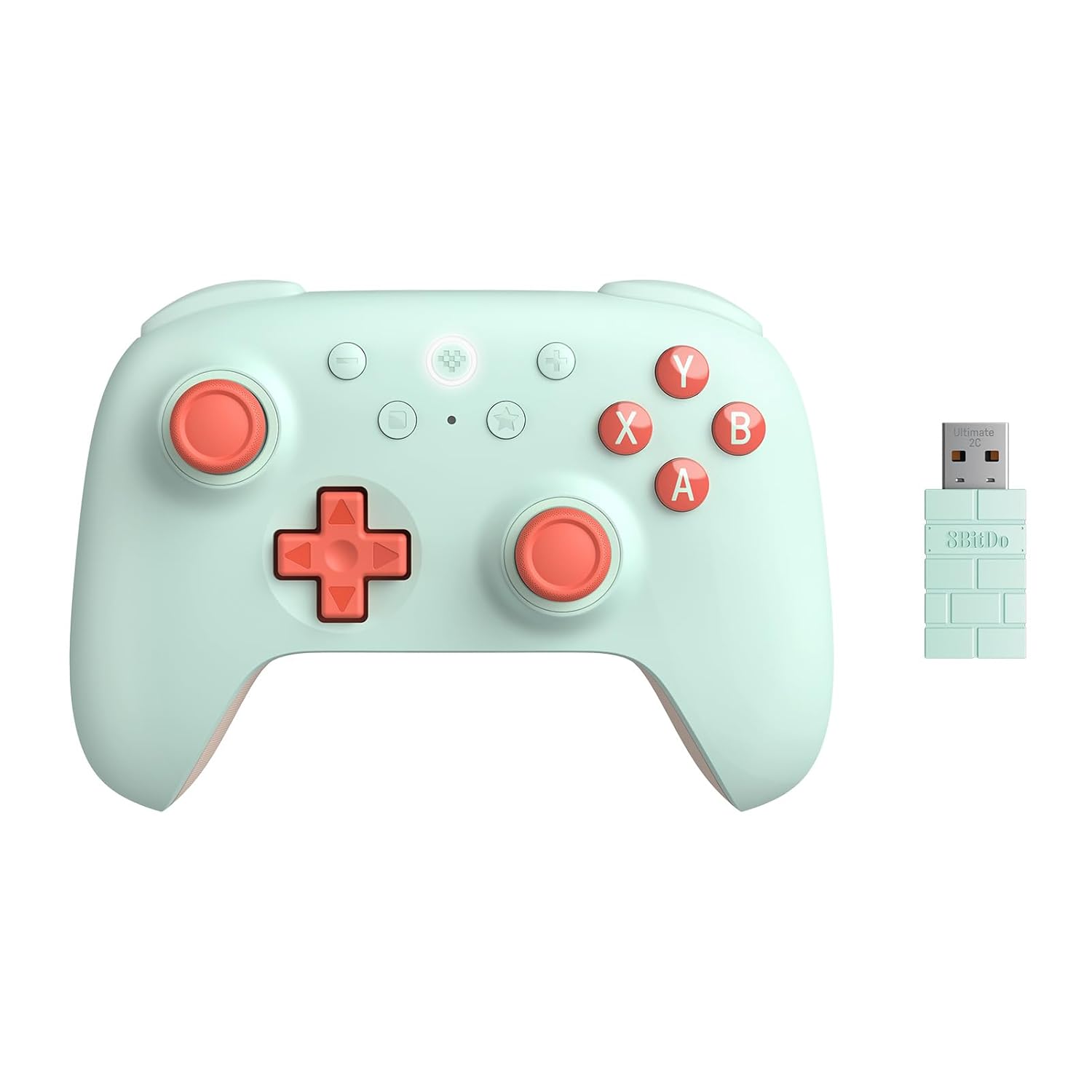
This is a surprisingly powerful budget controller. Wired and wireless (2.4GHz or Bluetooth) connectivity makes it versatile. It includes Hall-effect joysticks and triggers (resistant to drift), and even extra remappable bumpers for advanced gameplay. Reviewers praise its build quality and long battery life (about 15 hours) for the price. With Xbox-style layout, wireless support, and the hall-effect advantage, the 8BitDo Ultimate 2C is a “budget-friendly beast” that feels upscale.
Key Highlights
- Wired and wireless (2.4GHz or Bluetooth) connectivity.
- Hall-effect joysticks and triggers.
- Extra remappable bumpers for advanced gameplay.
- Long battery life (~15 hours).
GameSir Super Nova Controller (≈$49)
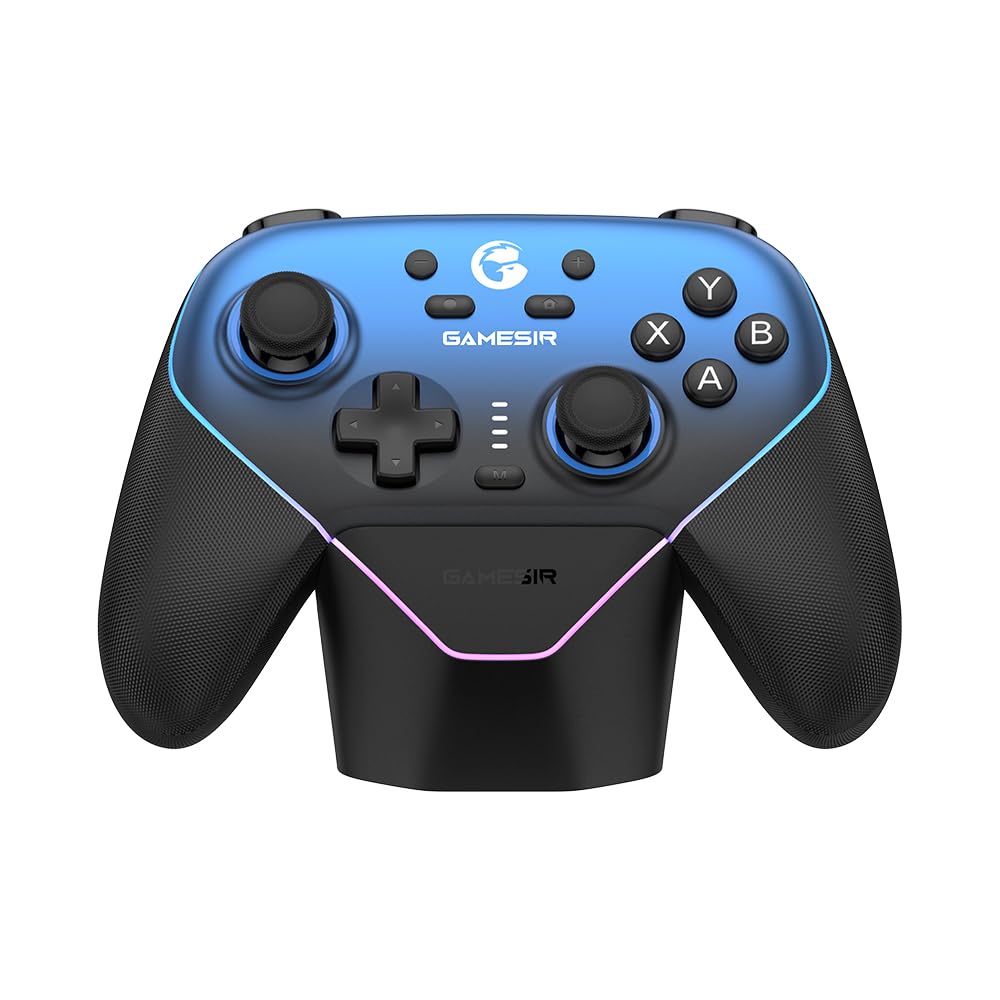
The Super Nova is packed with features usually seen in pricier pads. It sports Hall-effect sticks and triggers, detachable swappable faceplates, fast hair-trigger locks, and even an RGB lighting setup for style. A free charging dock is included, which is a rare bonus at this price point. Its 6-axis gyroscope adds motion control support, and two programmable rear buttons give extra flexibility. In short, the Super Nova offers customization and solid performance at an entry-level price.
Key Highlights
- Hall-effect sticks and triggers.
- Detachable swappable faceplates.
- Fast hair-trigger locks and RGB lighting.
- Free charging dock included.
Key Takeaways: Budget controllers often include basic but necessary features. Look for built-in hall-effect sticks or triggers (to avoid drift), at least two analog sticks, and reasonable build quality. These controllers won’t have swappable parts or super high polling rates, but they can get the job done. The 8BitDo Ultimate 2C, GameSir Super Nova, and T4 Kaleid all deliver “bang for your buck”. They prove that even under $50 you can get hall-effect tech and comfortable ergonomics.
Popular Mid-Range Controllers (~$50 - $100)
Moving up a bit in price unlocks more mainstream and feature-rich controllers. In this mid-range, you’ll find the industry standards the official console controllers plus a few specialized pads. These models strike a balance between price and performance, making them ideal for most gamers.
8BitDo SN30 Pro (≈$50)
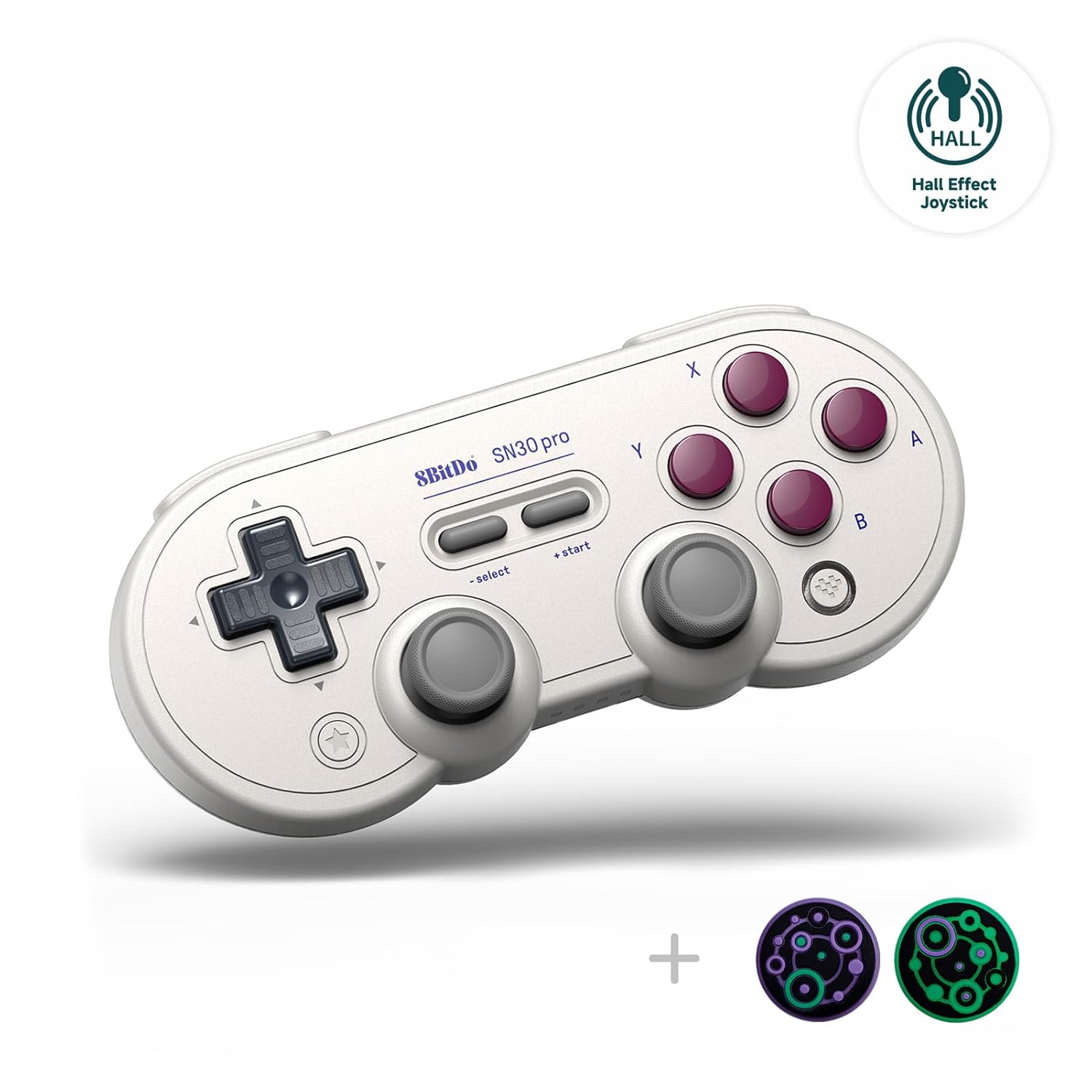
For retro or 2D game fans, the SN30 Pro mimics a classic SNES controller but adds analog sticks and wireless support. It’s Bluetooth-enabled for PC (and Nintendo Switch). Wired compatibility with PC is fully functional, so it can play modern games too. It lacks handles (flat design), so it’s not ideal for every genre, but it’s perfect for retro-style play and even has back buttons. Wired’s guide notes it’s “fully functional with modern titles”. Why buy: Great for classic game emulation or if you crave nostalgia in a USB/Bluetooth package.
Key Highlights
- Classic SNES controller aesthetic.
- Added analog sticks and wireless support.
- Bluetooth-enabled for PC and Switch.
- Perfect for retro-style and 2D games.
GameSir G7 Pro (≈$80)
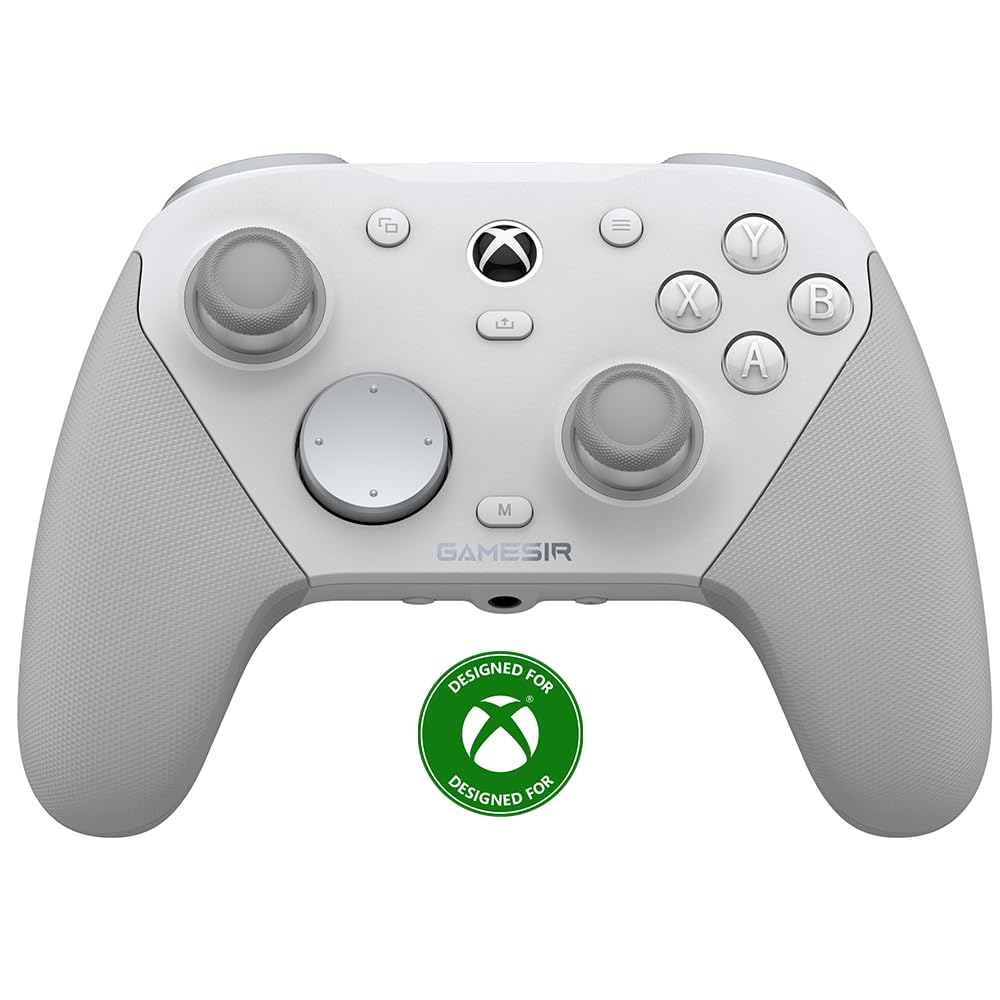
This is a powerhouse in the GameSir lineup. It looks like an Xbox pad but adds high-end components: Hall-effect analog triggers, four rumble motors, hair-trigger mode, and swappable faceplates. It has extra programmable back paddles and a whopping 256Hz polling rate with virtually zero lag (0.004s). Reviewers say it’s “feature-packed” and feels very responsive. PC Gamer even crowned the G7 Pro its “best overall PC controller”, noting it dethroned the Xbox controller by offering a great feel, strong connectivity, and no stick drift. Why buy: True high-end features (Hall-effect sticks, paddles) at a mid-range price, with superb performance.
Key Highlights
- Hall-effect analog triggers and zero stick drift.
- Four rumble motors and hair-trigger mode.
- Swappable faceplates and programmable back paddles.
- Astounding 256Hz polling rate for ultimate responsiveness.
Pro-Level and Premium PC Controllers
At the high end, controllers become a serious investment. Prices often exceed $100, but you get tournament-caliber features and build quality. These pads cater to competitive gamers and streamers who want ultimate performance and customization. Notable pro picks include:
Razer Wolverine V3 Pro (≈$180)
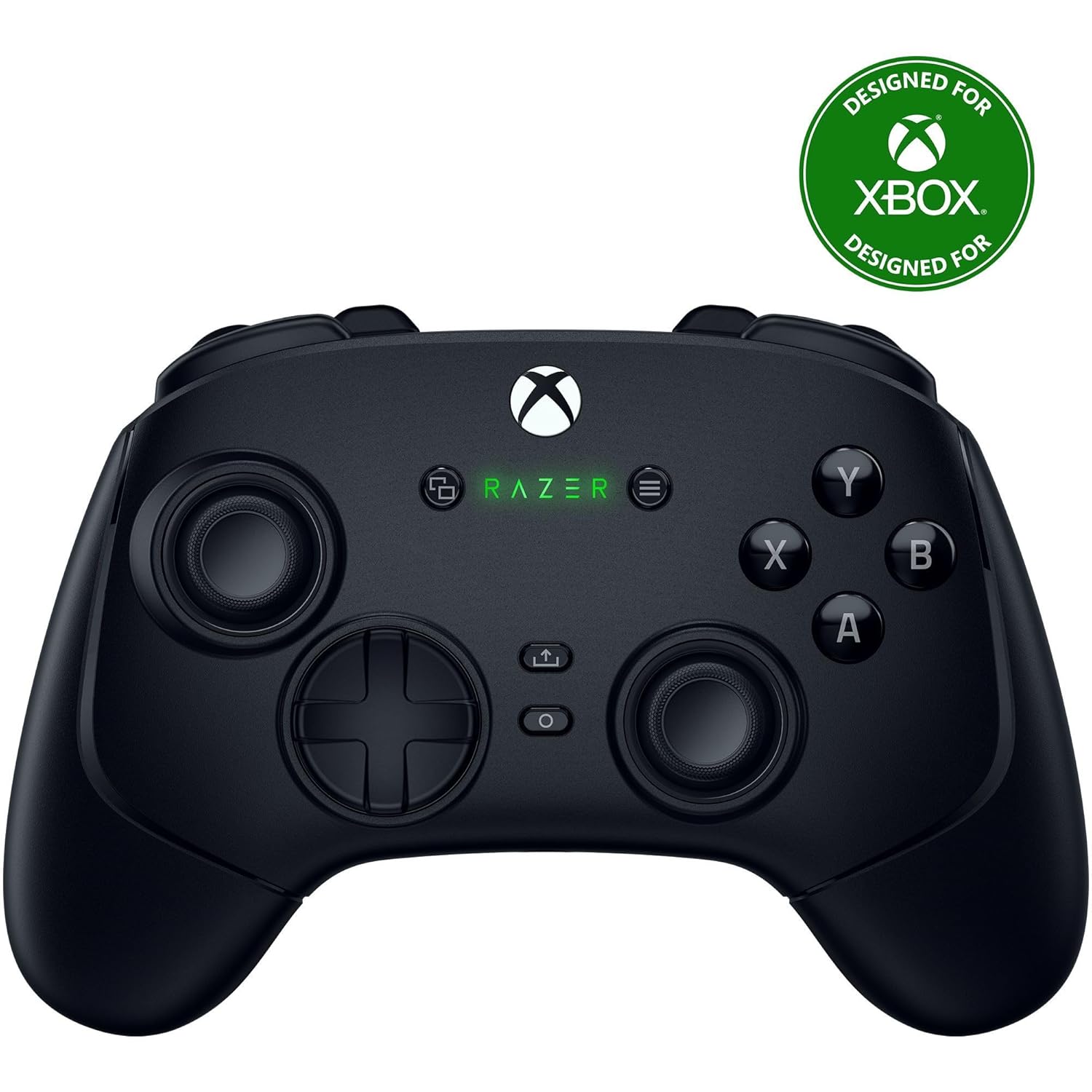
Razer’s flagship wired controller is described by TechRadar as “the best premium PC controller on the market today and perhaps the greatest to ever do it”. It lives up to that hype: the Wolverine V3 Pro has Hall-effect thumbsticks and triggers, super-clicky mechanical face buttons, and Razer’s own high-speed switches for ultra-fast input. It supports wired USB-C (no wireless) to eliminate lag. It also includes swappable thumbsticks of different shapes (concave/convex) and removable palm grips. Yes, the price is very high, but it offers a “sublime controller experience” that justifies the cost. Why buy: Best-in-class build, switch-modded buttons, and premium feel for pro gamers.
Key Highlights
- Hall-effect thumbsticks and triggers.
- Super-clicky mechanical face buttons.
- Swappable thumbsticks and removable palm grips.
- High-speed switches for ultra-fast inputs.
Scuf Valor Pro (≈$180)
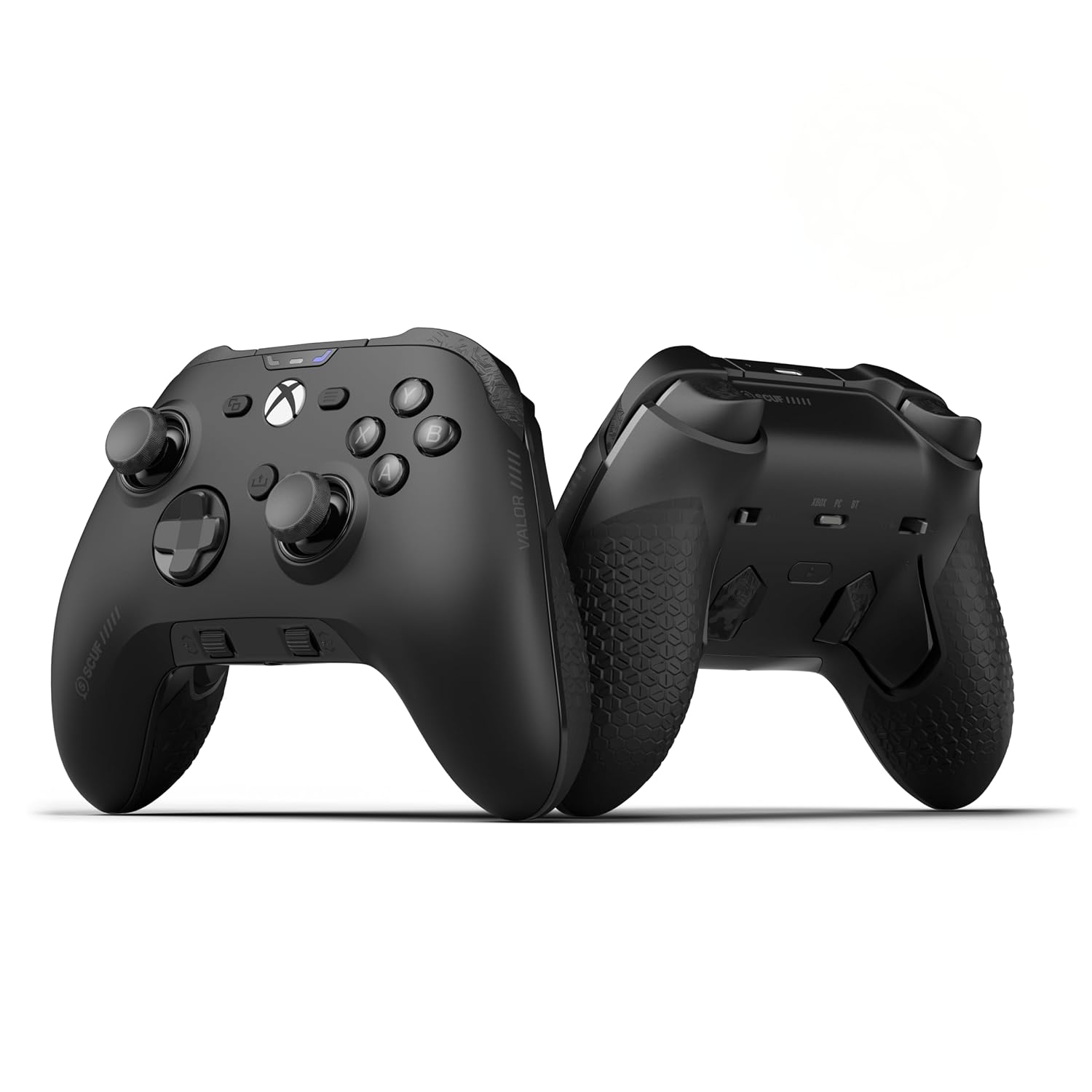
Scuf is famous for highly customizable controllers (popular with esports players). The Valor Pro is a wired Xbox-style controller with serious pro features: adjustable triggers, Hall-effect sticks, four back paddles, and a thumbstick module system. PC Gamer calls it “superb build quality, excellent ergonomics”, and a “shoo-in” for wired controllers. (Its sibling, the Envision Pro, adds even more custom options but costs similar.) Why buy: Extreme customization (color, stick shapes, paddles) and performance-oriented features (Hall sticks, trigger locks) for hardcore competitive play.
Key Highlights
- Adjustable triggers and four back paddles.
- Hall-effect sticks and thumbstick module system.
- Extreme customization features.
- Robust build targeted at esports players.
Victrix Pro BFG (≈$180)
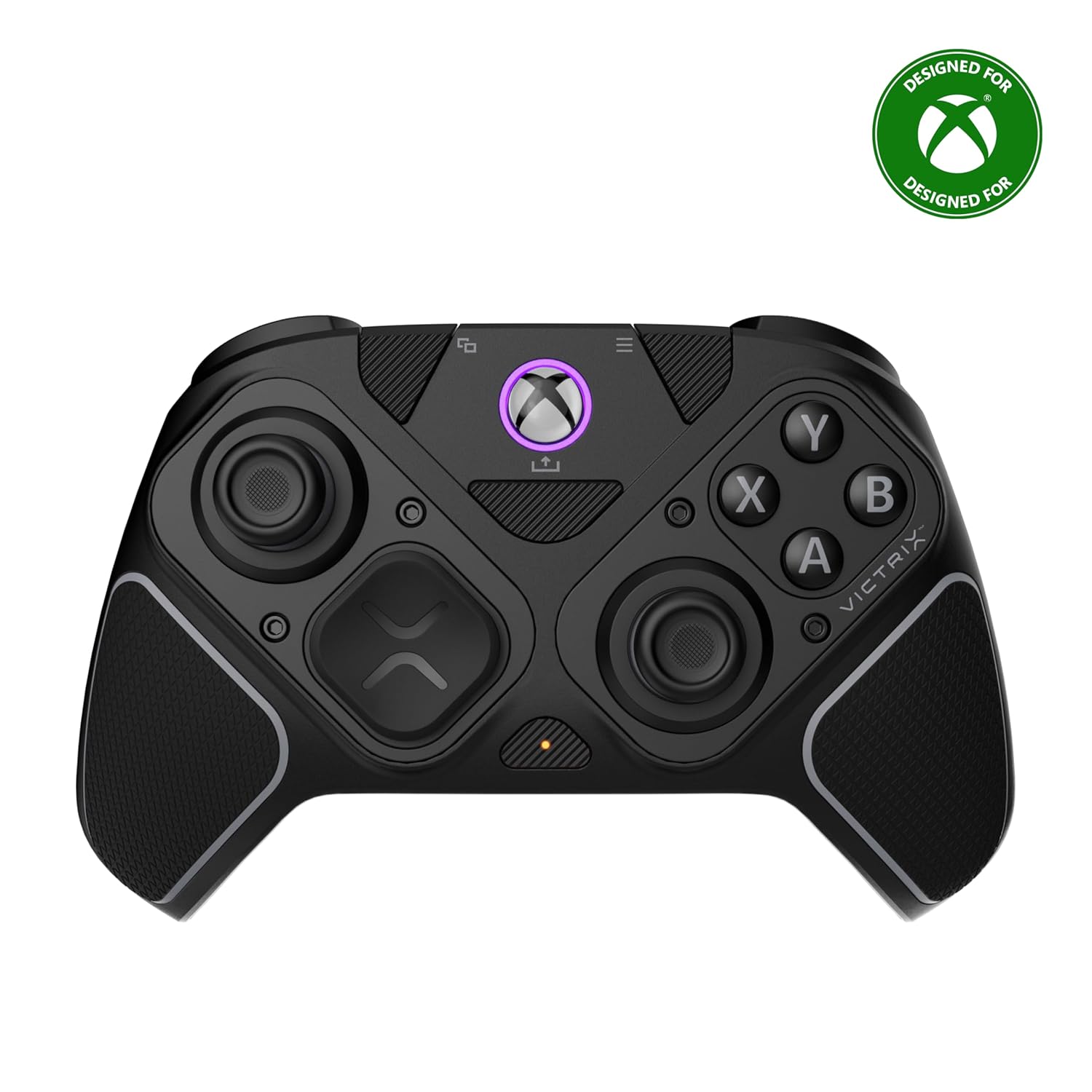
Marketed as the “BFG” (Big F’ing Gun) Pro, this wireless Xbox and PC controller is modular to the max. It has swappable modules for sticks and D-pad, trigger-stop switches, and four remappable back buttons. The entire face is replaceable (you can add a separate fight-pad for fighting games). It’s Bluetooth or wired, and even battery life is around 20 hours. TechRadar highlights its extreme modularity and calls it the top pick if you want a “wealth of alternate options”. The price is steep (~$180), but you can literally reconfigure the layout of the controller to suit any genre. Why buy: Unrivaled modular customization (swapable stick positions, faceplates, and back paddles) for gamers who want one controller to cover every need.
Key Highlights
- Unrivaled modular customization.
- Swappable modules for sticks, D-pad, and faceplates.
- Trigger-stop switches and four remappable back buttons.
- Robust 20 hours battery life.
Thrustmaster eSwap X2 (≈$170)
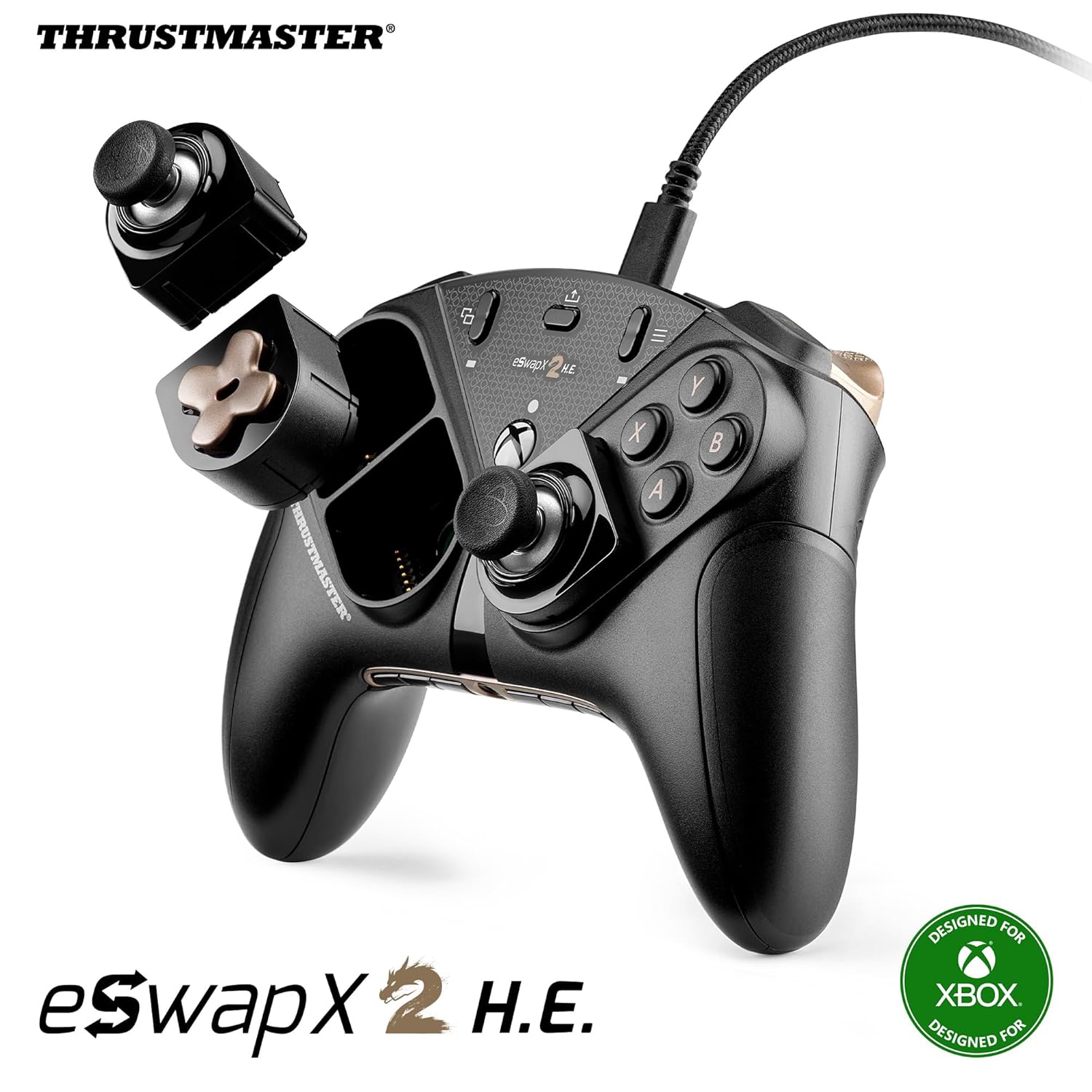
This is a high-end wired modular controller with a sleek black-and-gold design. It features magnetic removable modules: you can switch between Xbox-style grips or symmetrical grips, swap the D-pad and sticks, etc. Four rear buttons and trigger locks add to its versatility. TechRadar notes its “versatile modular design” and “classy” build, though it warns the rear buttons can be fiddly. If you want many configuration options and professional feel, the eSwap X2 is a solid pick.
Key Highlights
- High-end wired modular design.
- Magnetic removable modules for D-pad and sticks.
- Four rear buttons and reliable trigger locks.
- Classy black-and-gold sleek design.
Key Takeaways: Premium controllers focus on customization, build quality, and extra buttons. Expect magnetic/hall-effect sensors, swappable parts, and professional-grade materials. If you want the very best (and don’t mind spending big), Razer Wolverine and Scuf compete at the top. For versatility, Victrix BFG and Thrustmaster eSwap allow you to reconfigure the controller. These will cover every genre (fighting, racing, FPS, etc.) with appropriate modes. Again, they’re all available on Amazon and while their price is high, they often get discounts or bundles.
Controllers for Special Uses
Beyond the general categories, here are a few specialized controllers that PC gamers might love:
Retro or Portable Play
If you mainly enjoy retro games, emulators, or indie titles, consider 8BitDo’s range. Besides the SN30 Pro, they have the 8BitDo Pro 2 (adds handles and back buttons to SN30), and Ultimate 2 (with dock, hall sticks) for wireless play. These controllers are designed for multi-platform (including PC) and often come with charging docks and excellent battery life.
Fighting Games
Serious fighting-game players often prefer a fight stick (arcade stick). For example, the 8BitDo Arcade Stick for Xbox is a popular affordable option for PC fighting games. Or consider high-end sticks from Hori or MadCatz if you want a full arcade layout. These aren’t typical gamepads, but they connect to PC via USB and can make games like Street Fighter or Tekken feel authentic.
Accessible Gaming
Microsoft’s Xbox Adaptive Controller or Logitech’s adaptive devices can cater to gamers with limited mobility. Amazon sells these too, offering incredible flexibility for custom setups.
Mobile Streaming
Accessories like the Backbone One (phone controller) are more for phone gaming, but some PC streamers use controllers like Xbox pads via smartphone companion apps.
How to Choose the Best Controller for You
With all these options, pick the right one by considering:
- Connection Type: Wired controllers (USB-C or USB-A) guarantee low latency and no battery worries. Wireless pads give freedom but need batteries and may have tiny lag. (Modern high-end wireless pads are nearly as responsive, though.)
- Stick Layout: Asymmetric (offset) like Xbox controllers are often preferred for shooters, while symmetric (like PlayStation or Switch style) can feel more natural for other genres. Some controllers (like the GameSir Tarantula Pro) offer toggles between layouts.
- Features: Do you need extra buttons? Back paddles? Hall-effect sticks? Trigger locks? More customization usually means higher price. Think of what you’ll actually use in your games.
- Wireless Standard: If wireless, check if it’s Bluetooth or needs a USB dongle. Some third-party pads (e.g. 8BitDo) use proprietary 2.4GHz dongles for better stability.
- Platform Compatibility: Most controllers support Windows PC. If you also use a console or Nintendo Switch, check if the controller is multi-platform. Many are cross-compatible.
- Ergonomics and Grip: Look at pictures or reviews to ensure the shape fits your hands. Some mods allow swapping grips.
- Price and Warranty: Decide your budget and look for controllers that match it. Also consider product warranty major brands like Microsoft, Sony, Logitech, Razer often have good support.
| Type of Controller | Examples | Best For |
|---|---|---|
| Console-Style Pads | Xbox Wireless, DualSense | Versatile, polished, official support. |
| Third-Party Multi-platform | 8BitDo, GameSir, PowerA | Often cheaper, extra features, good PC/Switch compatibility. |
| Pro Controllers | Wolverine, Scuf, Victrix | Performance parts (Hall sticks, programmable), expensive. |
| Retro/Indie | 8BitDo SN30, SN30 Pro | Unique layouts, nostalgia focus. |
| Arcade Sticks | 8BitDo Arcade, HORI, MadCatz | Best for fighting games, large footprint. |
| Adaptive/Accessible | Xbox Adaptive Controller | For gamers with special needs, high flexibility. |
Frequently Asked Questions (FAQ)
Can I use a PlayStation or Nintendo controller on PC?
Yes. Most wireless controllers (DualSense for PlayStation, Switch Pro Controller, Joy-Cons, etc.) can connect to PC via Bluetooth or USB. However, the level of support varies. For example, the PS5 DualSense works on PC but only wired USB mode enables its advanced haptics and adaptive triggers. Bluetooth mode on PC might only give basic button support. Nintendo Switch controllers (Pro or Joy-Cons) need either Steam’s support or third-party apps to map buttons. If you prefer simplicity, Xbox controllers have native Windows drivers, so many PC gamers default to them.
What is a Hall-effect joystick and do I need it?
Hall-effect joysticks use magnets instead of potentiometers to detect stick movement. This means no physical contact wears down, so they don’t suffer from stick drift over time. For long-term reliability and accuracy, Hall-effect is great. In budget controllers it’s rare, but many mid-range and high-end controllers now include it (GameSir G7 Pro, 8BitDo 2C, Razer Wolverine, etc.). If you game heavily, a Hall-effect controller will last much longer. It’s not absolutely required for casual play, but it’s a pro-level feature.
Wired vs wireless which is better for PC gaming?
Wired controllers have the advantage of zero battery worry and minimal latency. They are recommended for competitive gaming or when battery life is a concern. Wireless controllers add convenience by removing the cable. Most modern wireless pads have very low lag, but you should keep the dongle or Bluetooth adapter close to avoid interference. Many high-end pro players still lean wired for rock-solid performance, but for everyday gaming a quality wireless controller works excellently. If you’re worried about battery, look for controllers with good battery life or rechargeable batteries (Xbox pads use AA, DualSense has built-in battery, 8BitDo have USB-C rechargeable).
Do I need special software or drivers for PC controllers?
In most cases, no. Windows natively supports Xbox controllers and some generic gamepads with XInput. Steam has a built-in controller configuration for many pads, including DualSense and Switch controllers, which helps map buttons and enable advanced features. Some third-party controllers like 8BitDo offer optional software on PC to customize button mapping or updates, but you don’t need it to play. Always check the product description; if any controller requires a special driver, that will be noted. Otherwise, just plug-and-play or pair via Bluetooth.
Why do controllers have different stick layouts?
It’s mainly about preference and game genres. Xbox-style controllers have offset sticks (left stick higher), which many find more comfortable for racing and shooters. PlayStation/Switch-style controllers have symmetrical sticks (both sticks aligned at bottom), which some players prefer for platformers or their hand shape. Some games allow switching the button mapping to different layouts, which is why controllers like the GameSir Tarantula Pro let you toggle between an “Xbox layout” and a “Nintendo layout” on the fly. Choose the layout that feels most natural to you or one that your favorite games support.
Can these controllers all be bought on Amazon?
Yes, all the controllers mentioned are available through Amazon (some might need official resellers). You’ll often find customer reviews and Prime shipping. If you’re using affiliate links in our site, clicking those should take you to the current price on Amazon. Keep an eye out for bundles or deals for instance, 8BitDo often bundles a charging dock, or Razer pads might go on sale. Always make sure you buy from reputable sellers on Amazon to ensure warranty support.
Disclosure: The links in this post are affiliate links. This means if you click on them and make a purchase, we may earn a small commission at no extra cost to you. As an Amazon Associate, We earn from qualifying purchases.
You May Also Like
4 Cheapest RTX 5060 Gaming Laptops in 2026
Looking for the cheapest RTX 5060 gaming laptops in 2026? We break down the top 4 budget picks with real specs, honest pros and cons, and who each one is actually for.
Best Gaming Laptops for College Students Under $1000 in 2026
Buying a gaming laptop for college is different from buying one purely for gaming. A college laptop needs to handle lectures, assignments, research, video calls, and productivity software during the day while still delivering solid gaming performance at night.

Best Games on Steam to Play While Working From Home
Best games on Steam to play while working from home, from cozy builders to smart card games that fit short breaks, easy pauses, and low stress sessions.